Všetky odpovede (2)
Hello,
Firefox automatically creates backups of your bookmarks, which can be helpful if your bookmarks are lost or missing. To recover them, follow the instructions below.
- Click the menu button
 , then click Bookmarks.
- Scroll to the bottom and click Manage Bookmarks.
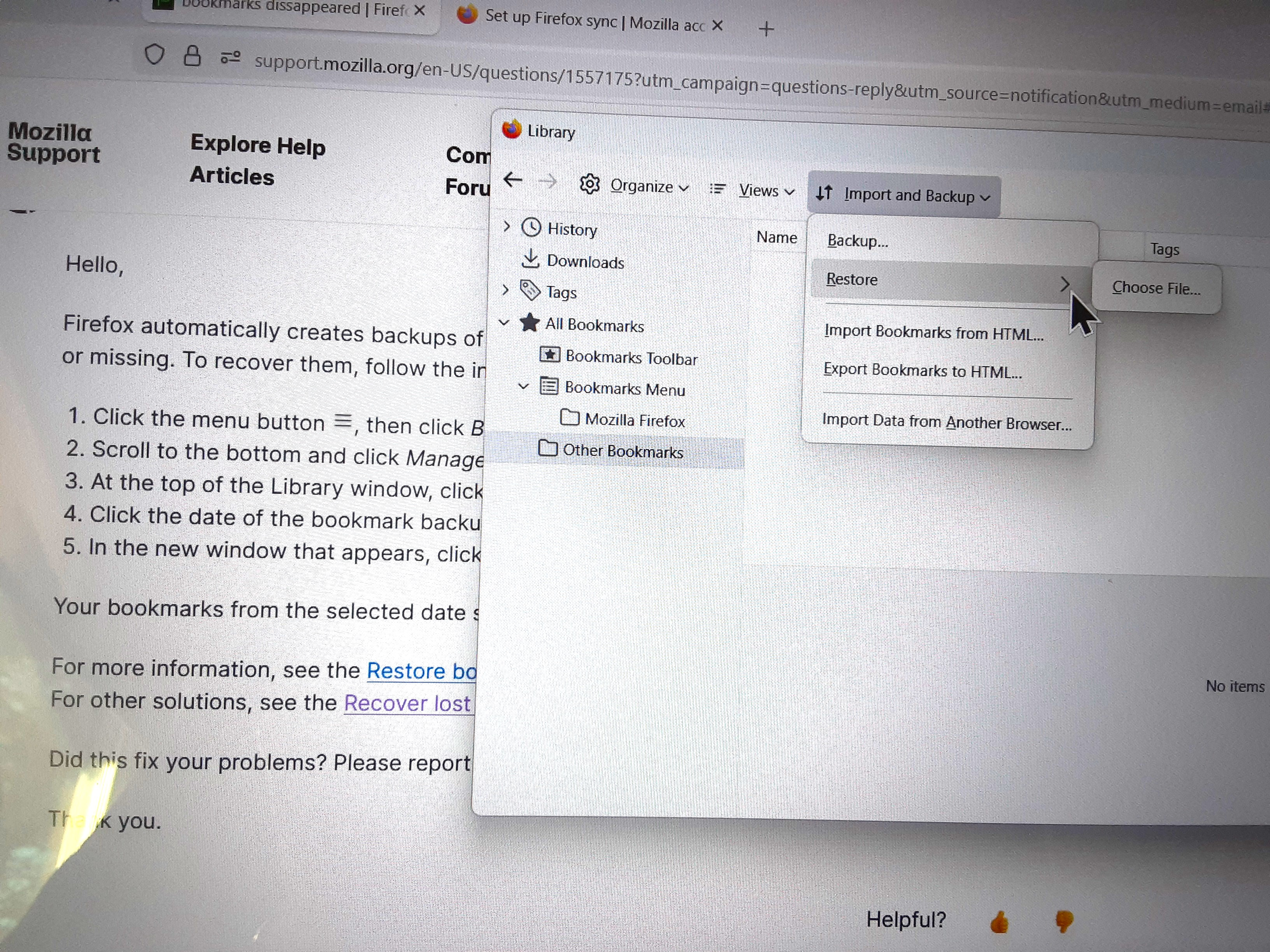
- At the top of the Library window, click on Import and Backup and select Restore.
- Click the date of the bookmark backup you want to recover.
- In the new window that appears, click OK.
Your bookmarks from the selected date should now be restored.
For more information, see the Restore bookmarks from backup or move them to another computer article. For other solutions, see the Recover lost or missing Bookmarks article.
Did this fix your problems? Please report back to us!
Thank you.
While following the instruction above: When I select "Restore", the only option it gives me is "Choose File" not "click the date".