


Windows 10 reached EOS (end of support) on October 14, 2025. If you are on Windows 10, see this article.

Vyhľadajte odpoveď

Vyhnite sa podvodom s podporou. Nikdy vás nebudeme žiadať, aby ste zavolali alebo poslali SMS na telefónne číslo alebo zdieľali osobné informácie. Nahláste prosím podozrivú aktivitu použitím voľby “Nahlásiť zneužitie”.

Ďalšie informácie
Archivované

viewing sent emails

david odpovedal
Georgeweck

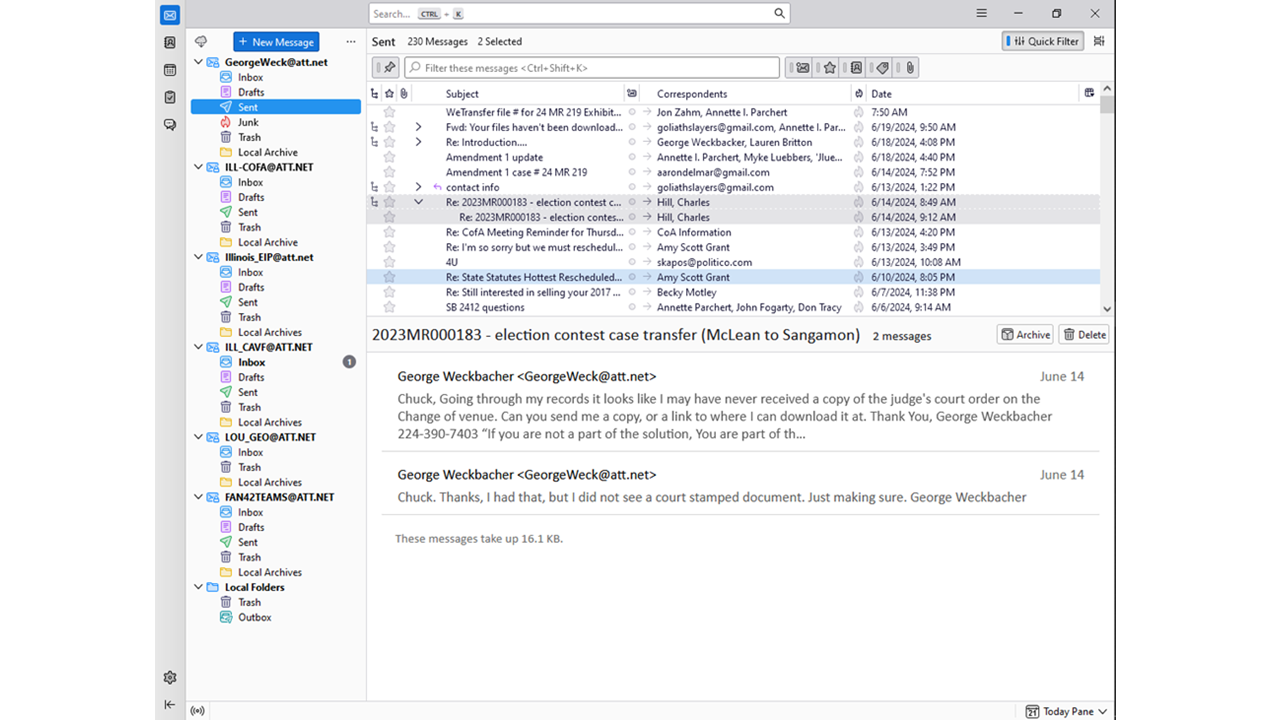
When I select "Sent" emails to review to see what I have sent. I find that Thunderbird will not show emails with attached files. (see image) To see what I have sent with attachments I have to select attachments. (see image)

I would think that I should see ALL the emails sent when first selecting "Sent".

I then should be able to view only sent emails with attachments when I select attachments.

Are my settings off or is this a bug in the software?

Let me know. TY
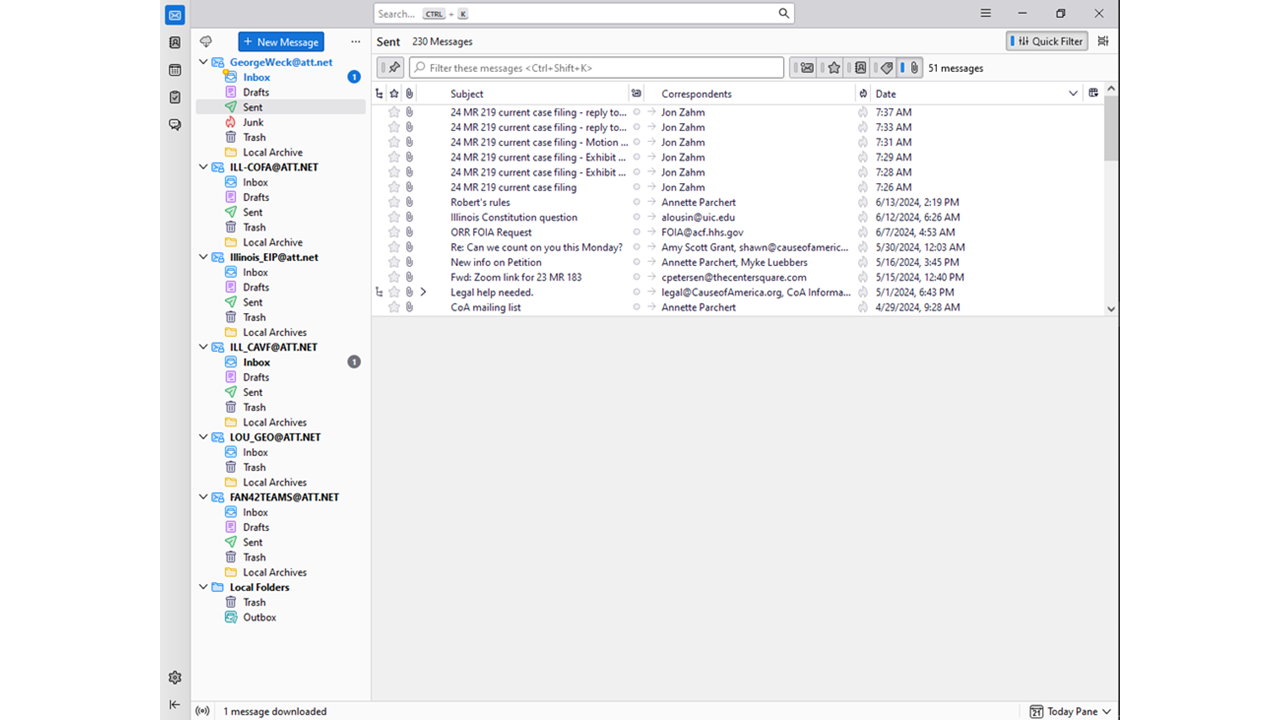
When I select "Sent" emails to review to see what I have sent. I find that Thunderbird will not show emails with attached files. (see image) To see what I have sent with attachments I have to select attachments. (see image) I would think that I should see ALL the emails sent when first selecting "Sent". I then should be able to view only sent emails with attachments when I select attachments. Are my settings off or is this a bug in the software? Let me know. TY
Priložené obrázky

Všetky odpovede (1)

I am not grasping the issue. By defining a column for attachments, you can readily see which messages had attachments, and by clicking that column, you can group them together, if desired. Could it be that you have threaded view and that is causing that situation? If you have threaded view, disable for that folder to see if you then see what you were hoping for.