Browser won't open message window on insurance website
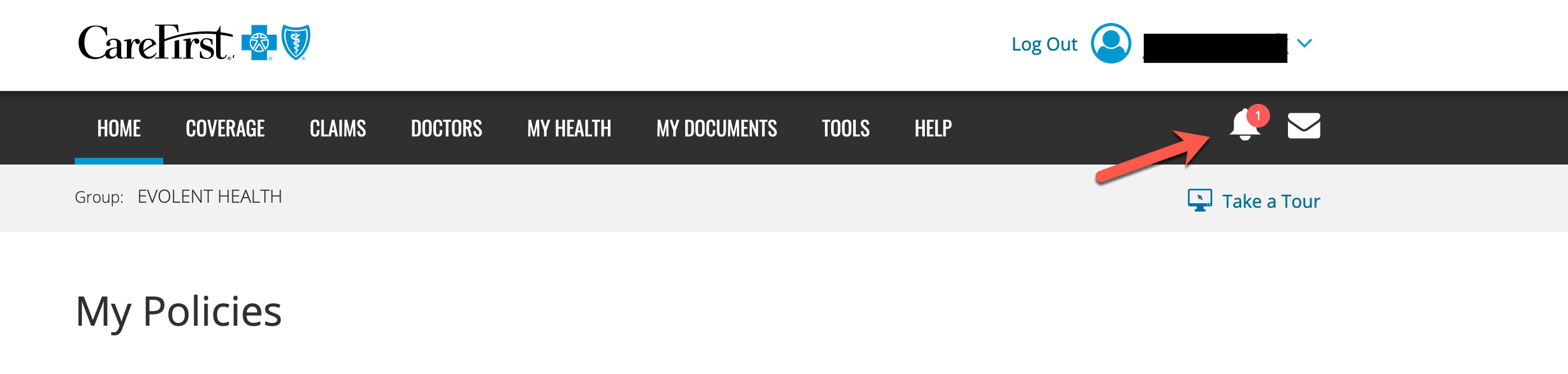
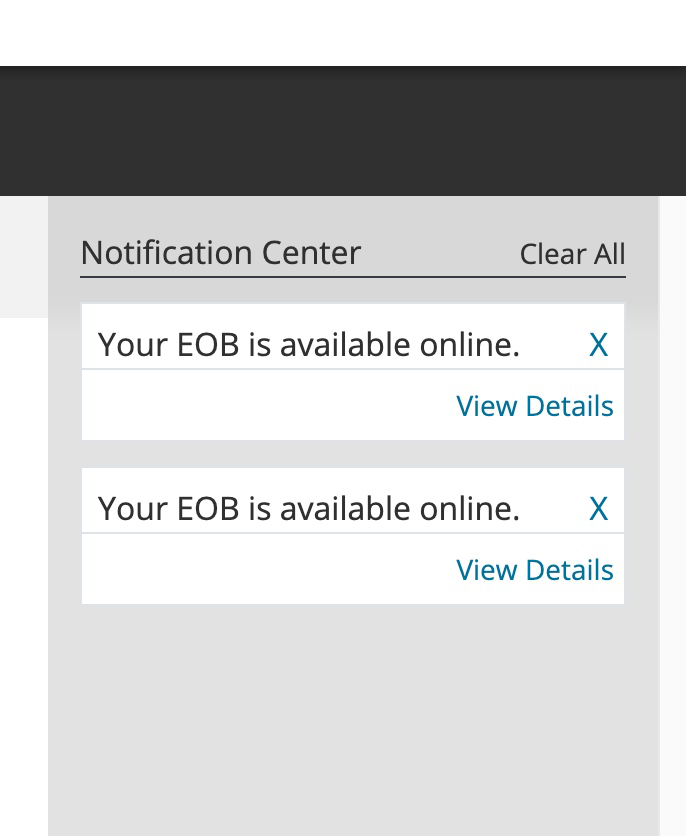
When I click on the link for my insurance website (https://member.carefirst.com) a message sidebar window should open showing the the messages. It will not open in firefox even though I have popups enabled.
Všetky odpovede (12)

Make sure you are not blocking content.
Start Firefox in Safe Mode {web link}
A small dialog should appear. Click
Start In Safe Mode (not Refresh).
Is the problem still there?
https://support.mozilla.org/en-US/kb/enhanced-tracking-protection-firefox-desktop
I tried running in safe mode. I also turned off the advanced protection. It still does not work.
Many site issues can be caused by corrupt cookies or cache.
Warning ! ! This will log you out of sites you're logged in to. You may also lose any settings for that website.
- How to clear the Firefox cache {web link}
I deleted the cookies and cache and it didn't fix the issue. The message window still will not open.
Start your Computer in safe mode with network support.
Then start Firefox.
Try Secure websites. Is the problem still there?
http://encyclopedia2.thefreedictionary.com/Linux+Safe+Mode
Starting Any Computer In Safe Mode;
Free Online Encyclopedia
No change. The window still does not open. FYI, if I go to the website in Microsoft Edge, the side window DOES open (see attachment). So there is something in Firefox that is preventing it.
Remove History For One Site {web link}
Open the History Manager <Control> (Mac=<Command>) <Shift> H.
In the search bar, enter the name of the site.
Right-click on one of the listings and select
Forget About This Site.
This should remove all information, including any site settings
No change. Still won't open.
You can check the Web Console (Tools -> Web Developer) for messages about blocked content and about the presence of mixed or unsafe content.
You can check the Network Monitor to see if content is blocked or otherwise fails to load.
If necessary use Command+Shift+R to reload the page and bypass the cache to generate a fresh log.
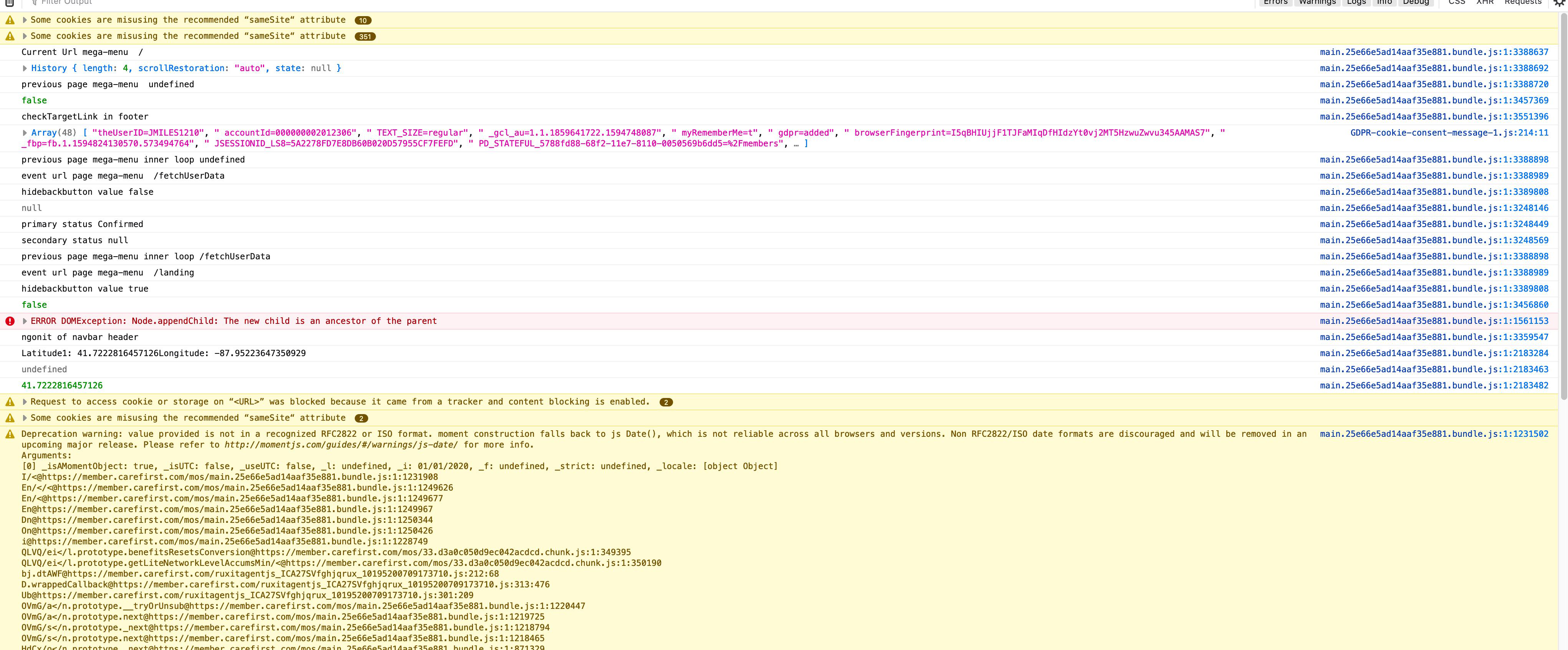
Thanks for the info, but the console doesn't tell me anything that I would understand.
Can you attach a screenshot ?
- https://support.mozilla.org/en-US/kb/how-do-i-create-screenshot-my-problem
- use a compressed image type like PNG or JPG to save the screenshot
Upravil(a) cor-el dňa
Attached is a screenshot of the console info.