


Replies are not stored in sent folder. Thunderbird Keeps Changing the folder from Sent to Other

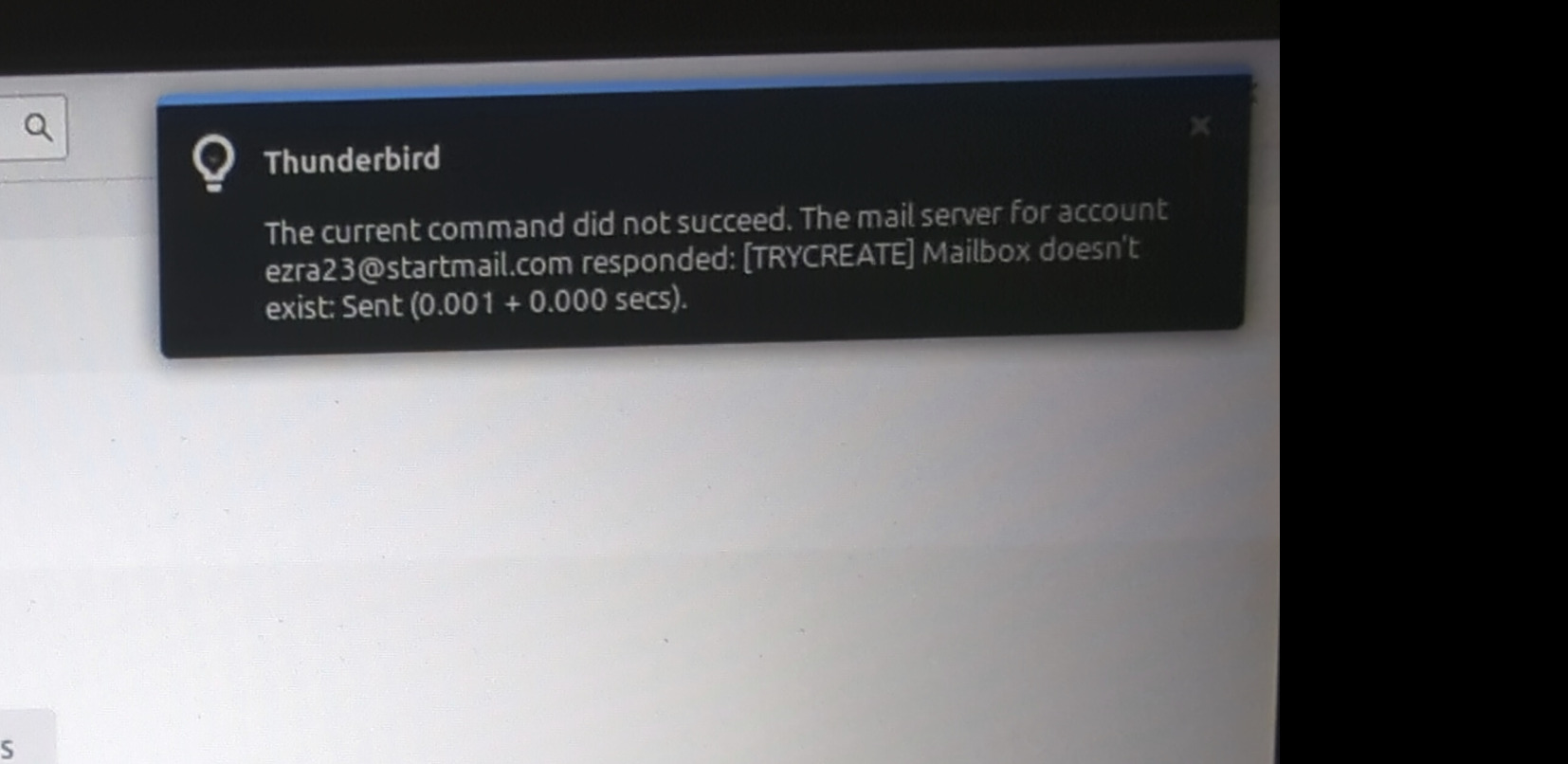
This issue has existed for a while now. I keep receiving this message on my screen when I send an email from StartMail ( see attached )
This issue does not occur with other providers when using the same client to send emails.
It happens on different computers that has a newly installed operating system and a fresh installation of Thunderbird. The issue is only with the sent folder and only for this email account.
I taken multiple steps to correct this.
Tried installing Thunderbird on a fresh operating system installation and the issues persit
Account Settings -> Copies & Folders. I have tried both Sent and Other.
IMAP is properly configured to imap.startmail.com port 993. This should not matter because the issue is only to the sent folder.
Sent folder set to Syncronized
Sent messages not going into a different folder by mistakes because of any filter.
Properties Repair Folder done
Inside the profile folder under IMAP imap.startmail.com deleted Sent.msf, Sent messages, Sent messages.msf
Click on get messages
.......If I sent an email from the startMail web interface then the email is saved to the Sent Messages but the counter does not show there is a new email
Again the issue only affects mt Startmail account sent folder. All the other accounts do not have issues.
There is a messages that keep re appearing on my screen. Is this helpful ?
The current command did not succeed. The mail server for account ........@startmail.com responded: [TRYCREATE] Mailbox doesn't exist: Sent (0.001 + 0.000 secs ).
What gives I have both a sent and a sent messages folder but no messages are saved and if I am reading this right is telling me that the folder I have does not exist ?
Also I am using Linux Mint 22.1 Cinnamon
A few hours after my initial post I tried another client. Evolution client was configured and worked out of the box. There was no issues with emails being placed in the sent folder.
Is Thunderbird broken ?
I appreciate any help to correct this please. Thanks
All Replies (4)
Hi ioippnrpxfbn,
The “[TRYCREATE] Mailbox doesn't exist: Sent” message is the most useful clue here. It suggests Thunderbird is trying to use a folder called “Sent”, while your StartMail account may actually be using “Sent Messages”.
Since this only affects the StartMail account, I would check the folder Thunderbird is configured to use rather than reinstalling Thunderbird again.
In Account Settings for the StartMail account, go to Copies & Folders and check which folder is selected under “Place a copy in”. Make sure it points to the actual “Sent Messages” folder on the StartMail server, rather than a folder named “Sent”.
If Thunderbird keeps changing the selection back to “Sent”, that would be particularly useful to know. It may indicate that Thunderbird is not correctly recognising StartMail's special-use Sent folder.
Could you also check the folder's Properties in Thunderbird and look at the IMAP location/path? If you post what it shows for both “Sent” and “Sent Messages”, we may be able to work out exactly what Thunderbird is seeing.
Hello Max,
Thank you for your response. I appreciate your assistance.
I was able to temporarily fix this a couple of days ago. I clicked on 'Other' and then sent messages for my StartMail account. However, shortly after making those changes, they reverted by themselves.
Is it possible that there is something in the config editor that was affected?
Hi Max
Is this what you had asked me for ?
imap://....%40startmail.com@imap.startmail.com/Sent
imap://....%40startmail.com@imap.startmail.com/Sent Messages
Thanks
Hi ioippnrpxfbn,
Yes, that is useful. It confirms that Thunderbird is seeing two separate server folders:
Sent Sent Messages
The important part is that the error says Thunderbird is trying to use “Sent”, while your messages appear to belong in “Sent Messages”. Thunderbird's Copies & Folders setting controls where it places copies of sent messages, and for an IMAP account you can select the specific server folder under “Other”.
Since you have already selected “Sent Messages” and Thunderbird later changes it back to “Sent”, I would not change anything in Config Editor yet. That behaviour itself is the useful clue.
Could you check one more thing: right-click the “Sent Messages” folder in Thunderbird, choose Properties, and tell us what is shown for its IMAP location/path and whether it is subscribed?
If “Sent Messages” is the correct StartMail folder and Thunderbird keeps reverting the setting to “Sent”, that may point to Thunderbird incorrectly identifying the server's Sent folder rather than simply being a local profile problem.