


Got Unable to Load Profile Message; I Found My Profile I Think but Import Failed

Maybe a red herring: I was in the middle of doing a Documents folder backup when I decided to open Thunderbird for some reason. Got an Unable to Load Profile type of message. And my attempts at a fix seem to just send me further down a rabbit hole. I started out by renaming my profile.ini file, but I really didn't know what the heck I was doing and possibly caused more harm than good. Then I tried to find my profile file/folder itself, using the Thunderbird > Troubleshooting > Profile Folder path and doing an import from inside TBird but that ended up with various problems such as drilling down to the profile folder from within TBird but then when I clicked Select Folder in Thunderbird, that didn't trigger any sort of import.
I also spent a good deal of time trying to find my AppData folder, finally being able to view it (a hidden folder, apparently), and saw several recently-dated profile types of folders, but again, I couldn't manage to "hook up" any of those folder/files from starting inside TBird and selecting Import... I ended up just stuck inside a folder, not triggering any Importing activity.
Finally I found a profile folder (5yed...) at a higher level on my PC than inside that long AppData Roaming Thunderbird path. THIS profile was inside: D:\DOCS\Thunderbird\Profiles
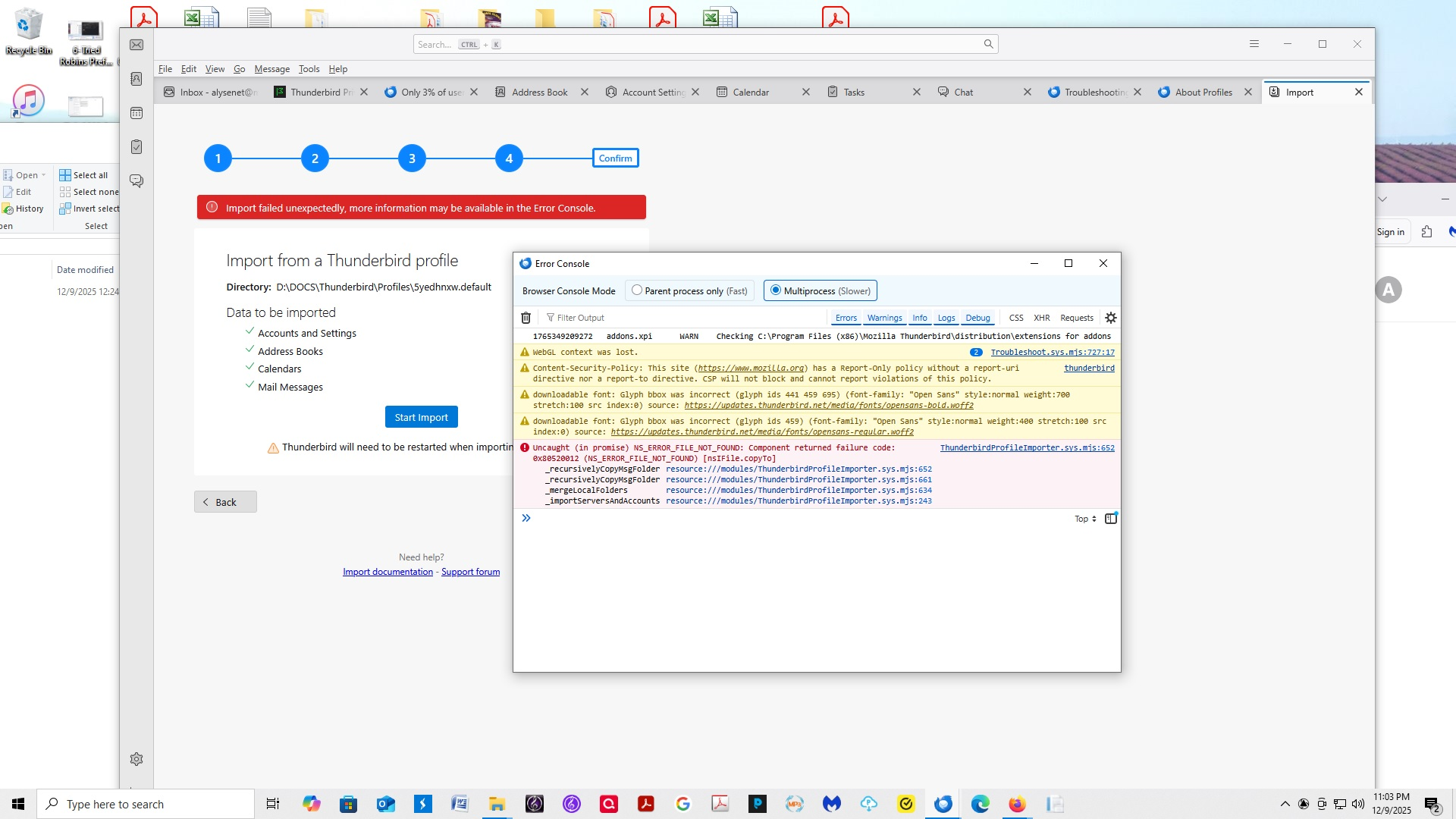
Now THAT folder I managed to get an Import to trigger. But the result was an Error Message telling me to go find my Error Console. Can you please see the attached Error Code display screengrab and tell me there's hope that this was at least the right file but just poor results that I can fix somehow???
The following is my copy/paste of the text I see in the Error Console display that's in my screengrab after trying to import the above 5yed... profile, in case it helps you see it better:
1765349209272 addons.xpi WARN Checking C:\Program Files (x86)\Mozilla Thunderbird\distribution\extensions for addons WebGL context was lost. 2 Troubleshoot.sys.mjs:727:17 Content-Security-Policy: This site (https://www.mozilla.org) has a Report-Only policy without a report-uri directive nor a report-to directive. CSP will not block and cannot report violations of this policy. thunderbird downloadable font: Glyph bbox was incorrect (glyph ids 441 459 695) (font-family: "Open Sans" style:normal weight:700 stretch:100 src index:0) source: https://updates.thunderbird.net/media/fonts/opensans-bold.woff2 downloadable font: Glyph bbox was incorrect (glyph ids 459) (font-family: "Open Sans" style:normal weight:400 stretch:100 src index:0) source: https://updates.thunderbird.net/media/fonts/opensans-regular.woff2 Uncaught (in promise) NS_ERROR_FILE_NOT_FOUND: Component returned failure code: 0x80520012 (NS_ERROR_FILE_NOT_FOUND) [nsIFile.copyTo]
   _recursivelyCopyMsgFolder resource:///modules/ThunderbirdProfileImporter.sys.mjs:652
   _recursivelyCopyMsgFolder resource:///modules/ThunderbirdProfileImporter.sys.mjs:661
   _mergeLocalFolders resource:///modules/ThunderbirdProfileImporter.sys.mjs:634
   _importServersAndAccounts resource:///modules/ThunderbirdProfileImporter.sys.mjs:243
ThunderbirdProfileImporter.sys.mjs:652
Also attached below are also:
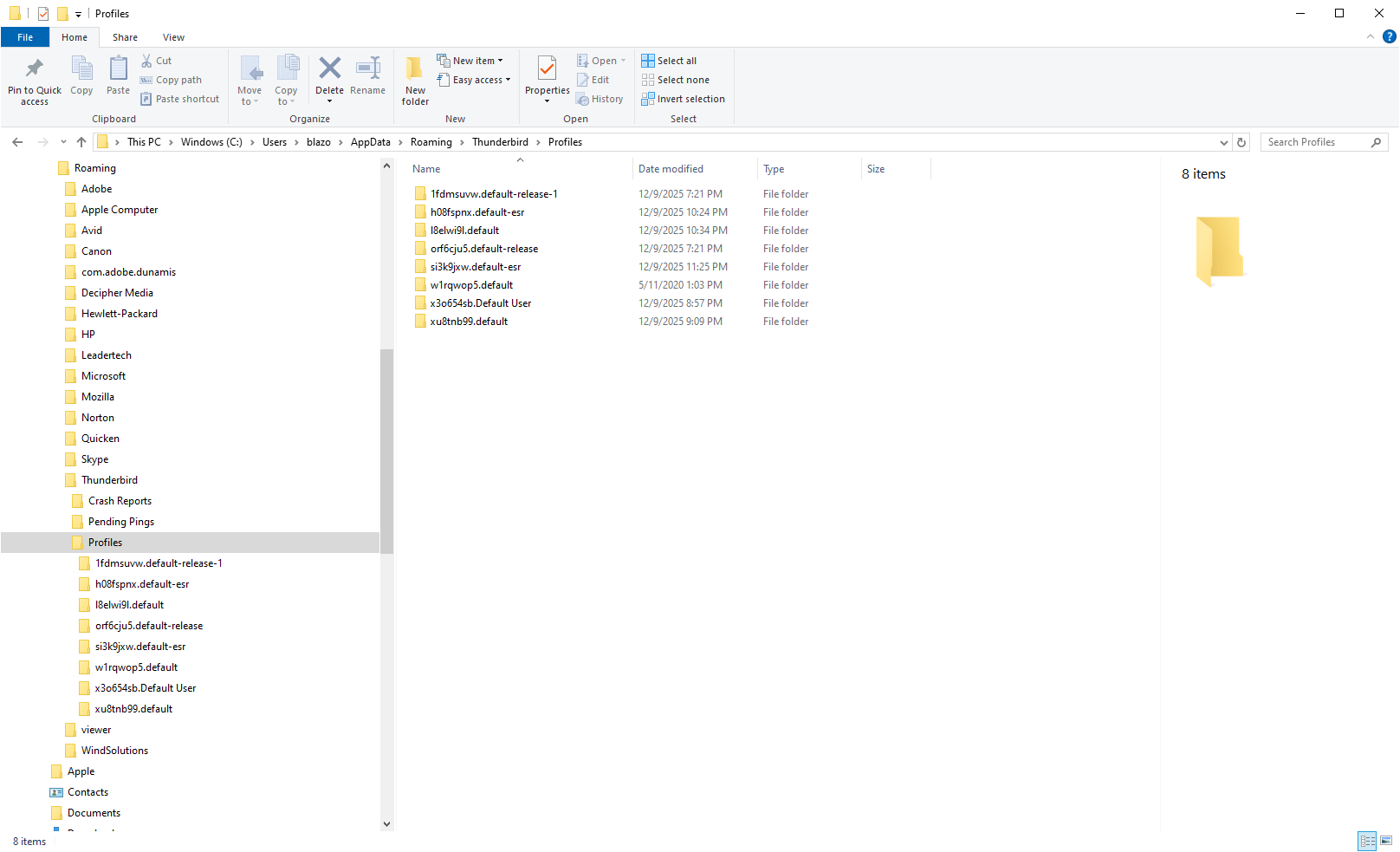
- a screengrab of a set of profiles I found, but when I drilled down to them from within TBird's Import selections and clicked Select Folder, as far as I got was an open folder, or something like that.
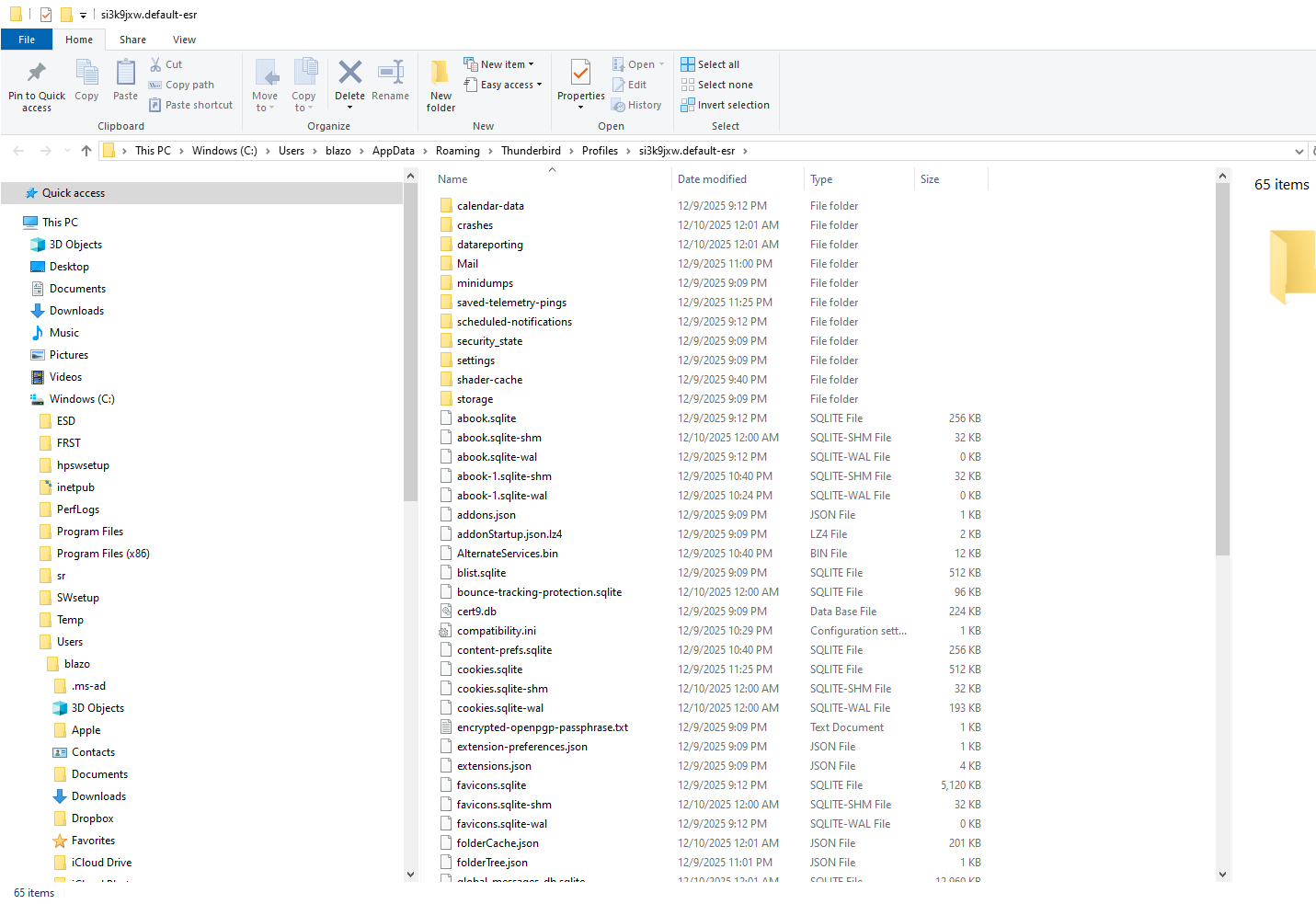
- Thunderbird's Troubleshooting Info "Profile Folder" path.
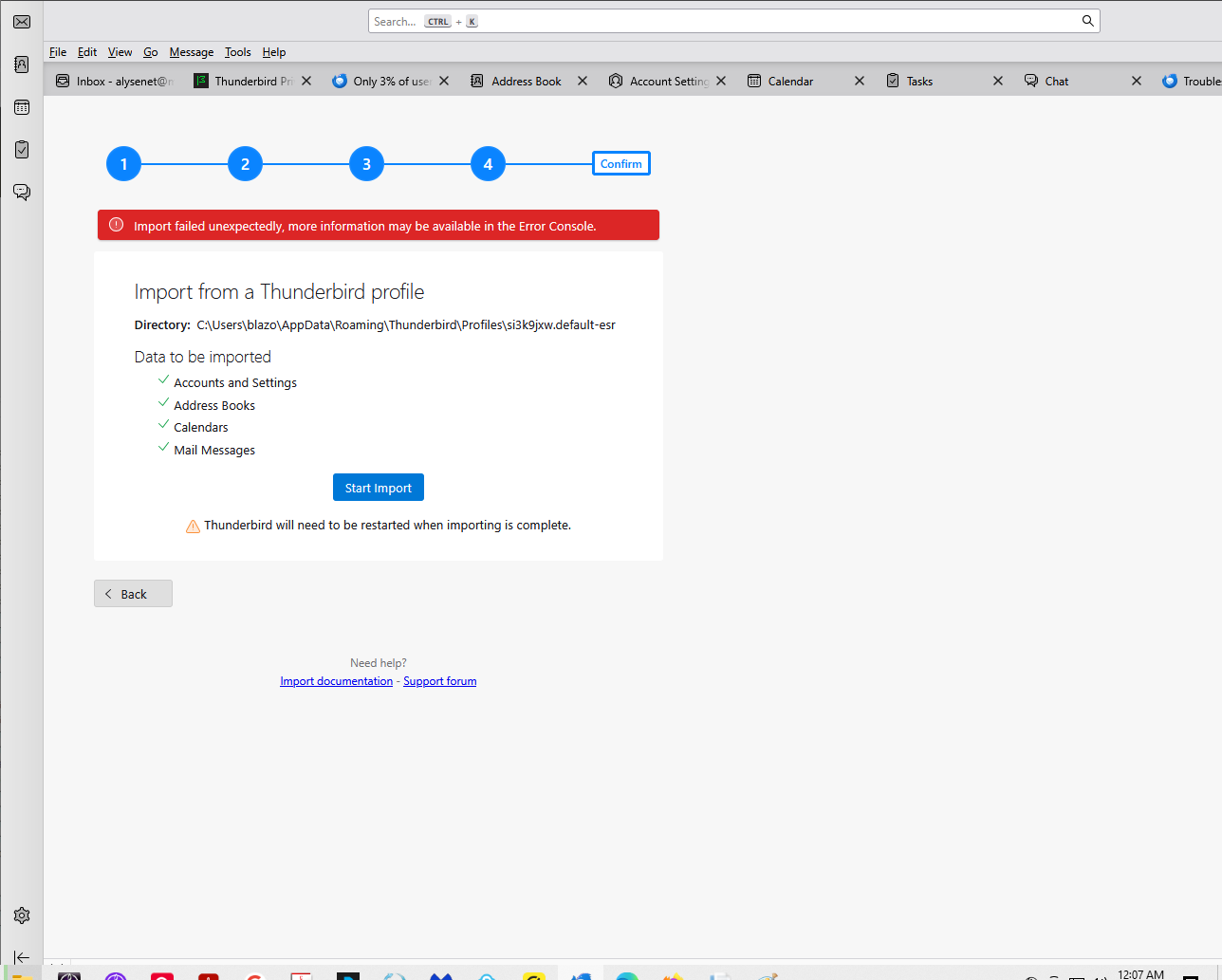
- Message telling me to see the Error Console. The message appeared right after I tried importing the profile that's stated in TBird's Troubleshooting Info "Profile Folder" path.
Here's the copy/paste of the Error Console message display after my try at importing the profile that is in the path that TBird's Troubleshooting Info page "Profile Folder" states (maybe it's the same as my 5yed...profile import try's Error Console display, dunno:
1765353636640 addons.xpi WARN Checking C:\Program Files (x86)\Mozilla Thunderbird\distribution\extensions for addons Content-Security-Policy: This site (https://www.mozilla.org) has a Report-Only policy without a report-uri directive nor a report-to directive. CSP will not block and cannot report violations of this policy. thunderbird WebGL context was lost. 2 Troubleshoot.sys.mjs:727:17 downloadable font: Glyph bbox was incorrect (glyph ids 441 459 695) (font-family: "Open Sans" style:normal weight:700 stretch:100 src index:0) source: https://updates.thunderbird.net/media/fonts/opensans-bold.woff2 downloadable font: Glyph bbox was incorrect (glyph ids 459) (font-family: "Open Sans" style:normal weight:400 stretch:100 src index:0) source: https://updates.thunderbird.net/media/fonts/opensans-regular.woff2 Uncaught (in promise) NS_ERROR_FILE_NOT_FOUND: Component returned failure code: 0x80520012 (NS_ERROR_FILE_NOT_FOUND) [nsIFile.copyTo]
   _recursivelyCopyMsgFolder resource:///modules/ThunderbirdProfileImporter.sys.mjs:652
   _recursivelyCopyMsgFolder resource:///modules/ThunderbirdProfileImporter.sys.mjs:661
   _mergeLocalFolders resource:///modules/ThunderbirdProfileImporter.sys.mjs:634
   _importServersAndAccounts resource:///modules/ThunderbirdProfileImporter.sys.mjs:243
ThunderbirdProfileImporter.sys.mjs:652
Thanks for any help in getting through this.
Modified by alysenet
All Replies (16)
I will not attempt to fix all of this, as it's possible your active profile might be on drive C or D. And, with your attempt to import (which would only make matters worse or impossible to fix), there may be profile corruption. But, here are my suggestions:
Since you have thunderbird running, try this: - click help>troubleshootinginformation - scroll to 'profiles' and click 'about:profiles' - this opens a screen, listing all profiles on drive C. you can click to launch each one to see if it's the right one. Normally, the one named default-relase is the one created initially, but you may have changed since then. If the profiles are not corrupt, you should eventually launch the one with your data.
But, if the default is on drive D, you will benefit from the Profile Manager. More info on that is here:
https://support.mozilla.org/en-US/kb/profile-manager-create-and-remove-thunderbird-profiles
I should probably mention ... As part of my efforts to fix the Unable to load profile message, a suggestion I came across ... likely some google/AI suggestion I saw ... I did some sort of Create Profile step to hopefully eventually drill over to my actual profile like the instructions said I could do. I'm not sure I finished the process or did it right.
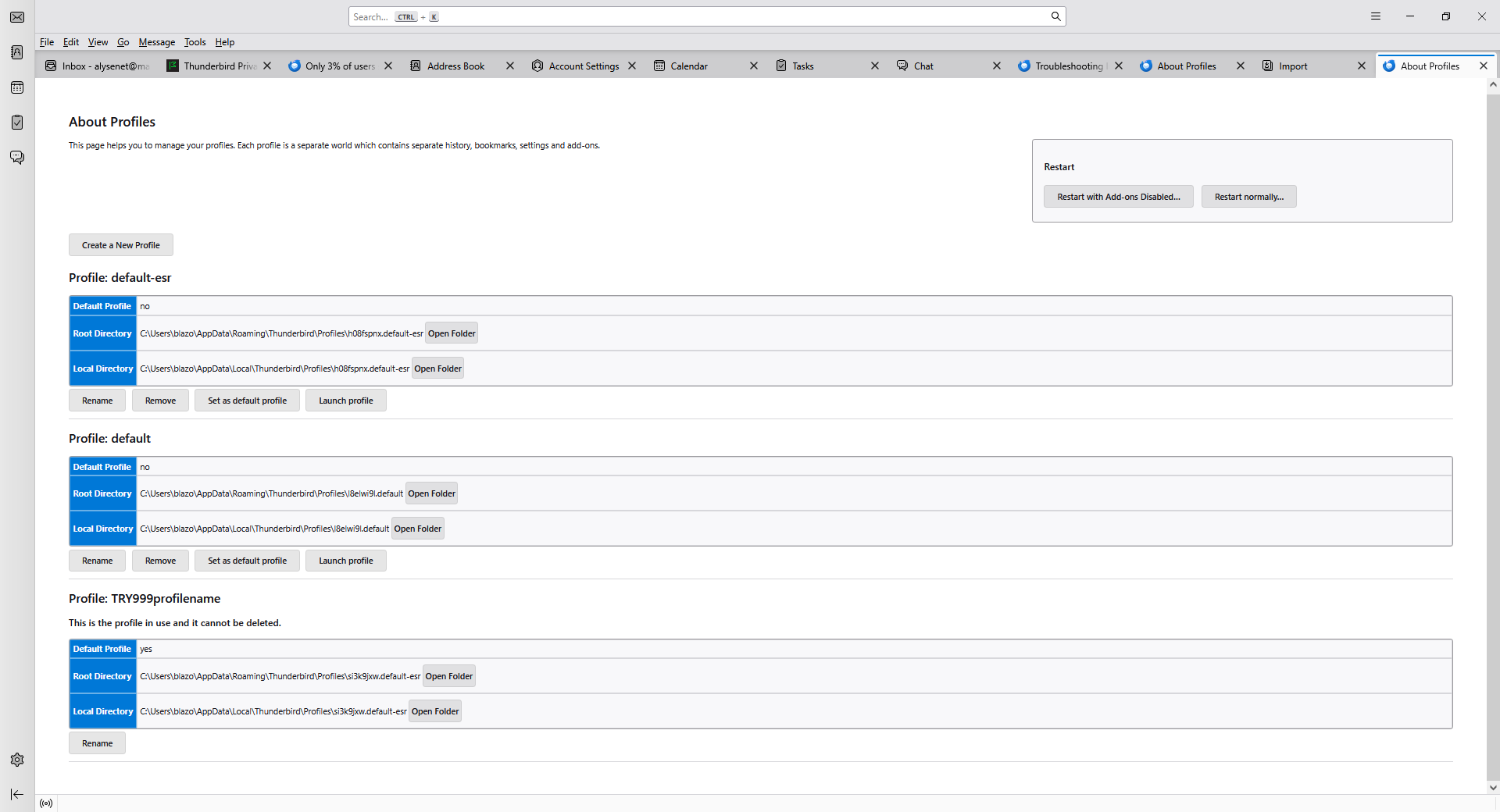
When I got to About: Profiles, the attached is what I saw. I then wasn't sure what you meant by click "each one" so at first I clicked the Open Folder button, but then I didn't know what to do. So then instead of clicking Open Folder I clicked "Launch Profile" button in the two cases of seeing a Launch Profile button. The first Launch Profile button brought me to an ad screen that also had a tab for "Account Setup." So it seemed at that point that Thunderbird still wanted me to set up an account, at least when going down this particular path, so I typed in my mailfence email address and mailfence password. That resulted in a Thunderbird screen that downloaded 66 emails from the mailfence server. But of course what I want to see is my tens or maybe hundreds of thousands of emails that I've stored in mailfence over these many years, starting with my earthlink email coming into it and then eventually mailfence around 2022.
I had already discovered "Profile Manager" back when I was trying to fix the Unable to Load Profile thing. But I'll look at what your specific link about Profile Manager says now. Thanks.
Modified by alysenet
if the profile suggested creating an account, that is a clue that the profile is empty and NOT the one you want.
ok, here is a modification: - when there in 'about:profiles, click 'open folder' for each - what you want to do now is look in the profile folder to see if you see your data. if the account is imap, click the imapmail folder in each profile, one at a time, to see if your mailfence account is there and the last used dates are recent. if POP, click the mail folder in each profile to see if the account is there. once you verify that you're looking at the right profile, revert to thunderbird and click 'launch' for that profile.
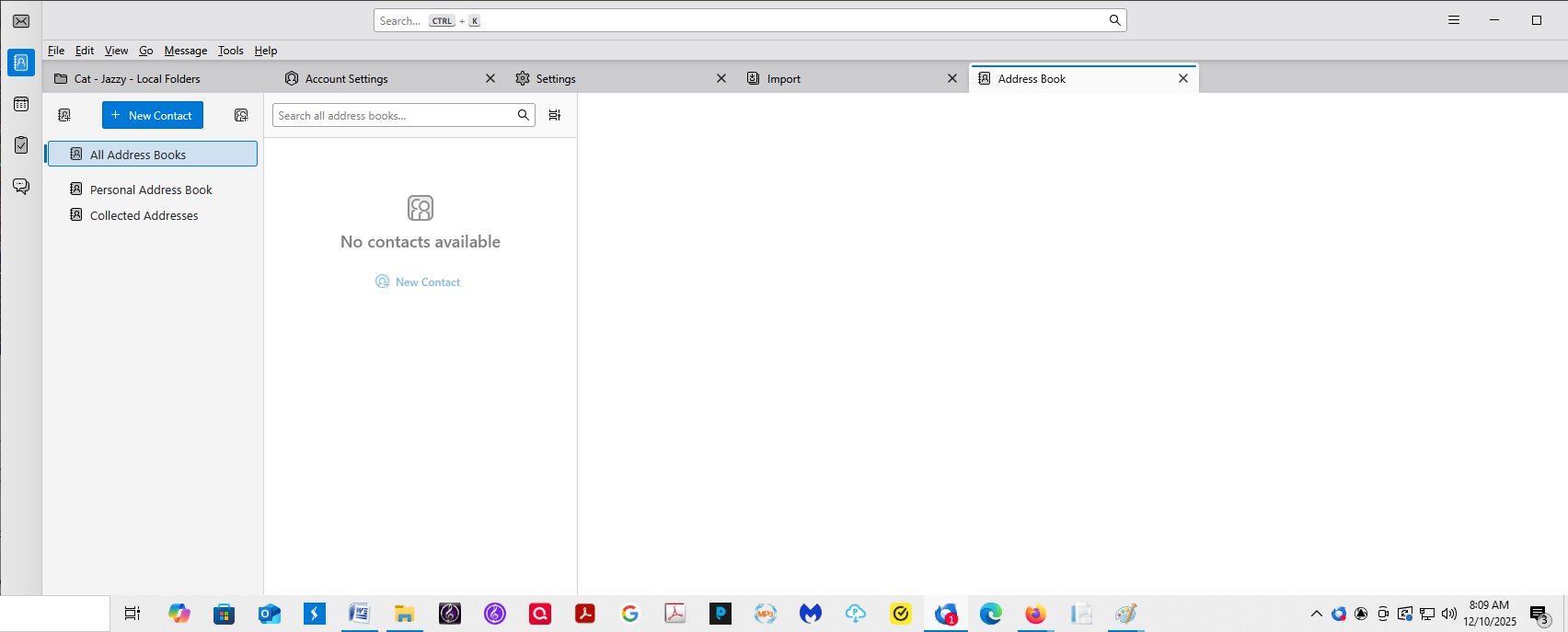
Hi, Before I saw your above reply, I think I managed to get the right profile into whatever Thunderbird blank slate display I was seeing. Attached is a screengrab of what I'm seeing. Everything email-message-wise seems to be there ... the hierarchy, the included recently-dated emails. I managed to get the Address Book tab to appear, but the *content* isn't there, so I'm worried.
Afraid to close Thunderbird until I get the Address Book content into my display.
Oh yeah ... the final steps I did that seems to have worked for getting the right profile into Thunderbird, at least as far as my *email* content (not necessarily Address Book/Contacts?), were:
1. In Thunderbird, I clicked the upper right menu and selected Tools > Import.
An Import Tools screen appeared.
2. I kept the Import from Another Thunderbird Installation selection. [in the past, I had mostly kept choosing "import from a profile" and had kept trying to find the right profile].
An Import from a Thunderbird Profile screen appeared.
3. I kept the “Import from… default-esr” selection. [not sure I had ever seen that selection before.]
What seems to be the latest emails and hierarchy appeared! Yay!
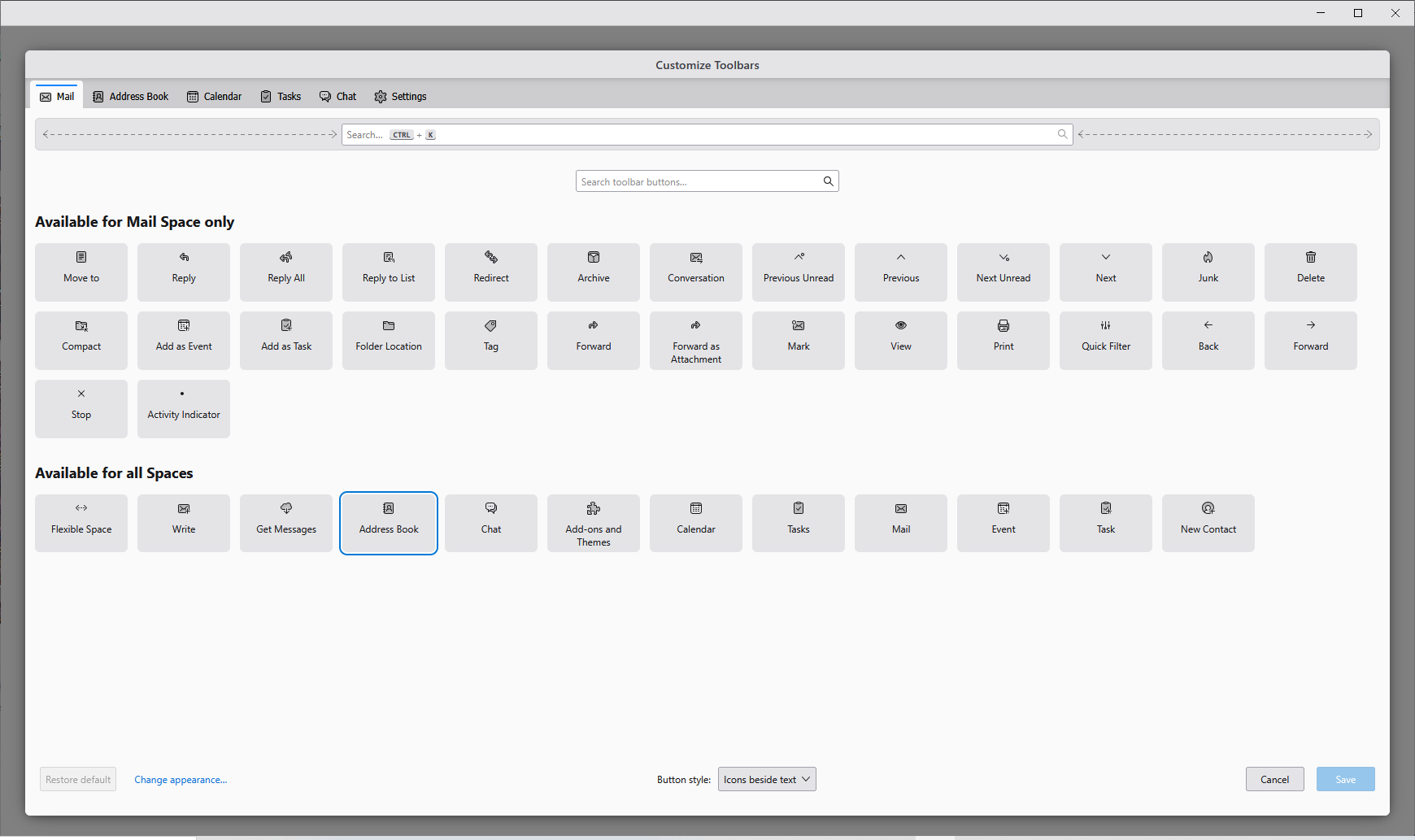
When I found an Address Book spot by selecting Tools > Address Book, it was blank. I went into View > Toolbars > Customize, but selecting Address Book resulted in the "Save" button NOT being displayed to then make it "take" but somehow I ended up with an Address Book tab at some point, maybe from a double-click on the Address Book block, dunno.
Do I need to import just the Address Book from somewhere? I hope this isn't a sign that I do in fact have the wrong profile imported; the email itself seems good -- heirarchy, content, dates ...
Am I in a false "relatively good position" at this point, after seeing my email looking good, though with a bit different margins and font than I recall?
Modified by alysenet
- click tools>import>import from a file - follow the links for addressbook. the final one offers several file types. Select the 'sqlite' option - your addressbook is named abook.sqlite and your collected addressesbook is named history.sqlite - browse through your various profile folders .... appdata\roaming\thunderbird\profiles, looking for files that appear to have been updated recently or are larger that addressbooks in other profiles. click and it will be imported. repeat for the history.sqlite.
Hi, and thanks for sticking with me through this!
In Thunderbird, I clicked Tools > Import > Import from a File and selected sqlite option as you suggested.
Selecting the sqlite option *immediately* opened my profile that is at that straggler-seeming inside-my-DOCS-folder path (D:\DOCS\Thunderbird\Profiles\5yedhnxw.default) that I had mentioned earlier as one of my profile locations.
By your next step after selecting sqlite ... "Browse through your various profile folders... appdate/roaming...." I inferred that you want me to ignore that inside-my-Documents profiles folder that had opened immediately after clicking sqlite. I saw an abook.sqlite file there that's dated yesterday (Dec 9, 2025) and a history.sqlite file that's dated Dec 8, 2025. I was curious to see what those 2 files would bring in, and the results looked somewhat good, but in a "Vitamins Taste" search, that address book result was missing.
So I tried finding better abook.sqlite and history.sqlite contestants for Address Book import and therefore did a search on my PC for the "default-esr" profile that Thunderbird selected by default when I selected "Import from Another Thunderbird Installation. There were *FOUR*"default-esr" search results with different filenames, 2 of those having dates just an hour or so apart. I picked one of each. The content that imported didn't seem complete in both those tries... I had searched on a Vitamins address book entry I used to have that didn't show up, and my brother's address book entry wasn't complete.
So now I'm going to find and look through non-"default-esr" profiles now to see how those look and/or import.
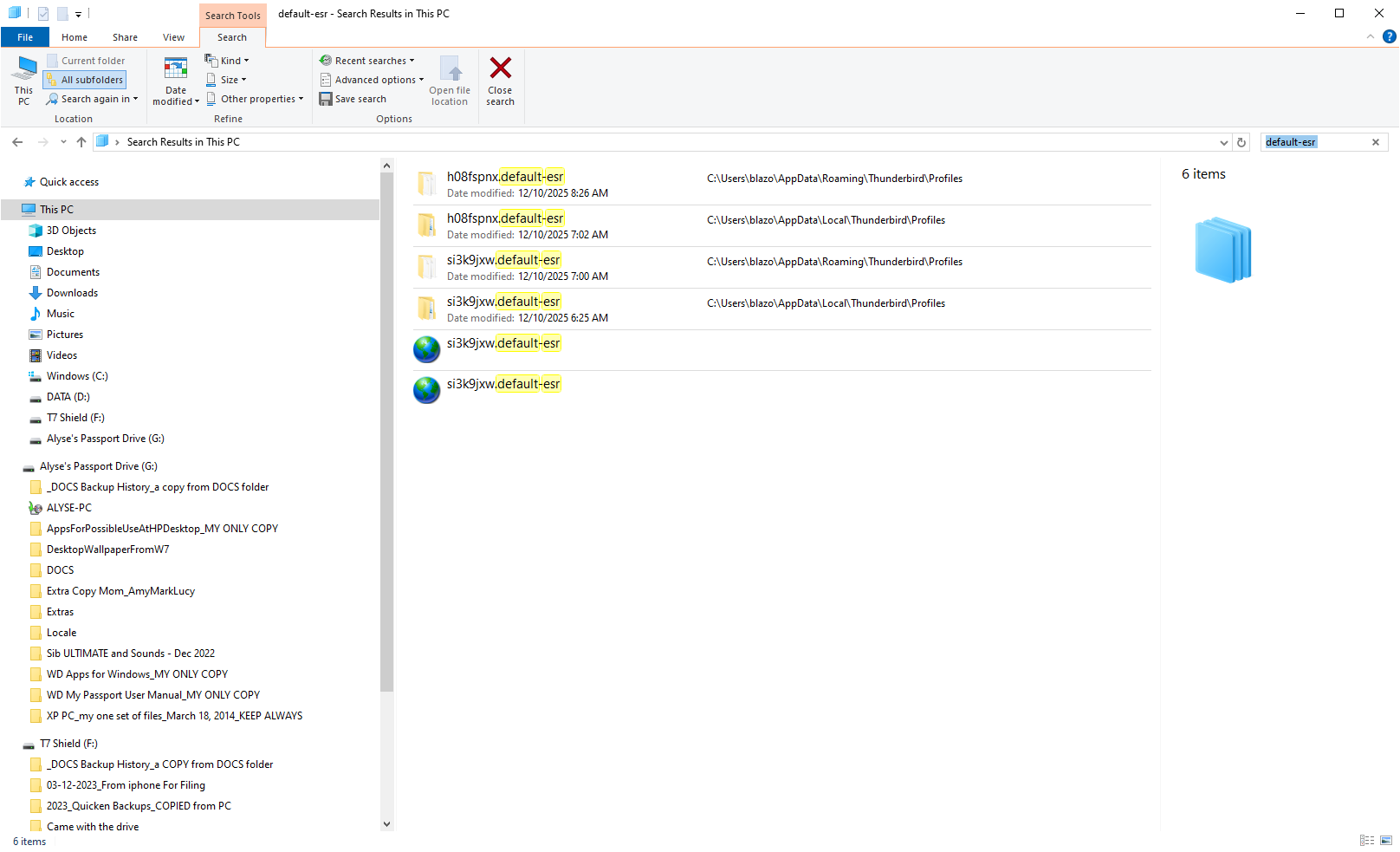
appdata\ROAMING is the only place to be . Ignore s=appdata\LOCAL I specified where to look. the profile in D is unknown to me. it could be a backup. your files are either in the appdata\roaming\thunderbird\profiles folders or the D: folders
if you must search, search for abook.sqlite, not the profile name. once you find the profile with the right abook file, it will also have the right history.sqlite file. IGNORE any files that appear similar, such as abook-1.sqlite
I've looked through every Thunderbird profile folder I could find ... at the AppData path and in my DOCS folder, some having the same name but different dates in the same folder, maybe with a version number sometimes, I can't even keep track of all the types of variations I come across that take me down different paths. I ended up importing each and every one of those abook.sqlite (personal address book) and history.sqlite (collected address book) and all of them had *some* test search result that wasn't complete.
I'm just gutted about this address book thing. I kept my life history inside Thunderbird Address Book... troubleshooting tips, notes about birthdays and such, everything. I can pick one that looks the most complete from my test or two ... I seem to always come across a test item that I happen to realize is missing or has incomplete info inside it.
This reminds me ... Can you point me to the instructions on how to archive our Thunderbird files emails and address book so that Thunderbird will not be required to view them? Maybe a way to simply get them into Notepad in the same or a similar hierarchy structure? I'll start searching for that now.
The important thing is that you're up and running again. I think you're asking about backup. Here are my suggest steps:
BACKUP'
- ensure thunderbird is not running
- enter %appdata% in search window on task bar and press Enter key
- this should open windows file explorer in Appdata\roaming folder
- highlight the Thunderbird folder and copy to external media
RESTORE
- ensure thunderbird is installed and NOT running
- enter %appdata% in search window on task bar and press Enter key
- you should be in Appdata\roaming folder , copy&paste the exported Thunderbird folder there. This may prompt to overwrite an existing folder of same name. allow it
- start thunderbird and all should be there
Doing this regularly minimizes or eliminates problems when something goes wrong.
I'm not asking about Thunderbird backup, unless you're saying that Thunderbird users are able to view their Thunderbird *backup* files using, say, Notepad, or some other app other than Thunderbird. Is that what you're saying? I've done backups all the time but have always been afraid to open those files to see if I could read them straight from an external drive without using Thunderbird.
NOW I'm wondering if I need to be RESTARTING my PC each time I do a Tools > Import .... Address Book ....abooksqlite and historysqlite combo, to make them take effect. The below says that doing that Import tool method "generally" doesn't require a restart.
I read this:
AI Overview When importing an address book using Thunderbird's built-in Import tool, a restart is generally not required; the newly imported address book should appear in the Address Book window immediately. However, if you are manually adding address book files (like abook.mab or abook.sqlite) directly into the Thunderbird profile folder (a method used for profile migration or recovery), you must restart Thunderbird for the changes to be recognized.
Modified by alysenet
You're overthinking. The restart for old MAB files is for them to be converted to sqlite. that was years ago. since you have sqlite files, you are not affected. thundebird backups are severa technical files, not intended for viewing. the message files, such as inbox or sent, may be viewed by any mbox viewer software. or online at https://www.mbox-viewer.com/ if you regularly do backups, why didn't you restore one today and eliminate the stress you went through?
I just now absorbed your mention of an abooksqlite "default-release" file. I wasn't clear if you were saying that's a good one or bad one to try importing for creating an address book (you said it's created "initially" but I don't know if that's a good thing or a bad thing) but it only has an abook "mab" file no sqlite version it seems, anyways, at least the only default-release folder I've noticed so far.
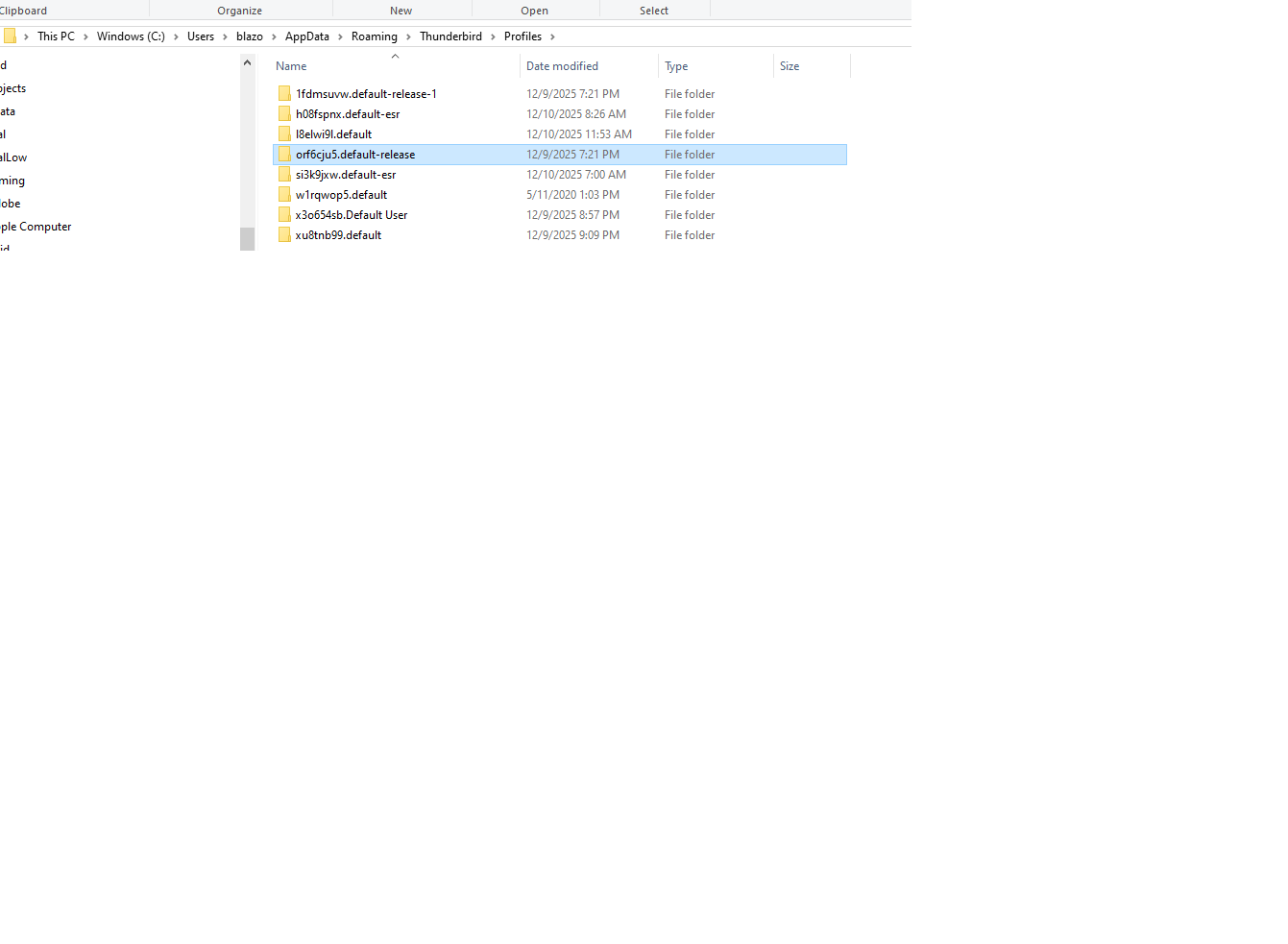
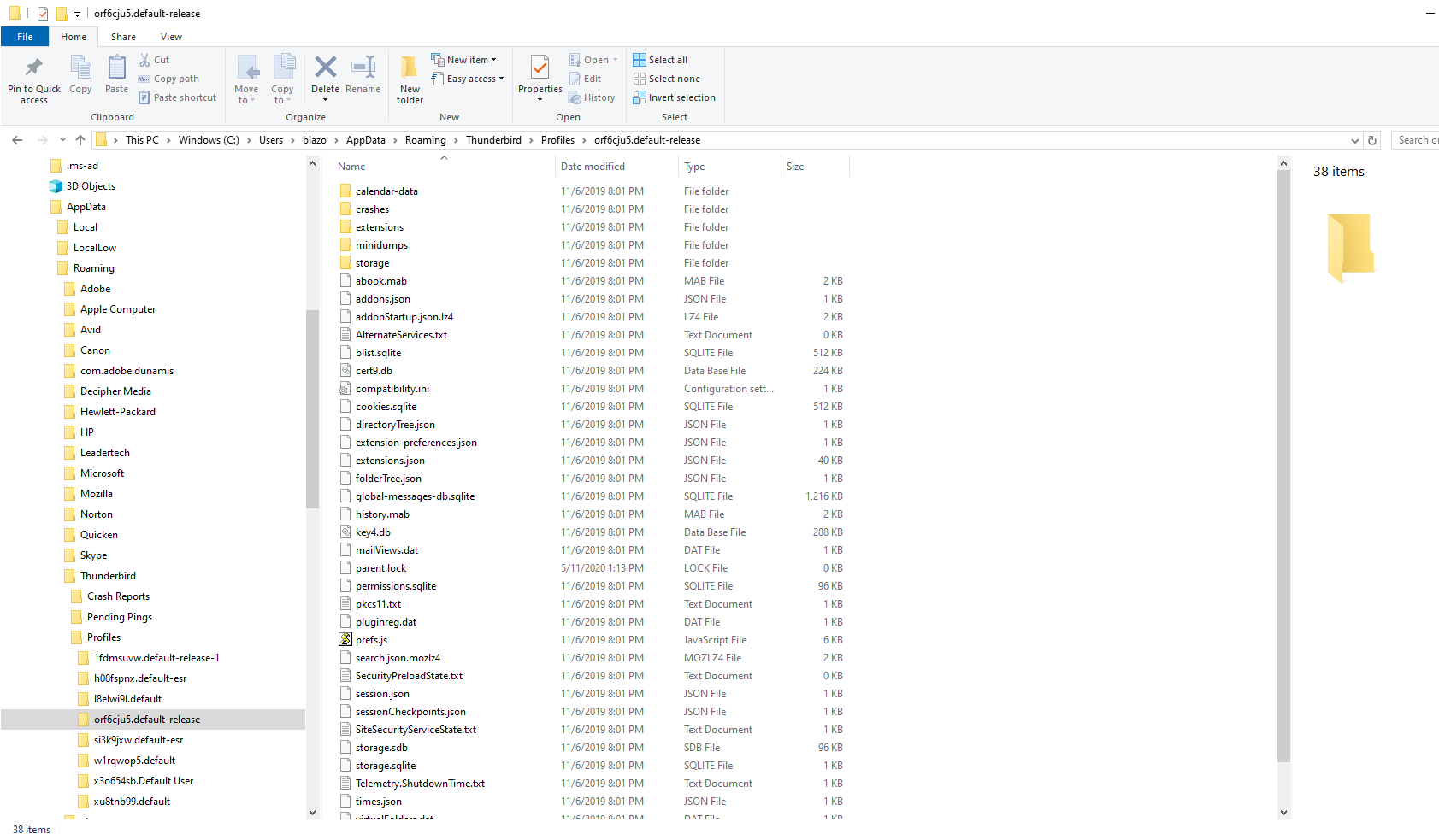
Modified by alysenet
Thanks for letting me know I shouldn't have had to restart my PC in order for my several import tries to take effect. The imports are giving what seems like the same exact results so many times that I thought I was missing a step. The one time just now that I did an import and then restarted just to see if I got a better result, I ended up with NO address book contents at all, even though there was a display right before the restart.
I just now noticed that I have no "Sent" folder ever since trying to import a good profile. I checked my Copies and whatevers folder and it said save a copy to Sent in <my mailfence email address>. Then I changed that setting to Local Folders and sent a test. Thunderbird did magically create a Sent folder for then holding it. But I'm still missing my old Sent emails, including a critical legal one.
I'm so ready to wrap up this Thunderbird/Mailfence dealing. I loved my beautiful filing system -- it was magic when things went right, which was true pretty much for decades.
Thanks anyway.
Alyse
Modified by alysenet
and yes I do backups ... my DOCS folder and TBird ... to multiple locations. Plus I screengrab my Apps listing. Though not regularly enough. see attached tracking excerpt.
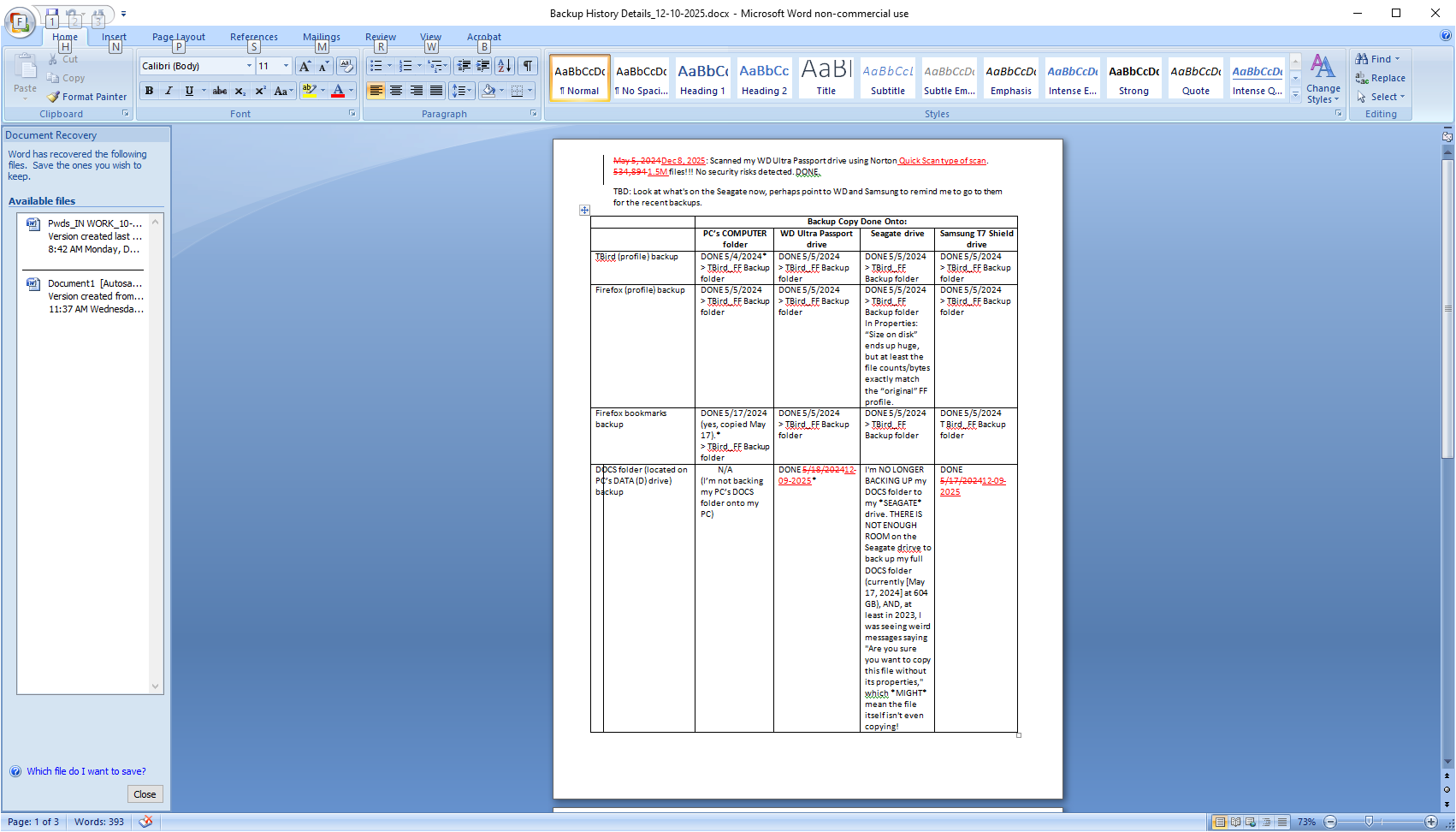
Modified by alysenet