

This thread was archived.
Please ask a new question if you need help.

Solved
Archived
Thunderbird email printing issue

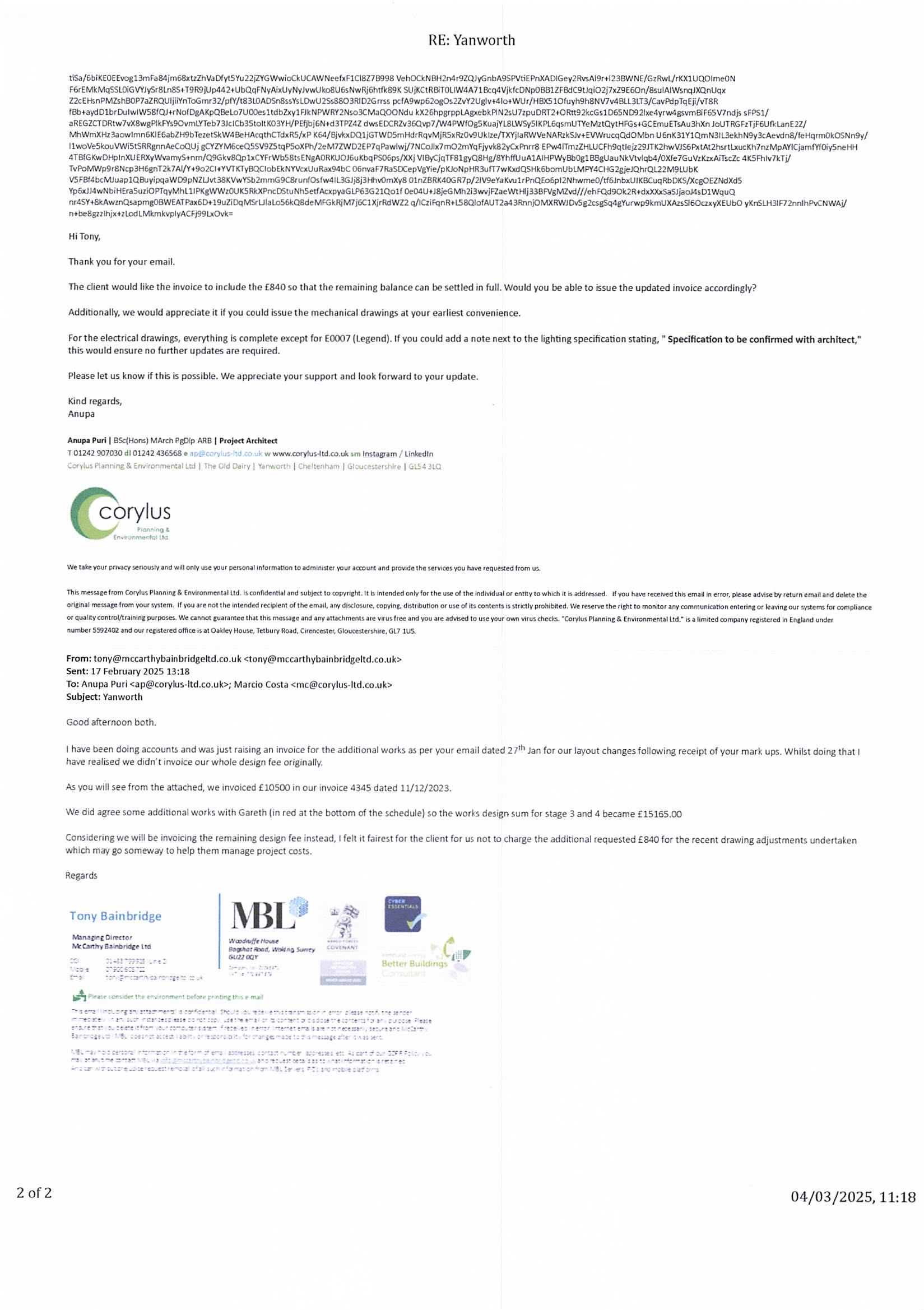
When I print my emails and sometime view them I appear to have multiple lines of programme text (see attached) The text is also very small. Being new to Thunderbird can you tell me what settings I have wrong.
When I print my emails and sometime view them I appear to have multiple lines of programme text (see attached) The text is also very small. Being new to Thunderbird can you tell me what settings I have wrong.
All Replies (2)
Chosen Solution
Font size of the print: In the Print Preview window - on the right are various options. 'Scale' effects the font size and how much text etc per page. Increase the scale to increase the font size.
Image only shows page 2 of 2 If page 1 of 2 looked more like various headers.... Do you have the full headers displaying? View > Headers > Normal This only shows the minimum - check you have that setting.
You are a star thank you