


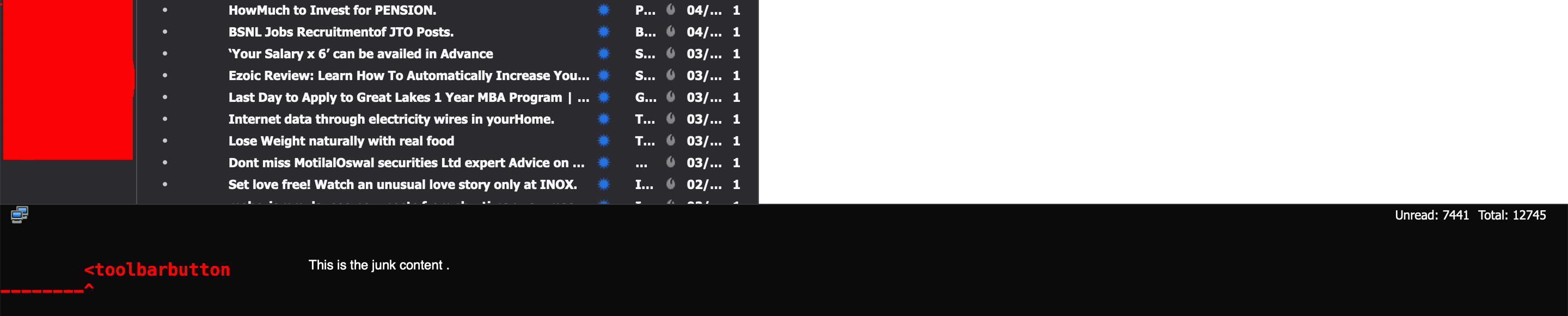
Bottom of the thunderbird, I am seeing a bigger enlarged toolbar with junk content.
I updated my TB to 68.* version. I am seeing a bigger toolbar at the bottom of my mailbox; with junk content in it.
I updated my TB to 68.* version. I am seeing a bigger toolbar at the bottom of my mailbox; with junk content in it.
All Replies (4)
do you see it is you use the default light theme?
Hey Matt, Sorry for the late reply. Yes. I see this in the default theme. Does the theme change make any difference?
MJ said
Hey Matt, Sorry for the late reply. Yes. I see this in the default theme. Does the theme change make any difference?
It could.
Restart Thunderbird with add-ons disabled (Thunderbird Safe Mode). On the Help menu, click on "Restart with Add-ons Disabled". If Thunderbird works like normal, there is an Add-on or Theme interfering with normal operations. You will need to re-enable add-ons one at a time until you locate the offender.
Note that after you update to Thunderbird 68 there are only inbuilt themes that are of concern.
Thanks Matt. This helps.