


My tabs look strange from today with no arrows at beginning and end to see more tabs.

The appearance of my tabs changed this morning. The green arrows at the beginning end end of the line of tabs are gone.
Выбранное решение
The arrows appear when the tab strip is full, to allow the user to navigate the overflow, otherwise those arrows don't appear.
Все ответы (4)

Can you give me a screenshot so I know what you're seeing? Please see How do I create a screenshot of my problem? to create a screenshot
Once you've done this, attach the saved screenshot file to your forum post by clicking the Browse... button below the Post your reply box. This will help us to visualize the problem.
Start Firefox in Safe Mode to check if one of the extensions (Firefox/Tools > Add-ons > Extensions) or if hardware acceleration is causing the problem (switch to the DEFAULT theme: Firefox/Tools > Add-ons > Appearance).
- Do NOT click the Reset button on the Safe Mode start window.
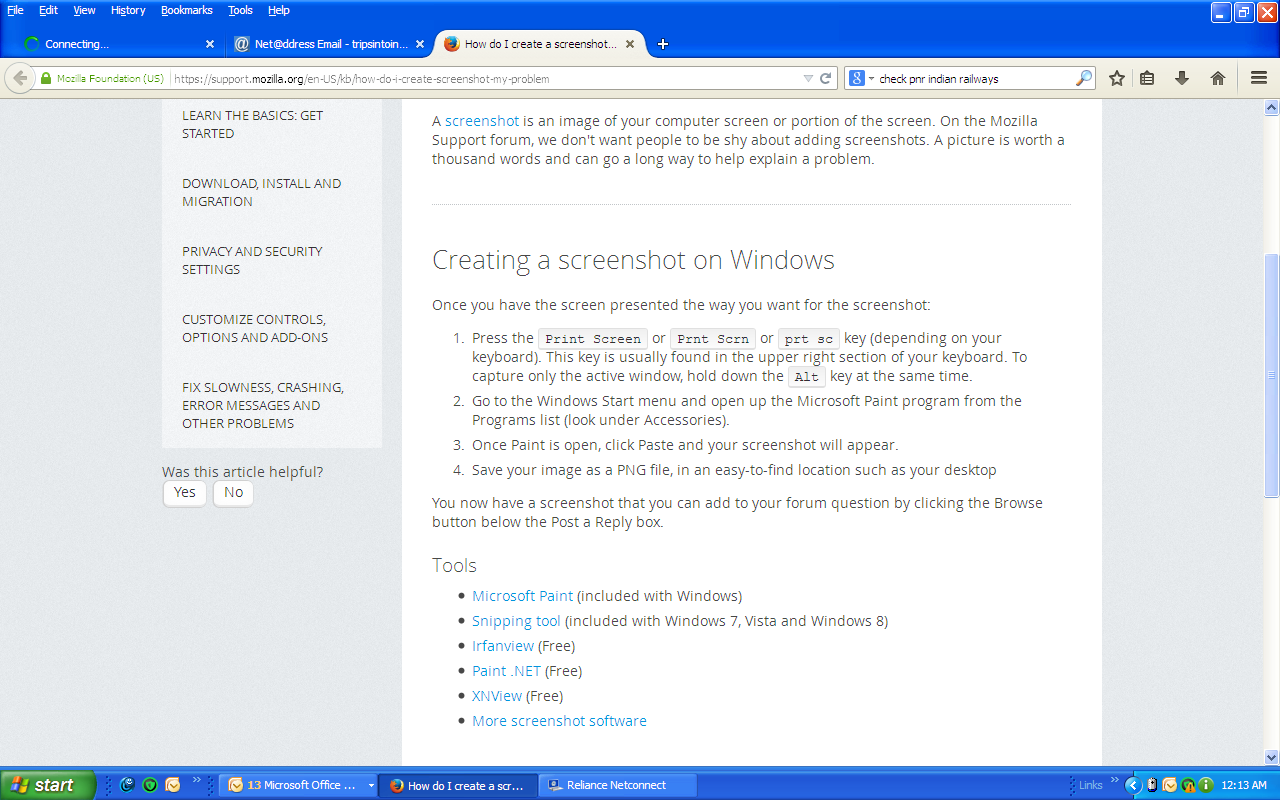
The appearance of my tabs changed this morning. The green arrows at the beginning end end of the line of tabs are gone. See screen shot. Thanks.
Выбранное решение
The arrows appear when the tab strip is full, to allow the user to navigate the overflow, otherwise those arrows don't appear.