


Hello! mailaccounts not expanded after Thunderbird startup? =(

Hello dear people!
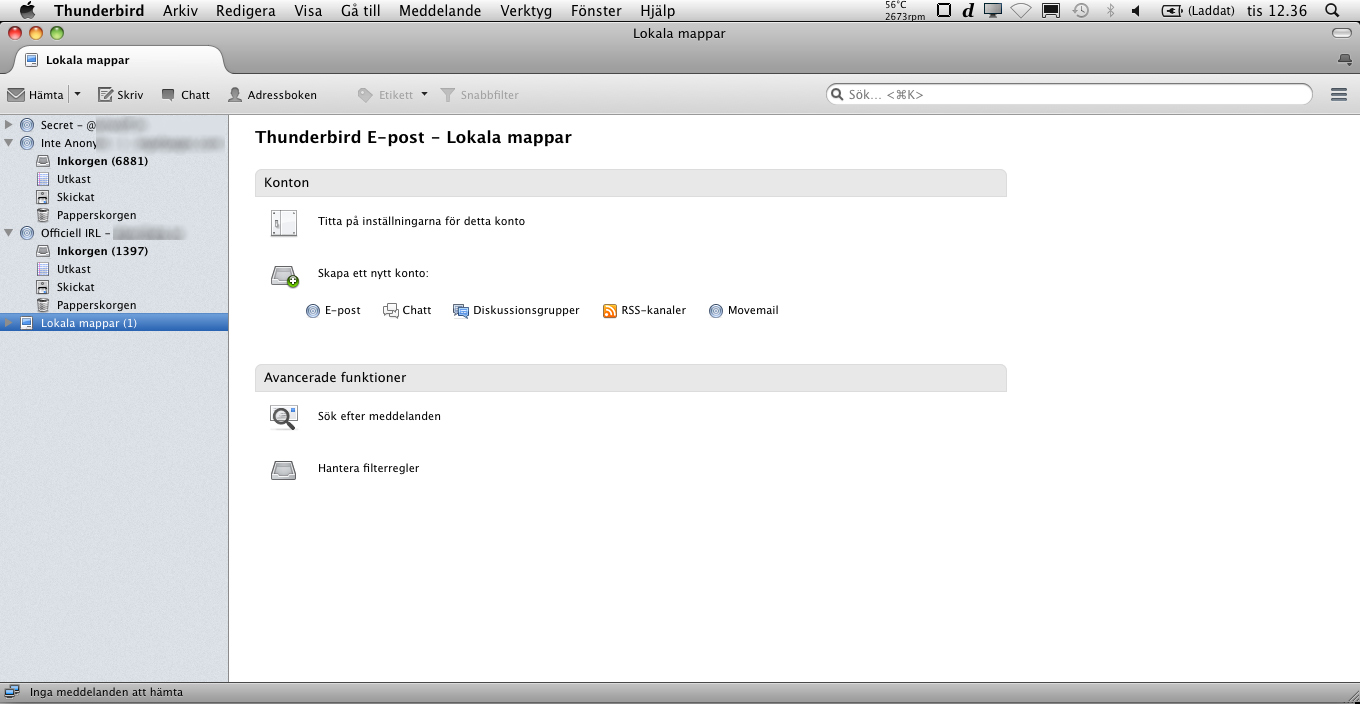
I have 3 mail accounts, when i startup Thunderbird 1 of them is not expanded, why?
I would like to have all of my mailboxes expanded after I startup Thunderbird.
Screenshot: http://i.imgur.com/glHwJUY.jpg

Thank you very much for trying to help me. :)))
Все ответы (4)
Click on that grey arrow at left of your email, maybe you will prompted to enter your password
Hello! Yes ofcourse it works to click, but i mean that i want all of my 3 mailaccounts expanded automatically when i startup Thunderbird.
(I want to see all 3 inbox folders directly after startup.)
Screenshot: Right now only 2 of 3 is expanded after startup.
Hope you understand my question better :( Thank you!
The content of that pane should be exactly the same on startup as it was when your closed it down. If it is not, something is probably preventing the session.rdf file from being saved, or something like ccLeaner is actually deleting it.
see http://thunderbirdtweaks.blogspot.com.au/2012/06/thunderbird-and-ccleaner-or-my-settings.html
I am using MAC OS X, I wonder if its same on mac os x?
Because it has never been exactly the same for me.
Anyone know? :(
Best regards.