


every time I open an email I get a popup window from http://pintertest.aot.im that asks for a username & password

Every time I open a file (e.g., emails) I get a popup window labeled "Authentication Required" asking me for a username & a password. There is an address shown on the popup window: http://pinterest.aot.im
Все ответы (7)
Can you add a screenshot => More info here How do I create a screenshot of my problem?.
And check for malware with all the programs provided below.
Изменено kobe
Start Firefox in Safe Mode to check if one of the extensions (Firefox/Firefox/Tools > Add-ons > Extensions) or if hardware acceleration is causing the problem (switch to the DEFAULT theme: Firefox/Firefox/Tools > Add-ons > Appearance).
- Do NOT click the Reset button on the Safe Mode start window.
Ran Norton Internet Security but virus remains.
See attached png screenshot
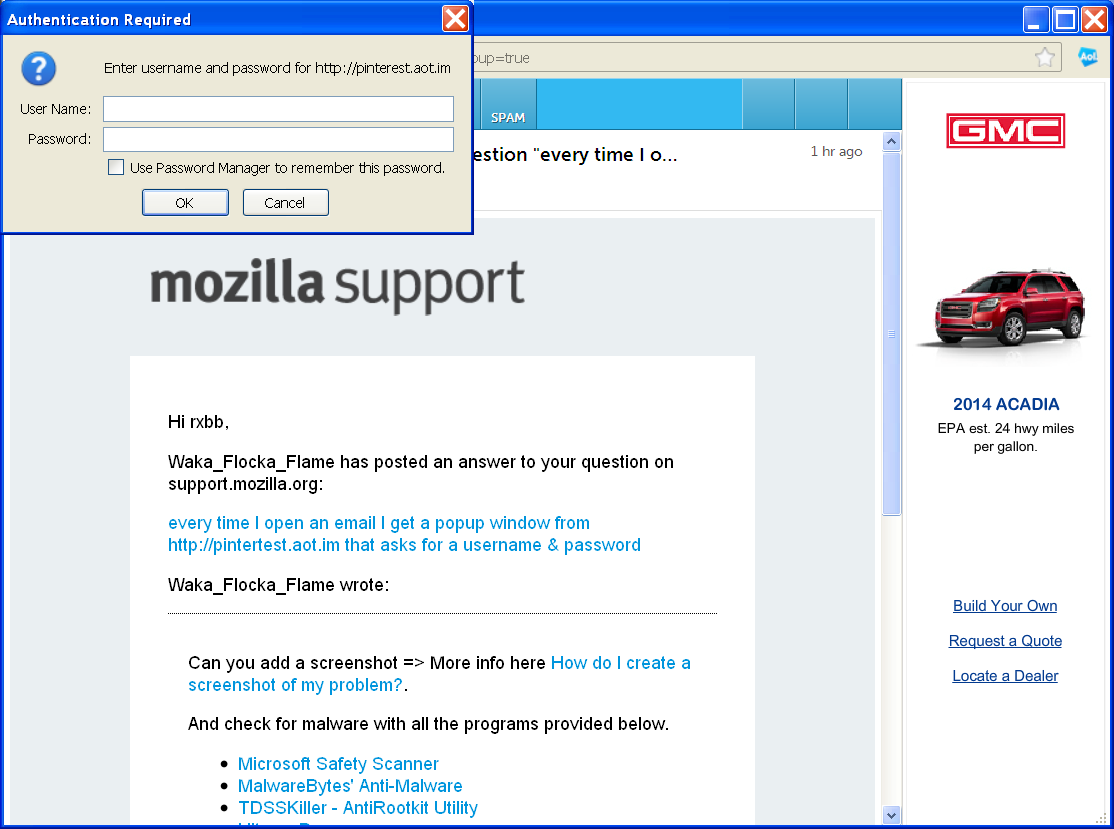
Did you use any of the tools i provided above? or safe mode as cor-el stated? it looks to be a malicious addon or some type of malware.
Изменено kobe
Waka_Flocka_Flame:
I ran the Quickscan option of Microsoft Safety Scanner; it could not find any virus or malware. But something is clearly there. I am going to try cor-el's suggestion.
I found a reference on the internet staing that pinterest.aot.im is a "browser hijacker".
rxbb
Starting Firefox in Safe Mode, as cor-el suggested, prevented the pinterest.aot.im popup window from activating.
But from now on do I always have to start Firefox in safe mode?
I would still like to get rid of this intrusion.
If it works in Safe Mode and in normal mode with all extensions (Firefox/Tools > Add-ons > Extensions) disabled then try to find which extension is causing it by enabling one extension at a time until the problem reappears.
Close and restart Firefox after each change via "Firefox > Exit" (Windows: Firefox/File > Exit; Mac: Firefox > Quit Firefox; Linux: Firefox/File > Quit)
- If you have many extensions then first enable half of the extensions to test which half has the problem.
- Continue to divide the bad half that still has the issue until you find which one is causing it.