


Possible settings fault

I have emailed 7th August to what appears on my mobile from Thunderbird settings just a review address. I explained that I have not received in Thunderbird any emails from my BT email system since Monday 22 July which happens to be the date shown on my mobile phone as the last date for your update. I can send emails via Thunderbird but not receive messages. The email address I use is john.morris@deritter.org.uk which goes to john.m280@btinternet.com I am sending this message from my laptop as it is easier to write that way and I stand a better chance of getting a reply than on my mobile Thunderbird.
Could you please let be know if your settings update on 22July caused the problem or what else needs putting right.
Another question. BT have a Spam folder to which many important emails are directed. These are not collected by Thunderbird which does not have a Spam folder. This means that if verifying codes are sent to my email address I can't recover them.
I am otherwise very pleased with Thunderbird and would just like these points investigated. Kind regards John Morris
Moved to Thunderbird for Android product
Изменено Wayne Mery
Все ответы (2)

Hi John
Lets see if we can help you troubleshoot the issue.
Q1) Not Receiving Emails
The update is unlikely to have stopped you receiving email. It mostly contains bug fixes.
A. Can you confirm which version of Thunderbird for Android you're using.
You can find this by navigating to: settings > about
B. Can you perform the below task. It tests the settings and server connection responsible for receiving mails.
1. Navigate to settings > Account name "BT" > fetching mail > incoming server. 2. Tap next.
Are any error messages displayed in the app or Android notification shade after the test? Are there any prompts to sign-in?
C. Do you receive any emails when you manually sync the account, or see any error message?
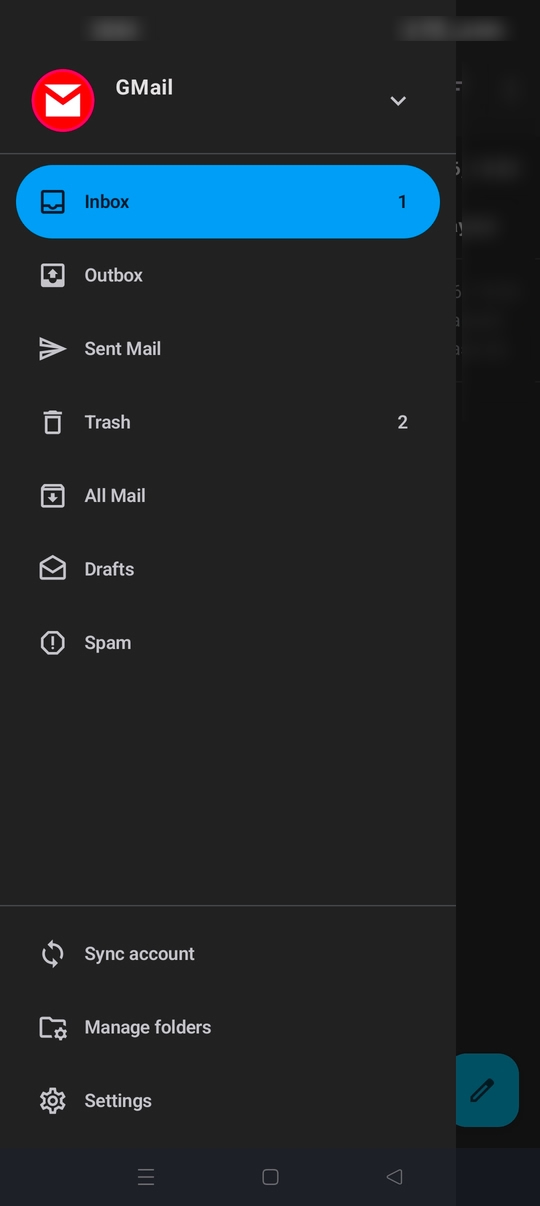
1. Tap the top left menu button to show your account folders 2. Tap the "sync account" button at the bottom of the list
Once you provide feedback on the above, I'll be better placed to direct you on further trouble shooting steps. Please respond on this ticket.
Q2) Spam Folder
Do you know what type of connection your account is using IMAP or POP?
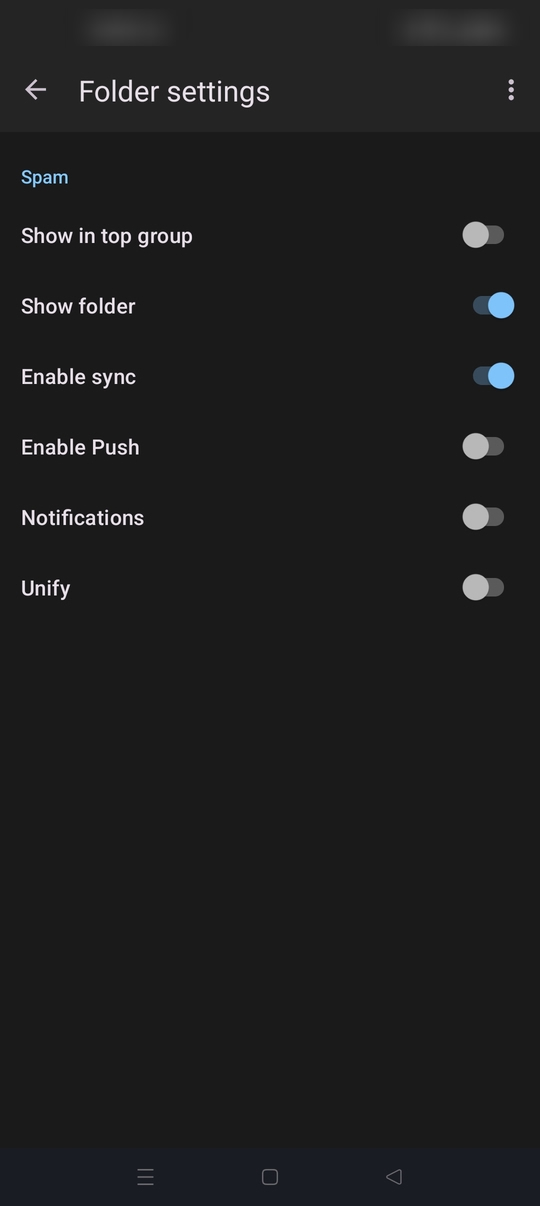
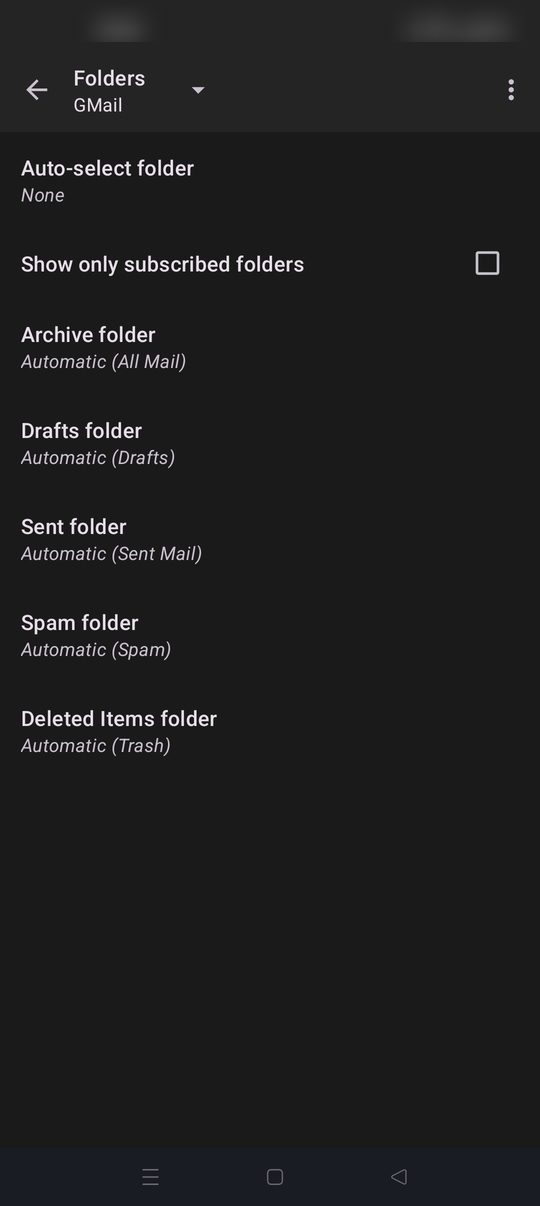
The app does support and display a spam folder. See the attached screen shot. It's only available on IMAP connections. Pop doesn't support server folders / labels.
On the assumption you're using Imap but don't see either the spam folder or content within, check the following.
A. 1. Navigate to settings > account name > folders. 2. Check "Spam folder" is set = Automatic (Spam). 3. If the folder is assigned "None", tap and select your spam folder.
B. 1. Tap the top left menu button to show your account folders. 2. Tap manage folders (Bottom of the list). 3. Tap the spam folder. 4. Toggle "Enable Sync" ON.
Hi John
Can you clarify an addition question with your response.
Which account domain is the one setup in the mobile app to receive emails from, @deritter.org.uk or @btinternet.com