


@AOL.com the text for the news articles does not load

If I go to AOL.com they useually have 40 or so news articlaes/ads you scroll through. Several weeks ago the text for the articles stopped displaying. I have tried other browsers and the text shows up. Not sure what setting may effectr this.,
Все ответы (7)

Выбранное решение
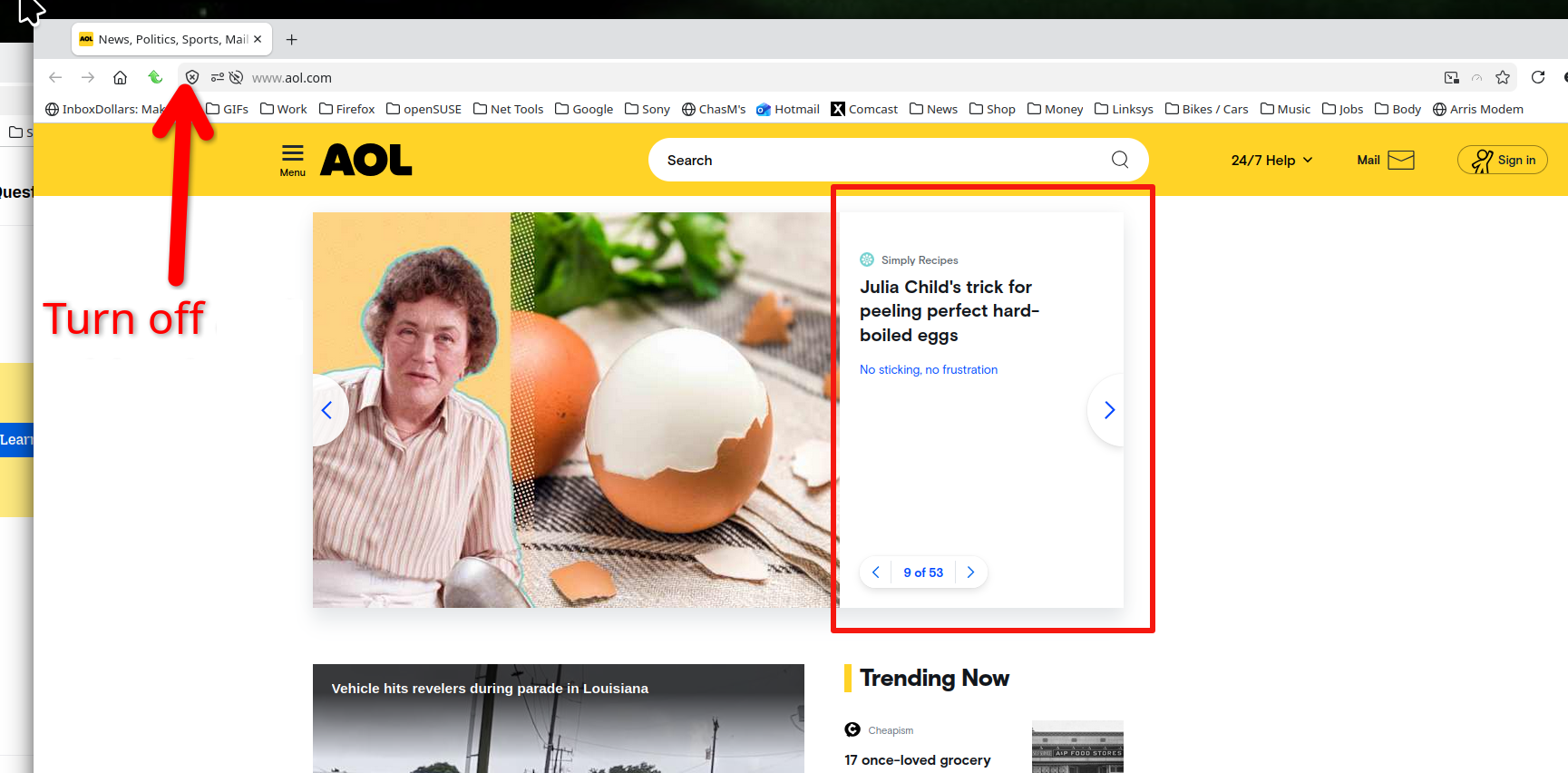
Turn off ETP and it works for me. see screenshot
Изменено jonzn4SUSE
It worked. Thank you for the quick responce.

Hi,
I have been having the same problem for weeks. Two different computers. One brand new Dell Laptop with Windows 11. The other older desktop just upgraded to Windows 10. Both have Firefox updated browsers. I use AOL for home page and mail. Everything showing perfectly on Edge and Google Chrome. The problem is only in Firefox. Turning off the ETP did not work in either computer for me.
Any other ideas of how to fix this problem?????
Amy
Hi Agent virtuel
What does your link to bugzilla mean????? Yes, this is the problem I am having
but only with Firefox. Is going to be fixed????
Amy
Hello
https://bugzilla.mozilla.org/show_bug.cgi?id=2030614#c18 This seems fixed by setting dom.script_loader.external_scripts.speculate_link_preload.enabled=true
If you wish to test 1 - Go to configuration editor https://support.mozilla.org/en-US/kb/about-config-editor-firefox 2 - Enter a search term dom.script_loader.external_scripts.speculate_link_preload.enabled You can double-click on the preference to set the value to true
Hi, Agent virtuel
This one worked in both my computers!!!!!!! Thank you so very much!!!!! Amy