


Umlauts are not displayed in German Thunderbird

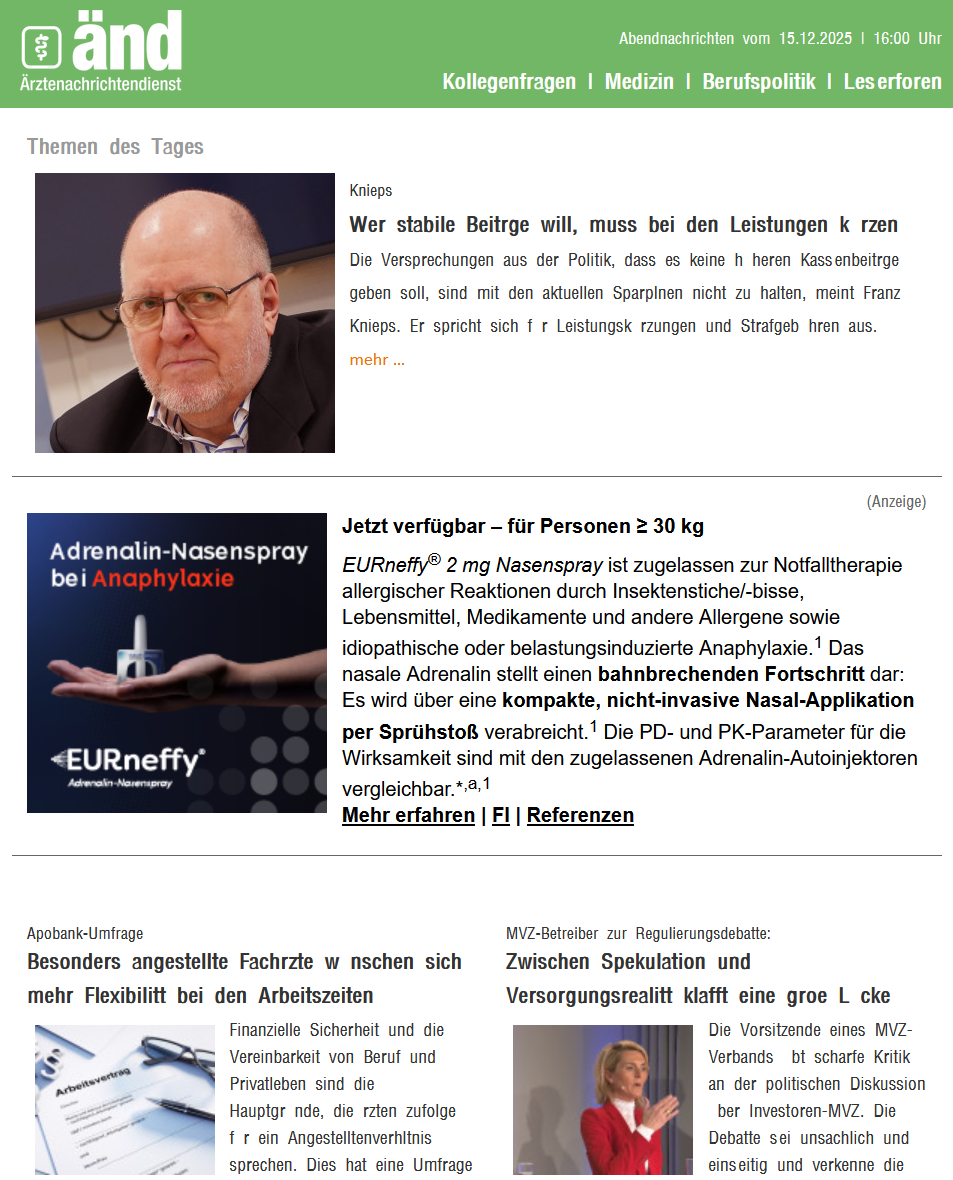
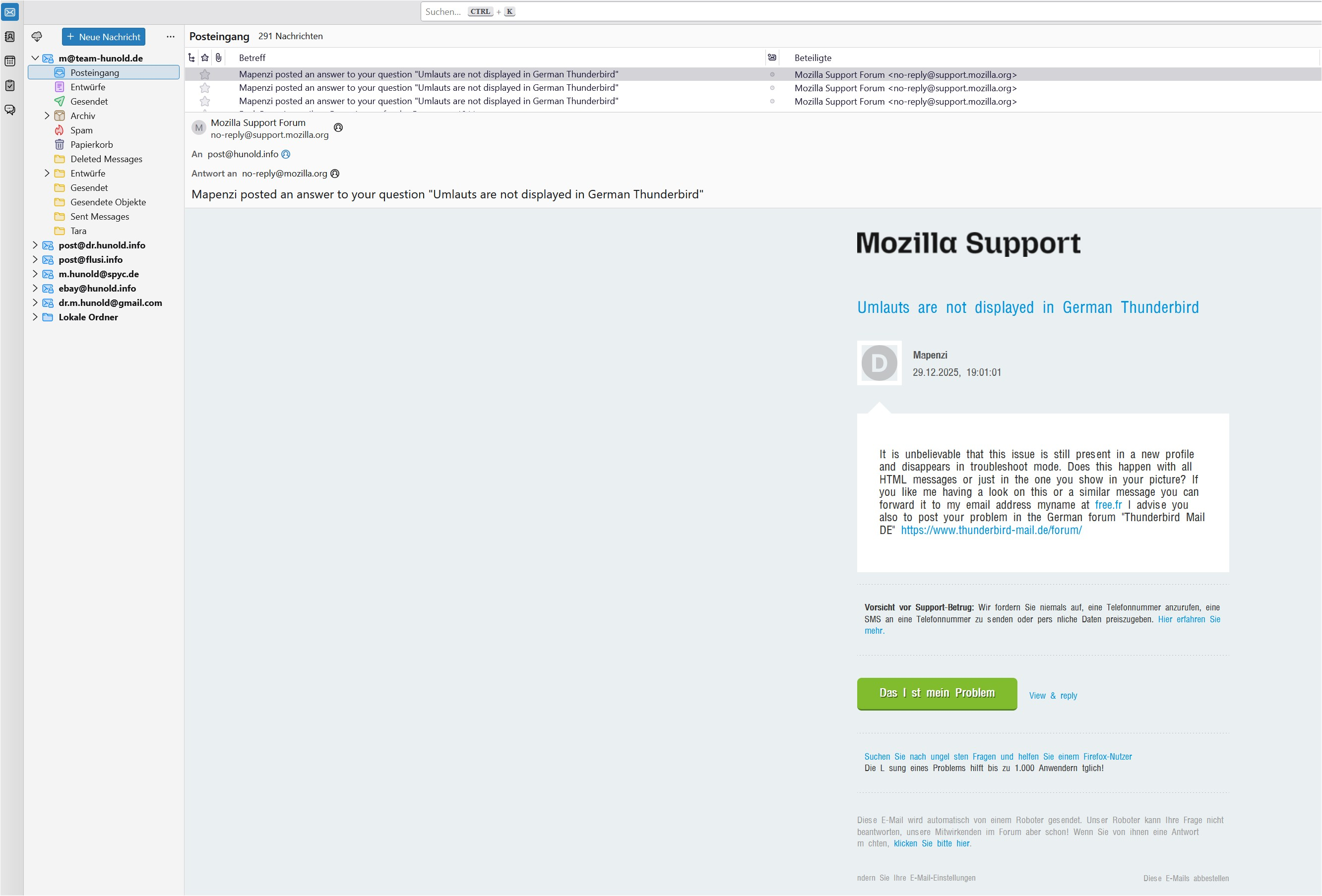
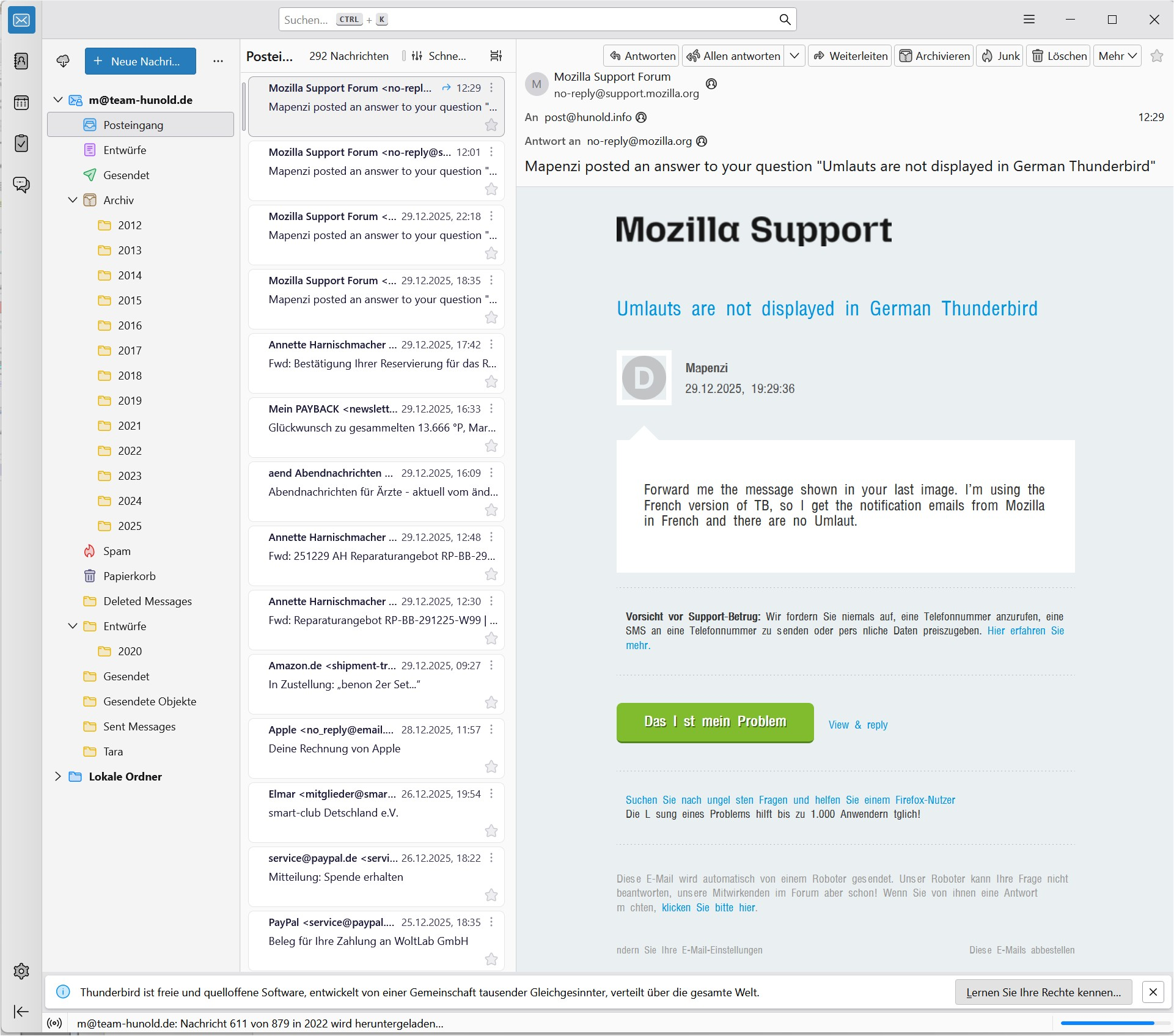
As you can see in the screenshot, the umlauts are missing in many emails. Unfortunately, the corresponding fonts can no longer be set in Thunderbird; I use version 140.6.0esr (32-bit). Where can I set that ä, ö, ü, ß (...) are displayed normally? Greetings from Berlin, Markus
Выбранное решение
Many thanks to Mapensi! After a lot of tries and a 90-min TeamViewer-meeting we found the simple solution to show the hidden umlauts. Just uncheck this box and everything works fine:
Прочитайте этот ответ в контексте 👍 0Все ответы (20)

> Unfortunately, the corresponding fonts can no longer be set in Thunderbird
Why not? Is this something that was working before and stopped working with a recent update?
The problem has existed for a long time, I would like to finally solve it. Switching to UTF-8 should solve the problem, but this is apparently not possible in the current version of Thunderbird.
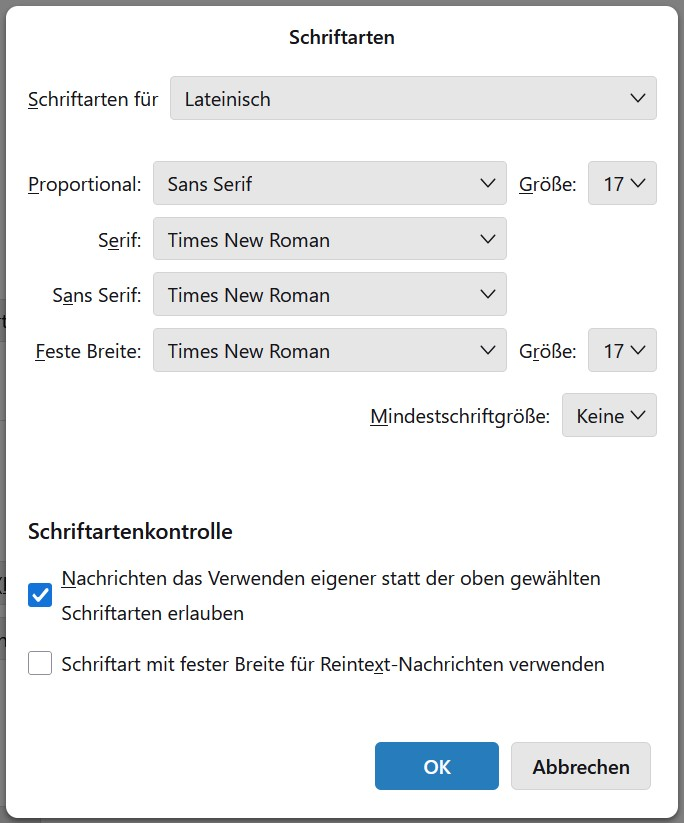
Which are your choices in Einstellungen > Allgemein > Schriftarten > Erweitert ? As well as for Lateinisch as for Andere Schriftarten ? Which setting for Schriftartenkontrolle ?
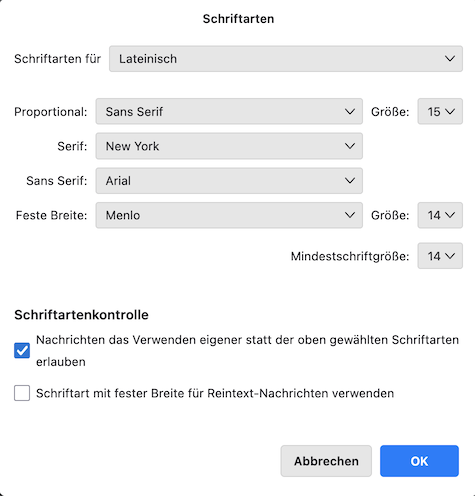
Which are your choices in Einstellungen > Allgemein > Schriftarten > Erweitert ?
As well as for Lateinisch as for Andere Schriftarten ? YES Which setting for Schriftartenkontrolle ? As yours, see screenshot.
Does the same issue happen when you start Thunderbird in troubleshoot mode? https://support.mozilla.org/en-US/kb/troubleshoot-mode-thunderbird
Does the same issue happen when you start Thunderbird in troubleshoot mode?
NO! Inbelivable, but in troubleshoot mode umlauts are visible. Switching back to normal mode, the umlauts are not visible as before. Should i run Thunderbird permanently in troubleshoot mode to solve that issue?
No, you shouldn't run permanently in troubleshoot mode! Troubleshoot mode is just a diagnostic tool and you have to find out yourself which is the cause of your Umlauts not being displayed. For exemple if you use add-ons in your TB one of them might be the culprit. Please read carefully the paragraph "The problem no longer happens in Troubleshoot Mode" in the SUMO help article I linked above and try to exclude one usual suspect after the other until you find the culprit.
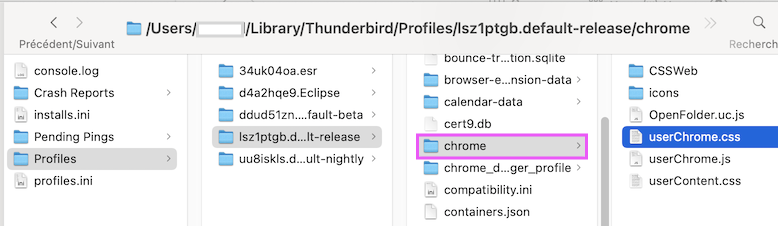
I've checked all the items but no change with umlauts. The only thing: i couldn't delete "userChrome.css" because i didn't find it in the Profile-Directory.
Any other ideas because umlauts are working in troublesoot mode.
post550 said
The only thing: i couldn't delete "userChrome.css" because i didn't find it in the Profile-Directory.
If you don't see a chrome folder as shown in my first picture it is not necessary to search for a userChrome.css file.
post550 said
Any other ideas because umlauts are working in troubleshoot mode.
Start (or restart) Thunderbird in troubleshoot mode, when the troubleshoot dialogue box opens set a check mark in ⬜︎ "Alle Symbolleisten zurücksetzen" and click on "Änderungen ausführen und neu starten"
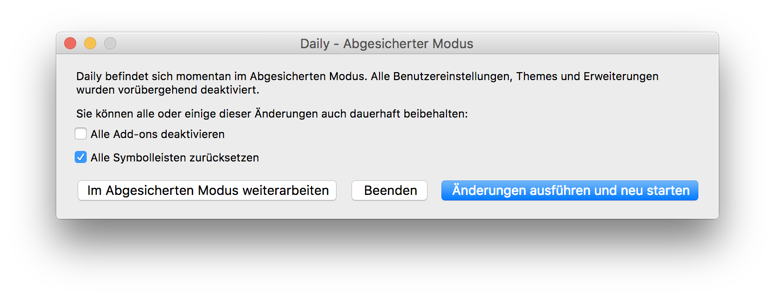
I've marked "Alle Symbolleisten zurücksetzen" and clicked "Änderungen ausführen und neu starten" but no umlauts. :-(
Go to Settings > General > scroll down to the bottom of the tab and disable (uncheck) "Use hardware acceleration when available" . If this doesn't help you can still try the "gold standard" test: create a new Thunderbird profile and verify if the Umlaut problem occurs in the new profile https://support.mozilla.org/en-US/kb/profile-manager-create-and-remove-thunderbird-profiles
Once again https://kb.mozillazine.org/Safe_Mode • Safe Mode temporarily affects the following:
   All extensions are disabled.
   The default theme is used, without a persona.
   The Just-in-time (JIT) JavaScript compiler is disabled.
   The userChrome.css and userContent.css files are ignored.
   The default toolbar layout is used.
   Hardware acceleration is disabled.
• Safe Mode has no effect on the following:
   The status of plugins is not affected.
   Custom preferences are not affected.
Изменено Mapenzi
First thank you very much for your support, Mapenzi, but the issue still occurs.
I've diabled the hardware acceleration (as i've done before) with no succes. Also i've created a new profile, but still umlauts are not visible.
The only thing i have not tried yet is to disable the Javascript compiler.
It is unbelievable that this issue is still present in a new profile and disappears in troubleshoot mode. Does this happen with all HTML messages or just in the one you show in your picture? If you like me having a look on this or a similar message you can forward it to my email address myname at free.fr I advise you also to post your problem in the German forum "Thunderbird Mail DE" https://www.thunderbird-mail.de/forum/
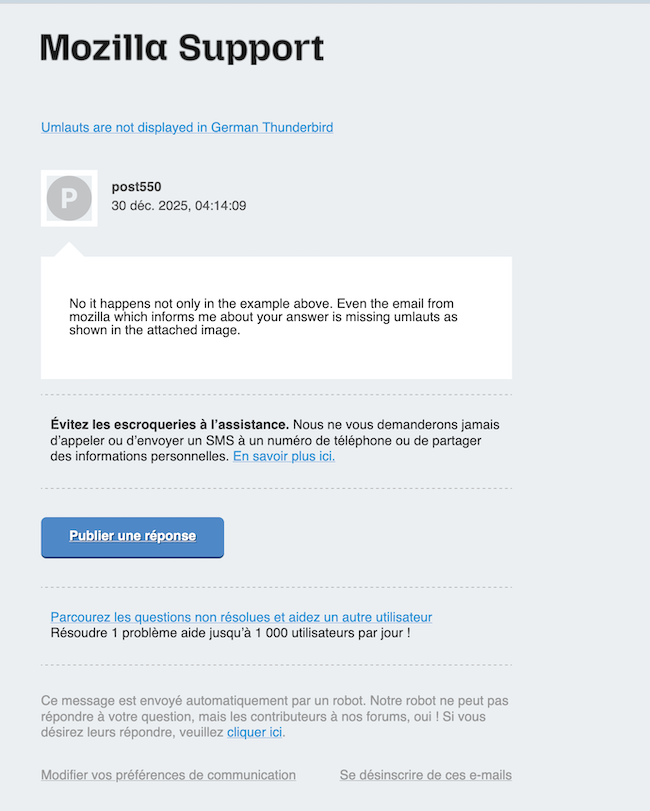
No it happens not only in the example above. Even the email from mozilla which informs me about your answer is missing umlauts as shown in the attached image.
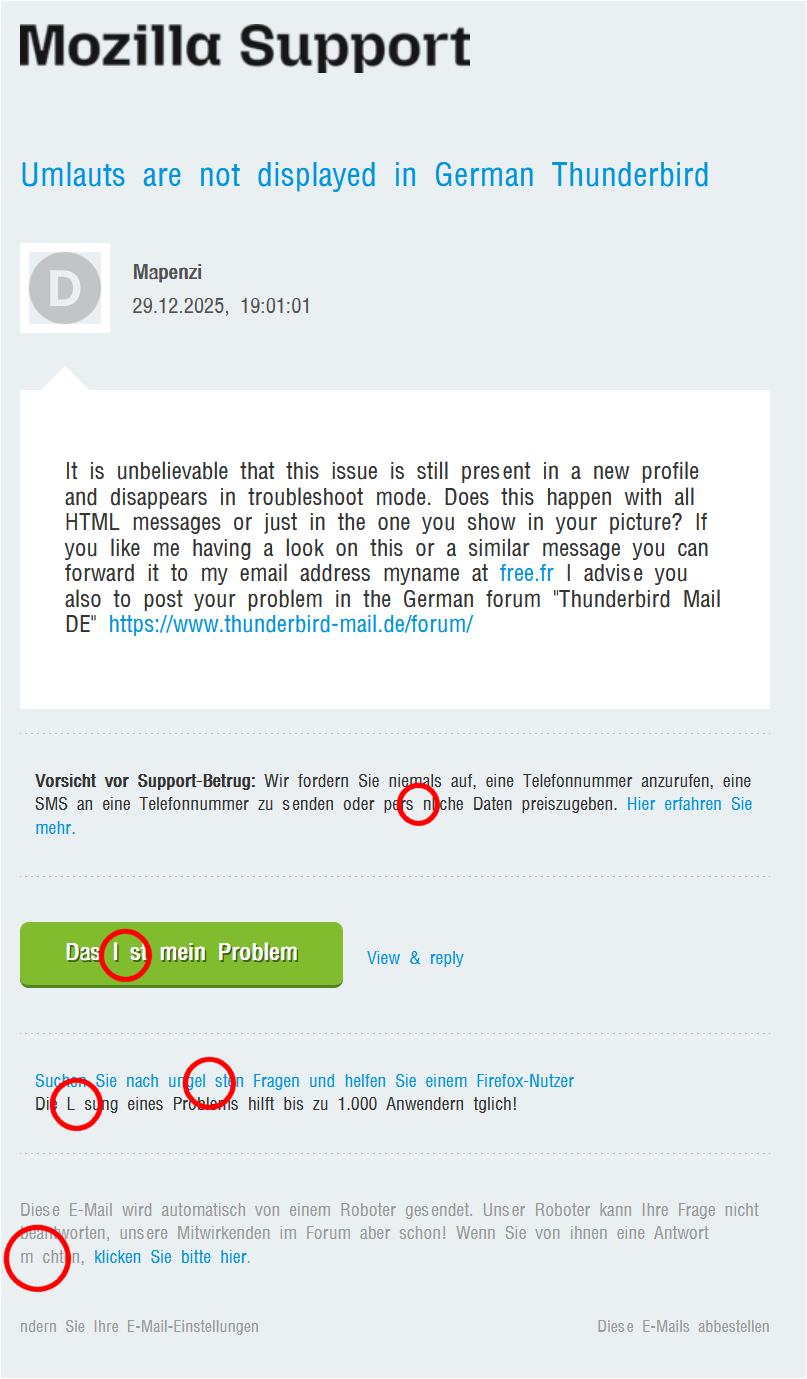
Forward me the message shown in your last image. I'm registered at SUMO as a French user, so I get the notification emails from Mozilla in French and there are no Umlaut.
Изменено Mapenzi
"It is unbelievable that this issue is still present in a new profile and disappears in troubleshoot mode."
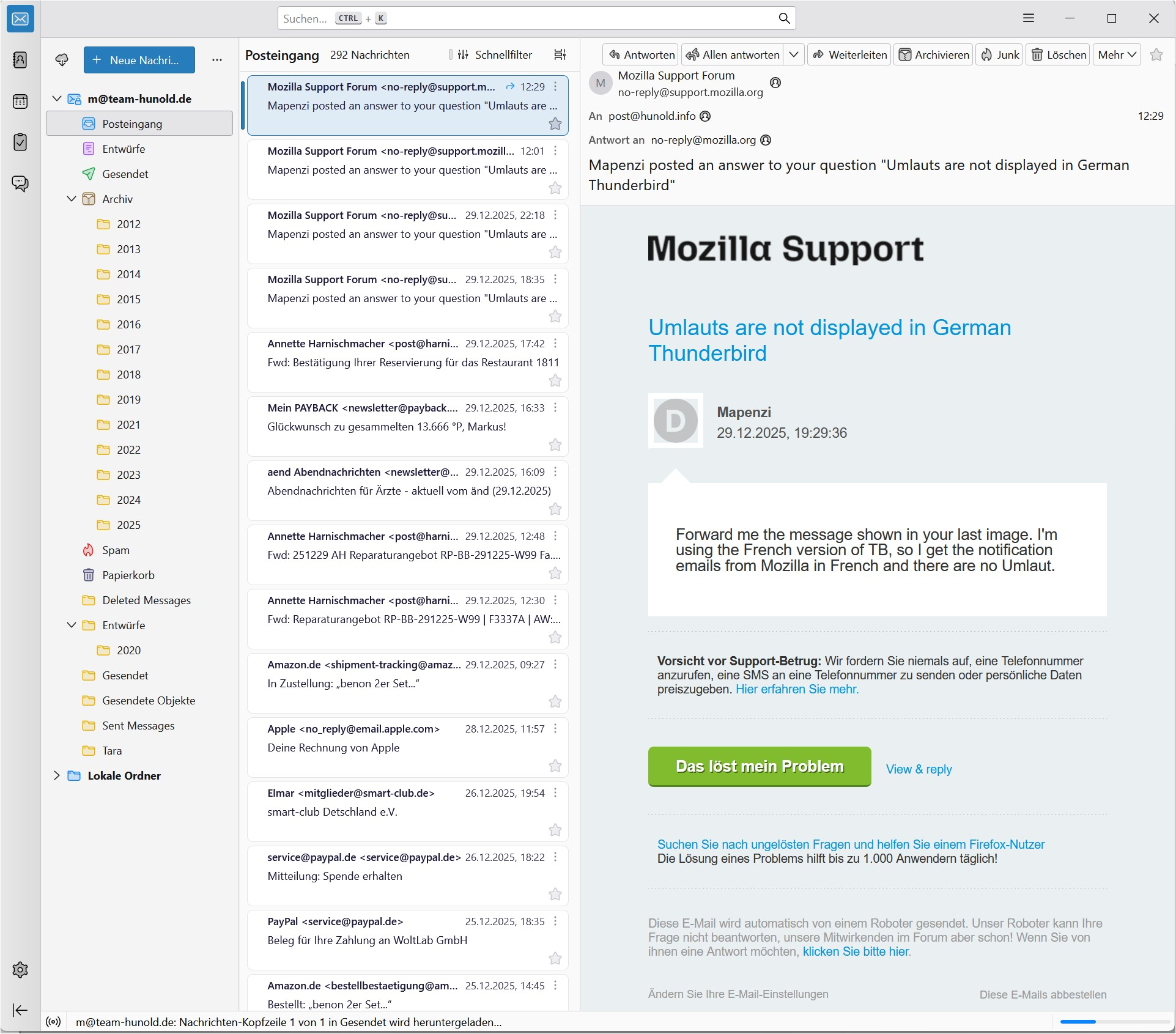
Attaches are three screenshots:
- old profile with no umlauts
- new profile with no umlauts
- new profile in troubleshoot mode with umlauts
"Did you already try another font than Times New Roman ?"
Yes, I tried it with Arial.
Switch to the font which is automatically selected by Thunderbird in troubleshoot mode.