


FF First 2 lines of tabs and icons are too big on my laptop

Give me a solution
Выбранное решение
I tried it. But the Apply button did not work. This whole page is wrong. I will now contact the Windows Hotline if they can provide me the genuine Win11 pages.
Все ответы (9)
Can you post a screenshot of this issue? Thanks!
Here is the screenshot
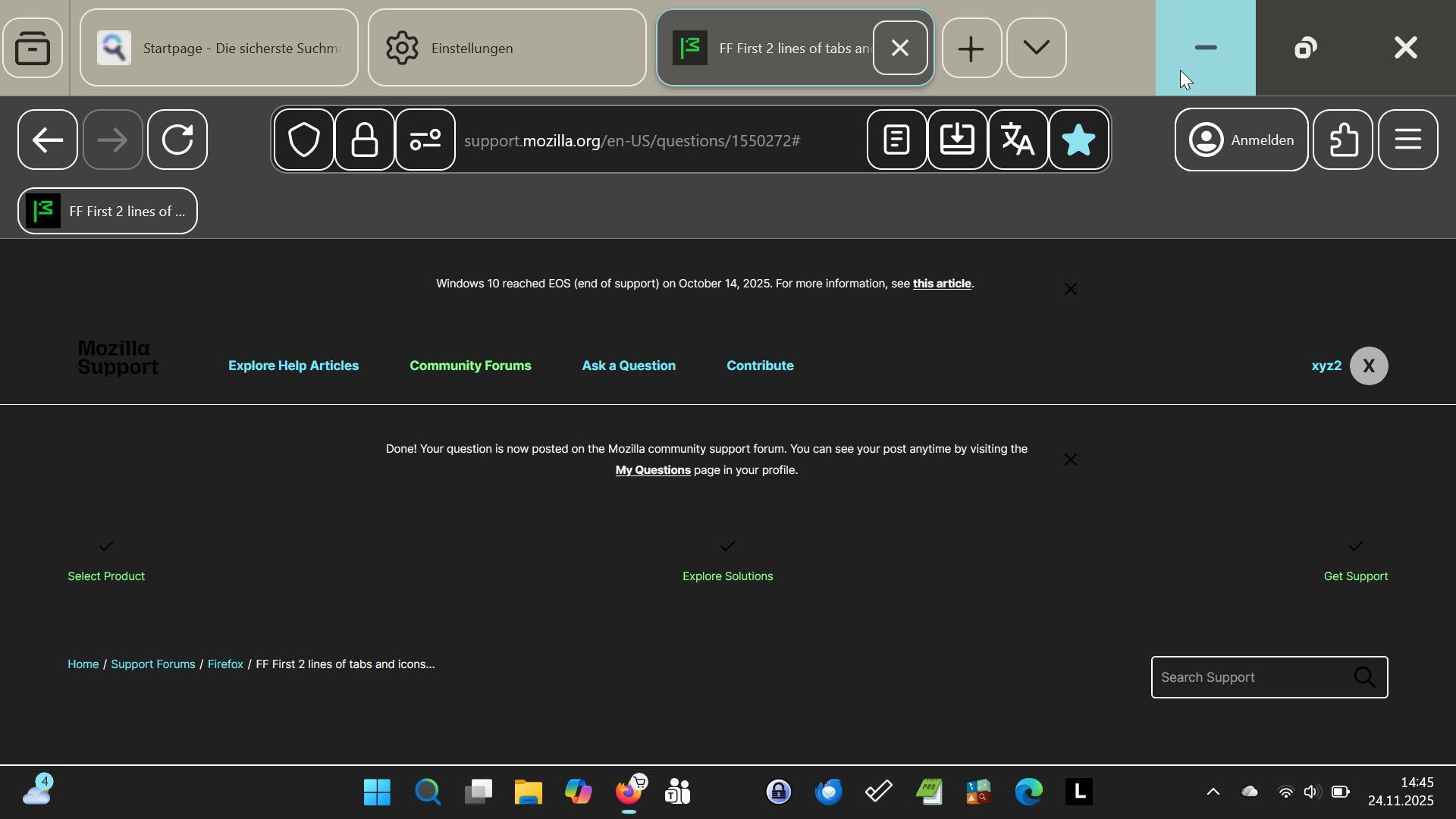
Did you turn that high contrast on purpose?
Most of it is configurable in Win11 accessibility settings, but please read also Enable Compact mode in Firefox.
I do not need the high contrast. I do not know why it is on. I do not know if I need compact mode or not to solve my problem. I tried the procedure COMPACT MODE WORKAROUND. It does not work, because the picture shown as item #8 is missing this first entry to ckick on. The other two fields are there. Meanwhile I loaded the Chrome Browser. The Chrome browser shows the same problem on my laptop. Could it be, that this is a Win11 problem? Therefore I have to tune Win11 a bit more. Lothar Doehle
You have to disable contrast in Win11 Settings -> Accessibility.
The accessability page on my laptop looks different. If I try this key combination, I get the snipping tool.

Tha accessability page on my laptop works different. If I try the key combination, I get the snipping tool.
You have Wasser there, try to select None.
Выбранное решение
I tried it. But the Apply button did not work. This whole page is wrong. I will now contact the Windows Hotline if they can provide me the genuine Win11 pages.