


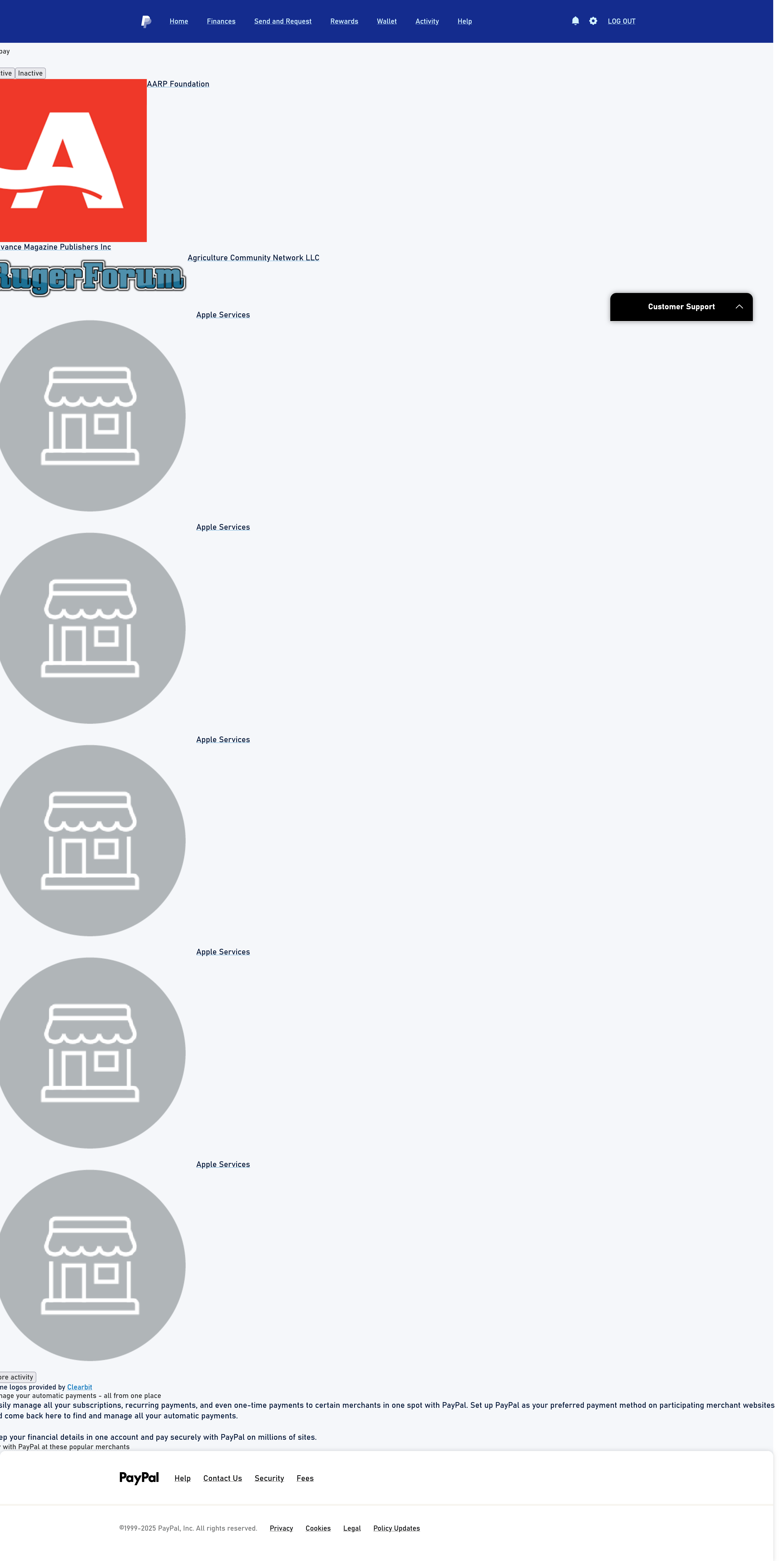
A single page on the paypal site displays with huge icons and only shows 1//4 of the page to the left. Text appears normal

I am trying to pull up the list of the subscriptions and auto payments I have on Paypal. All the other pages on the site display correctly. Microsoft Edge displays the page correctly.
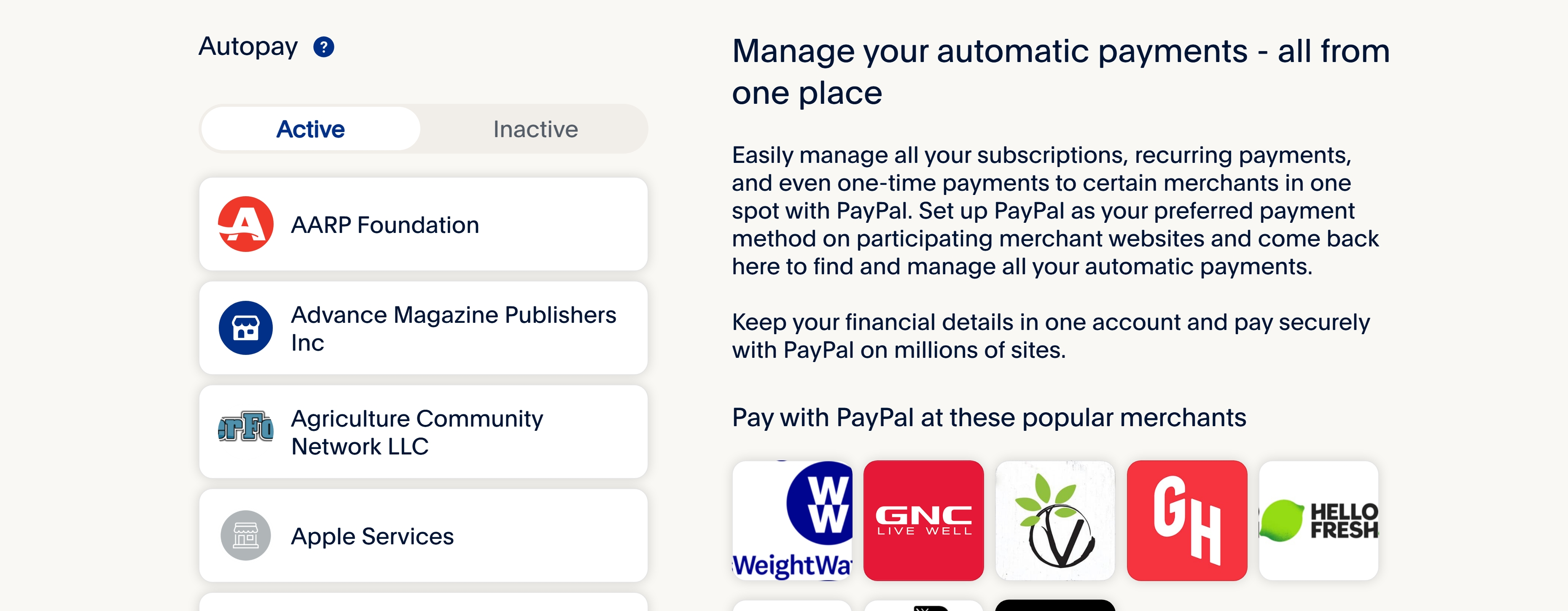
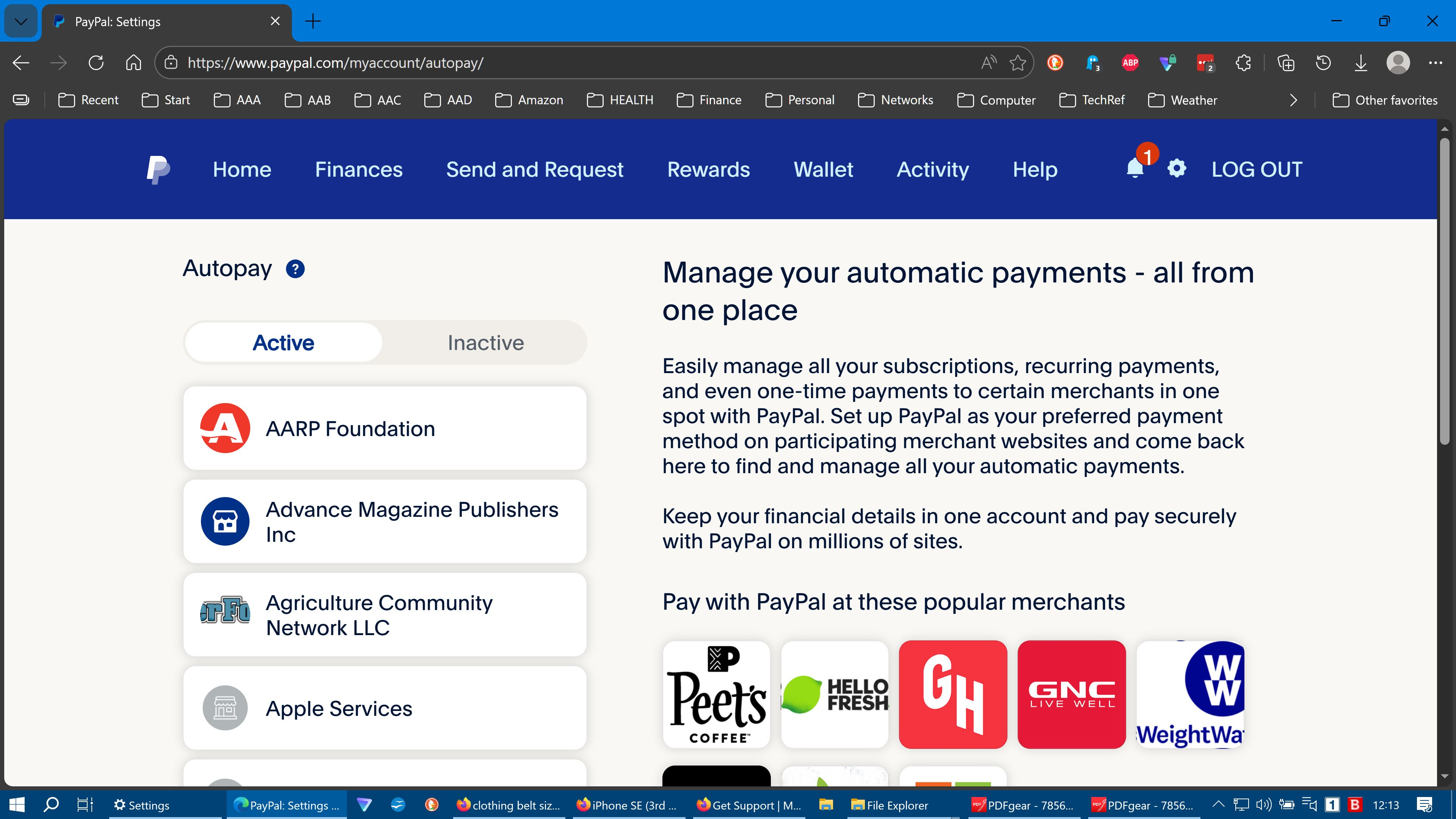
I have attached two screenshots, the first is how Firefox shows it. the second is the correct display using Microsoft Edge.
Note the correct page shows a lot of offers on the right side with the list of payments icons on the left in proper form. The incorrect screenshot does not show the right side offer material at all . The layout of the text and icons are nothing like they should be.
Changing the magnification does not help as my other Paypal pages are affected and the result is just a smaller version of the incorrect page with the icons still offset and is not usable for it's intended purpose.. Also the text is to small to read.
When I first try to open the page it flashes momentarily on the correct view, then immediately goes to the bad view. Is it possible there is some "locking" factor missing when I get the flash display?
This started within the last 6 months. I suspect something about the page is not on the same criteria as Firefox. If no one else has seen this then I must have something inconsistent with that page.

Все ответы (2)
Still a problem. on a HP laptop with intel i7-6700HQ CPU, windows10 pro - latest, Firefox 146.0.1. Cleared cache cookies, history, uninstalled -reinstalled Firefox, disabled extensions iin order, restarting each time. I've reported as potential broken page. Paypal has no tech support for browsers other than "use a different browser."
Page in question is: https://www.paypal.com/myaccount/autopay/
I've attached 3 additional screenshots, one each from FF and from edge as well as the page inspector from FF for this page. The error messages text follows at the end of this post.: Something about a "preload tag" not holding? Remember, it flshes correctly then grows up and out.
Inspector The resource at “https://www.paypalobjects.com/digitalassets/c/paypal-ui/fonts/PayPalSansSmall-Regular.woff2” preloaded with link preload was not used within a few seconds. Make sure all attributes of the preload tag are set correctly. autopay
The resource at “https://www.paypalobjects.com/digitalassets/c/paypal-ui/fonts/PayPalSansBig-Light.woff2” preloaded with link preload was not used within a few seconds. Make sure all attributes of the preload tag are set correctly. autopay
The resource at “https://www.paypalobjects.com/paypal-ui/fonts/PayPalOpen-Regular.woff2” preloaded with link preload was not used within a few seconds. Make sure all attributes of the preload tag are set correctly. autopay
The resource at “https://www.paypalobjects.com/paypal-ui/fonts/PayPalOpen-Bold.woff2” preloaded with link preload was not used within a few seconds. Make sure all attributes of the preload tag are set correctly. autopay

Изменено Rene