


Windows 10 reached EOS (end of support) on October 14, 2025. For more information, see this article.

Поиск в поддержке

Избегайте мошенников, выдающих себя за службу поддержки. Мы никогда не попросим вас позвонить, отправить текстовое сообщение или поделиться личной информацией. Сообщайте о подозрительной активности, используя функцию «Пожаловаться».

Подробнее

I can't sign into my Proton mail account via Thunderbird for Android - "Checking incoming server settings failed"

  • 2 ответа
  • 1 имеет эту проблему
  • 100 просмотров
  • Последний ответ от Wayne Mery

дополнительные действия

I am trying to sign into my Proton mail account. On the Thunderbird app, I tap the Menu and select Settings. Then, I select Add account, type my Proton email address, and tap Next. The "Configuration found" screen is displayed. I proceed to type my Proton password correctly and tap Next. Then, there is an error that says "Checking incoming server settings failed". Does this mean Thunderbird does not fully support Proton mail?
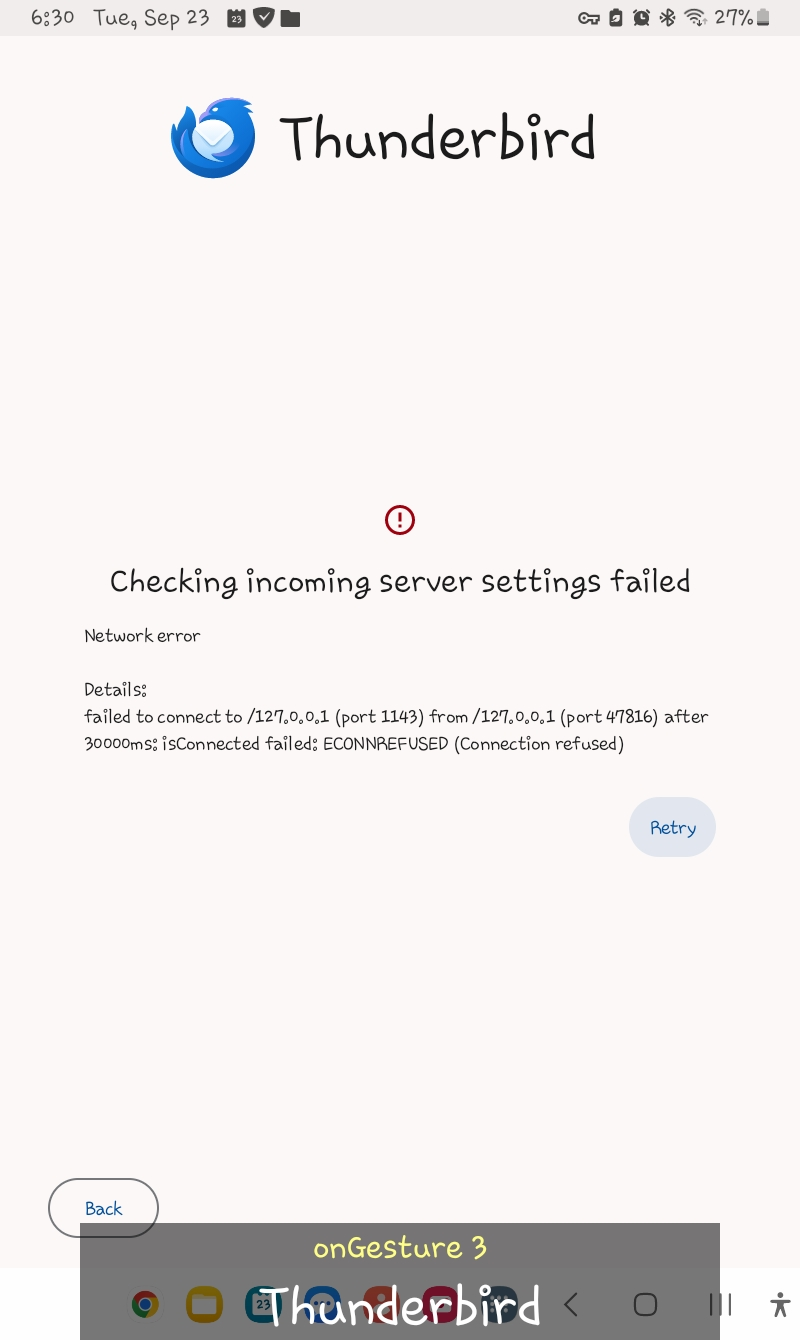
I am trying to sign into my Proton mail account. On the Thunderbird app, I tap the Menu and select Settings. Then, I select Add account, type my Proton email address, and tap Next. The "Configuration found" screen is displayed. I proceed to type my Proton password correctly and tap Next. Then, there is an error that says "Checking incoming server settings failed". Does this mean Thunderbird does not fully support Proton mail?
Приложенные скриншоты

Изменено Wayne Mery

Все ответы (2)

дополнительные действия

Hello, Proton mail doesn't support direct IMAP. You need to use the proton bridge: https://proton.me/support/protonmail-bridge-clients-windows-thunderbird

Изменено Bogomil Shopov - Бого

дополнительные действия

The bridge does not exist for Android afaict. You will need to convince the proton folks to provide one.

Задать вопрос

Для ответа на сообщения вы должны войти в свою учётную запись. Пожалуйста, задайте новый вопрос, если у вас ещё нет учётной записи.