


Firefox is hogging RAM out :)

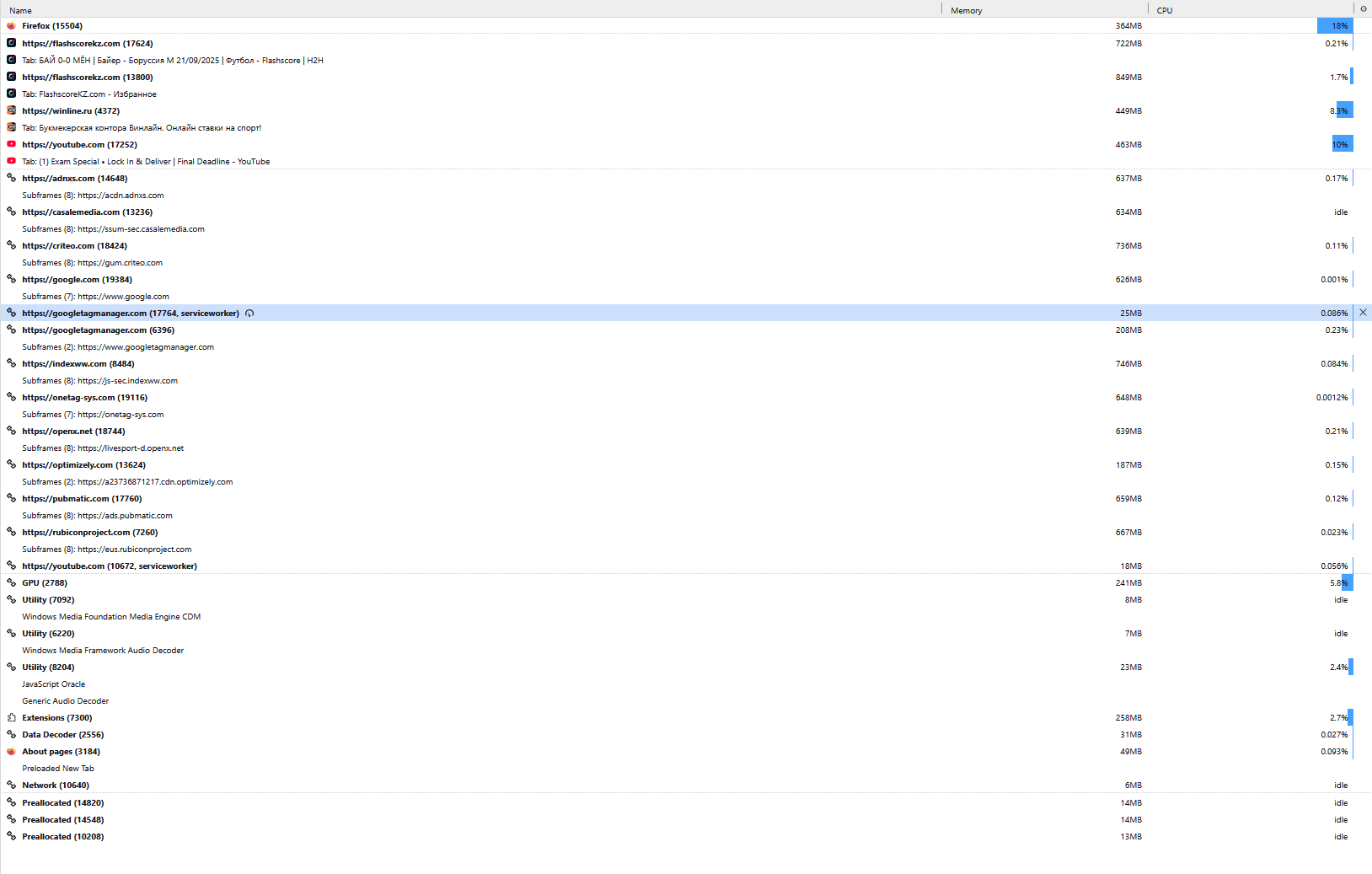
I opened a new Firefox session (closed the previous one properly using the “Exit” option, without force-killing it) and had only 4 tabs open:
One YouTube video at 1080p One bookmaker site that may have a 240p video playing Two Flashscore tabs (static pages, no video)
When I end all firefox.exe processes, the Task Manager shows that about 10 GB of RAM is freed.
How can just four tabs be using that much memory? Please help me with this issue.
Thank you!

Все ответы (3)
Hello!
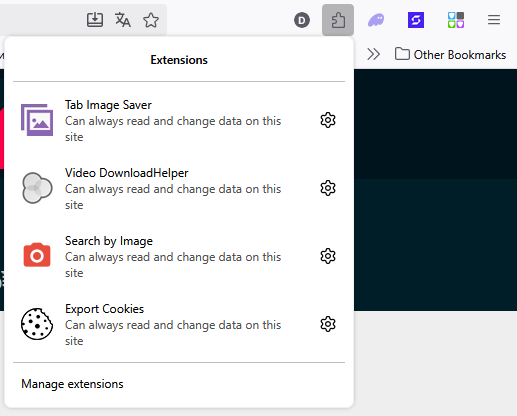
You are right 10 GB of RAM used with only four tabs open is unusually high, but sometimes a single 1080p YouTube video can use hundreds of MB of RAM, especially if there are ads, multiple audio tracks, or high-efficiency codecs. If another tab has video (even low-res), that adds up! Flashscore or bookmakers often run multiple scripts, live updates, or complex interactive content consume memory even if the page looks “static.” Also, Firefox keeps some data in memory to speed up scrolling, video playback, or page switching. And some background tasks or older extensions can increase memory use. To keep in mind, over time, Firefox can hold onto memory internally before releasing it to the OS, making the reported usage look higher than actual.
What I would do is close unnecessary tabs or use tab unloading extensions and check about:performance to see which tabs or scripts are using the most resources.
Hope this helps!!
I have refreshed Firefox. So far so good 😀.
I'm glad let me know if anything happens!