


Windows 10 reached EOS (end of support) on October 14, 2025. If you are on Windows 10, see this article.

Поиск в поддержке

Избегайте мошенников, выдающих себя за службу поддержки. Мы никогда не попросим вас позвонить, отправить текстовое сообщение или поделиться личной информацией. Сообщайте о подозрительной активности, используя функцию «Пожаловаться».

Подробнее

Customization of sidebar

  • 2 ответа
  • 1 имеет эту проблему
  • 186 просмотров
  • Последний ответ от kay

Hi, is there a way to customize sidebar to move the controls to the top or bottom of the sidebar? With sidebar open there is a lot of wasted space with just 3 icons - settings, history and sideberry buttons. Not really an optimal situation.

Attached screenshot and another picture explaining where I would like to move the buttons. Either top or bottom of the sidebar is preferable than taking the side.
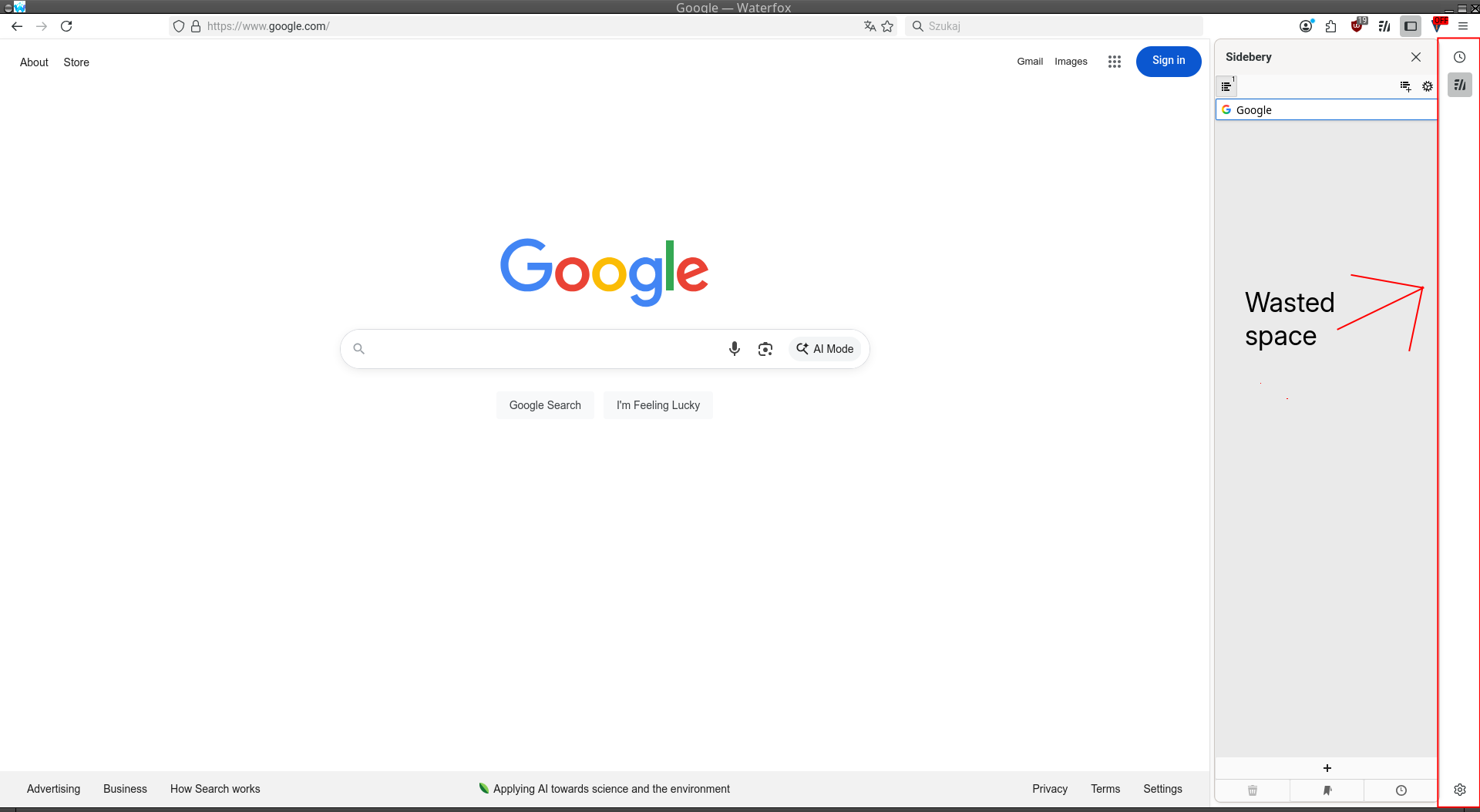
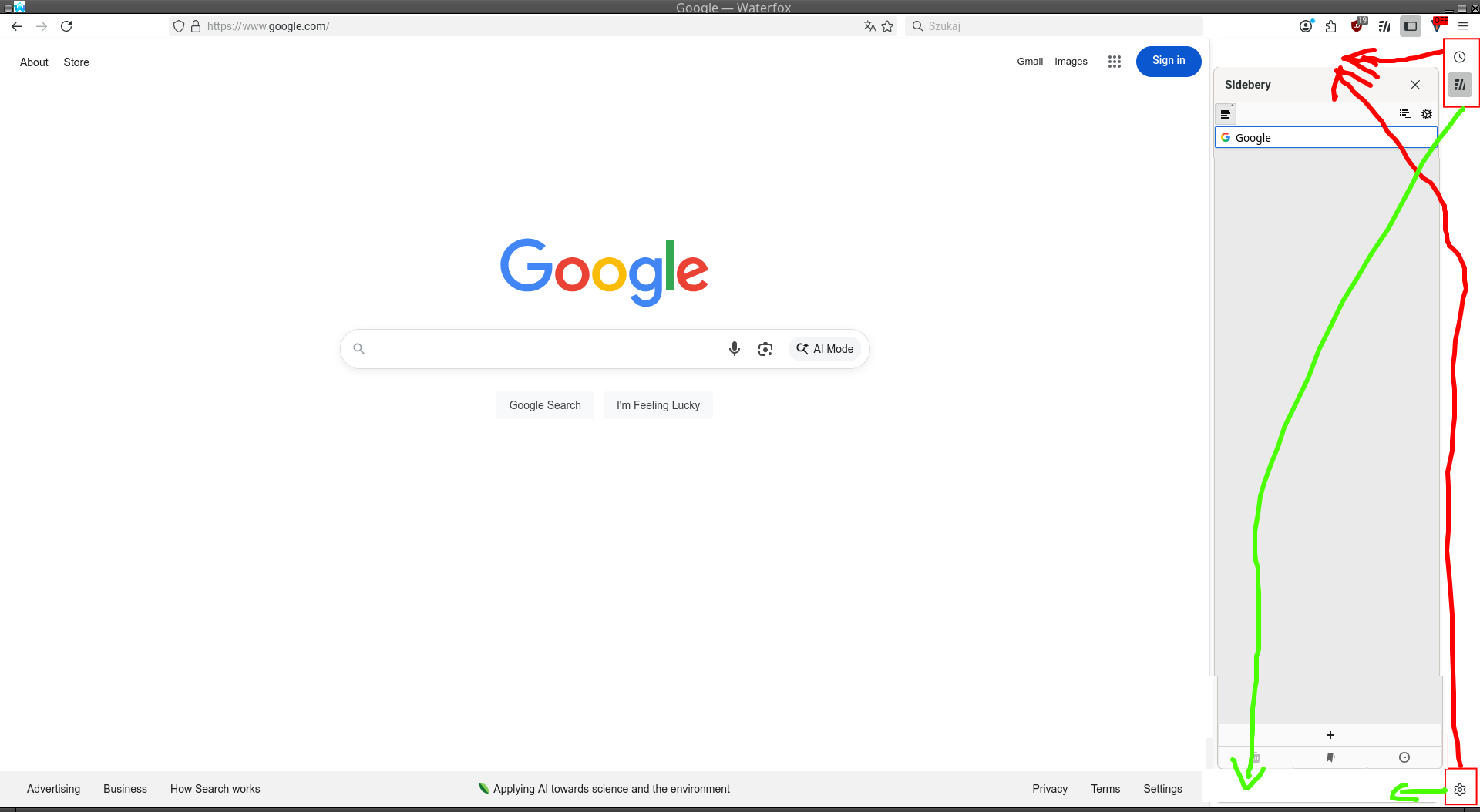
Hi, is there a way to customize sidebar to move the controls to the top or bottom of the sidebar? With sidebar open there is a lot of wasted space with just 3 icons - settings, history and sideberry buttons. Not really an optimal situation. Attached screenshot and another picture explaining where I would like to move the buttons. Either top or bottom of the sidebar is preferable than taking the side.
Приложенные скриншоты

Изменено kay

Выбранное решение

Paul said

Hi kay That empty space you have labelled in your screenshots (thank you) is the tab bar when vertical tabs are being used. The space will fill with tabs that you have opened.

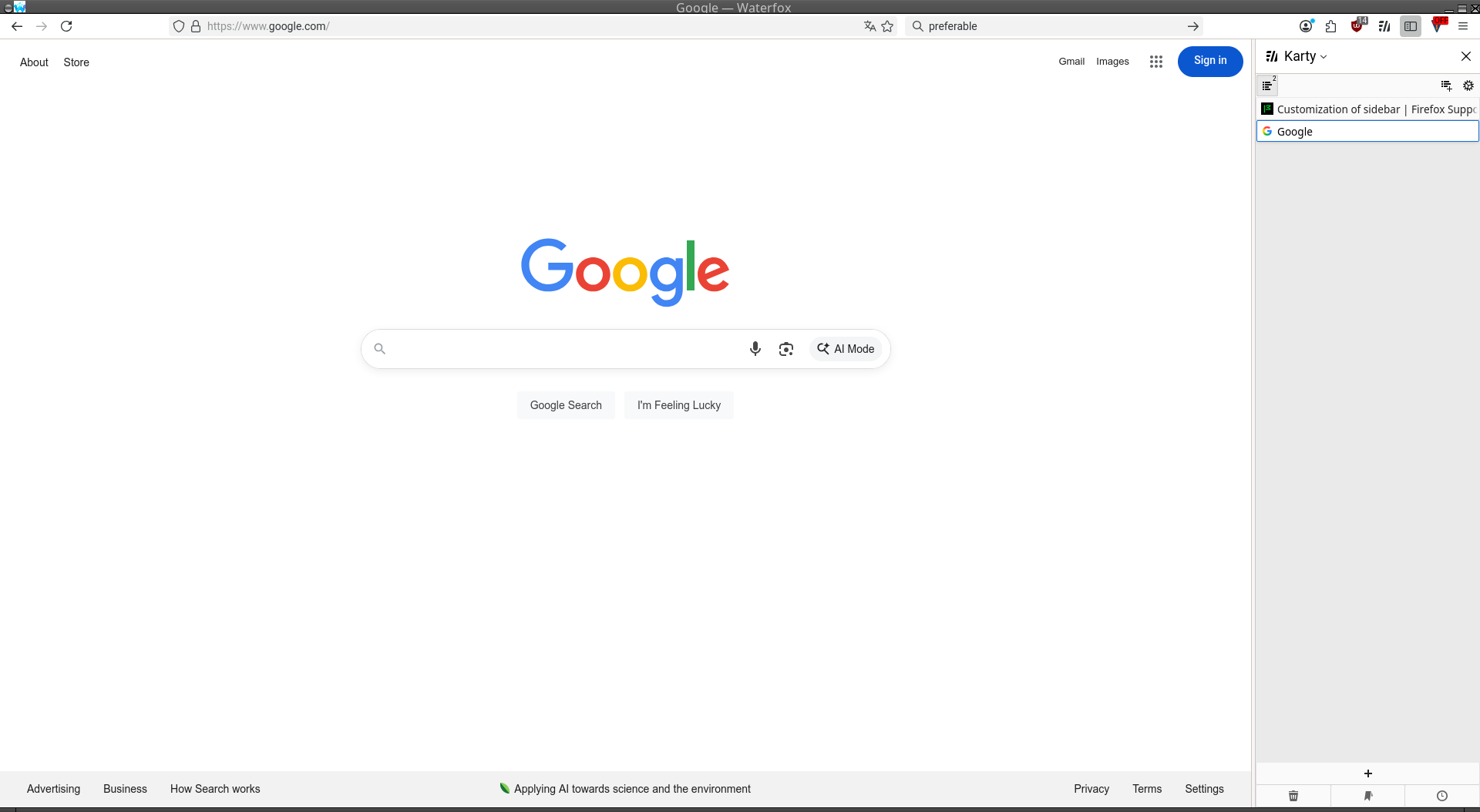
I was under impression that I had to have sidebar enabled to work with sideberry. Thanks to your comment I was able to find a toggle and turned it off. That solved my issue
Прочитайте этот ответ в контексте 👍 1

Все ответы (2)

Hi kay

That empty space you have labelled in your screenshots (thank you) is the tab bar when vertical tabs are being used. The space will fill with tabs that you have opened.

Выбранное решение

Paul said

Hi kay That empty space you have labelled in your screenshots (thank you) is the tab bar when vertical tabs are being used. The space will fill with tabs that you have opened.

I was under impression that I had to have sidebar enabled to work with sideberry. Thanks to your comment I was able to find a toggle and turned it off. That solved my issue