


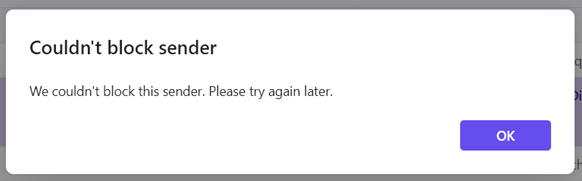
I get a message "We couldn't block this sender. Please try again later."

For the last 5 or 6 days when I go to block a spam sender I get this message "We couldn't block this sender. Please try again later." It happens on every email address I try to block - so far, about a dozen or so.
Is this a temporary glitch?
Many thanks for looking into this for me!
Все ответы (11)

Hi Didee,
How are you trying to block senders?
Изменено Rick
I do it the usual way - that is, I right-click on the email I want to block - choose "Block" - then choose "Block sender". The following message comes up in a dialog box - "Block .....?" This message will be deleted and all future messages from ....... will not come to your mailbox." There are two buttons to click - OK and Cancel. When I click OK, the message "We couldn't block this sender. Please try again later" comes up.
This happens for every email I want to block - all are from different email addresses and have no relation to each other. All are junk, spam and/or phishing attempts.
I am almost certain that Thunderbird offers no way to block senders.
https://support.mozilla.org/en-US/kb/blocking-sender
That drop-down menu option does not appear in my installation of Thunderbird. Are you using an add-on to perform this function? If so, maybe the add-on needs to be updated for your version of Thunderbird. Was Thunderbird updated on your computer recently?
I am using Firefox, not Thunderbird.
Have I posted my request in the wrong place?
Yes. There is a link to the Firefox community forum at the top of this page.
But is your problem relates to webmail, not Firefox?
My browser is Firefox which I use for my Hotmail account.
So your question is really about Hotmail, which provides the blocking function, not Firefox.
I'm sorry - you're right. It is Hotmail that provides the blocking function.
Thanks for trying to help!
I have transferred this topic to the Firefox community despite my belief that can not help with this issue. I suggest you raise a topic with the outlook support folk.
Thanks Matt! I'll do that.