


Disable Auto Suggestions

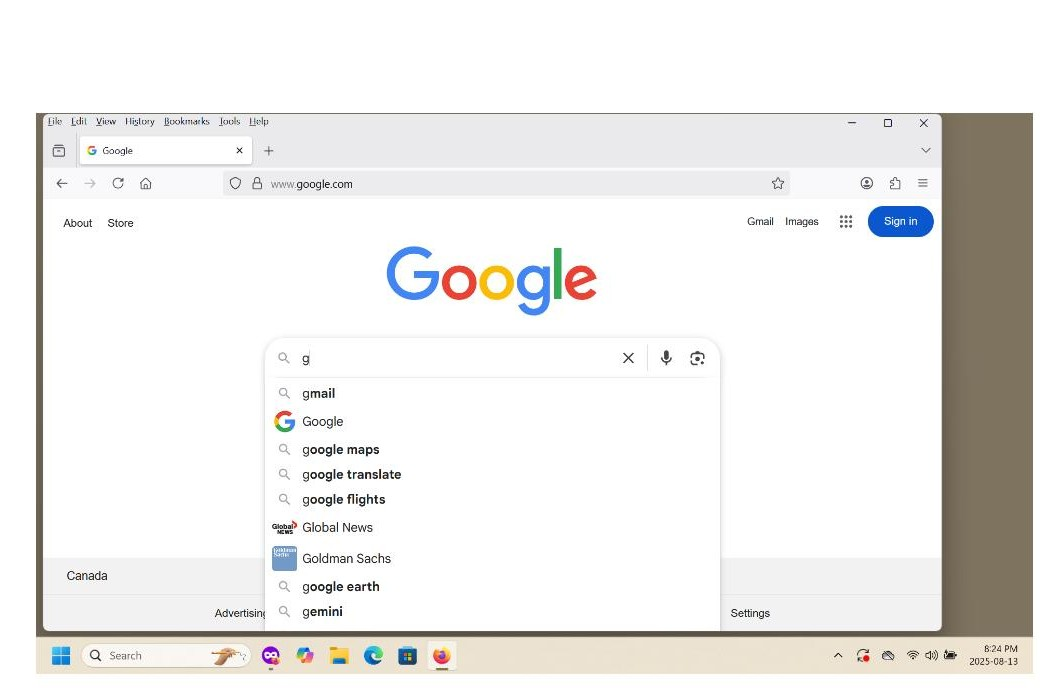
I'm in the midst of getting used to a new computer and setting it up as I want and like it. (My old one just stopped dead and nothing could be retrieved from it.) My question: how does one stop Google from auto suggesting in Firefox? See the attached photo...I've typed a "g" and there's a whole list of useless suggestions shown. Based on what I've read, I've turned off what I think are all the settings relating to auto suggestions yet it's still operational. Previously, I never had this problem with Firefox, but now with the new machine (HP using Windows 11) it's back to haunt me. Thanks for any assistance.
cheers, Iain.
Все ответы (1)
Hi,
That's not an issue related to Firefox, that's about how the Google website is built. Unfortunately, I'm not sure it is possible to completely get rid of those suggestions (called predictions). Here's a Google article about them.
As a moderator, I'm going to mark this thread as off-topic and lock the thread since it is not a subject covered in the support forum. Please see Mozilla Support rules and guidelines.