


SMTP Failure - "Login to server smtp.office365.com with username max@j******.net failed."

I am having a problem with one of my email accounts I use with Godaddy.
I have 3 different email (user names) under the same domain name and 2 work perfectly, and the third received fine, but will not send. I get, "Login to server smtp.office365.com with username max@j******.net failed." . The options are 1. Retry (does nothing). 2. Enter New Password (when I try this on it does not allow me to enter a new password, just retries). 3. Cancel.
I have triple checked and all the setting are correct...and inside thunderbird they share the same smtp server.
Like I stated, I have 2 other email accounts set up with the same domain (j*****.net) that are working perfectly, but the third one receives, but has the above error on sending. All three use the same SMTP server.
I did try and delete the one I was having a problem with and reinstall it, but it did not help. Godaddy email support was useless, and kept trying to get me to change over to outlook (ecccch).
Can you help? Is anyone else have an issue like this with godaddy?
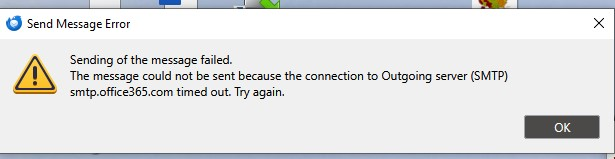
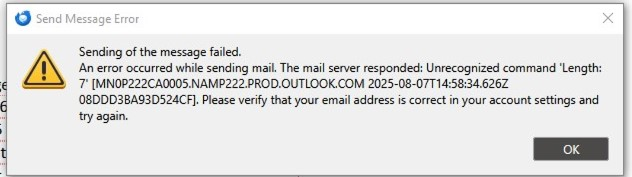
Изменено Wayne Mery
Все ответы (4)
You should have separate smtp servers for each account, and set each account to send on the corresponding smtp:
https://support.mozilla.org/en-US/questions/1350593
The settings for the O365 smtp are: smtp.office365.com, 587, STARTTLS, OAuth2, email address.
Everything is set correctly...checked and triple checked. only 1 of 3 are not sending.
I encourage you to check sfhowe's suggestion, as that is a common problem with multiple accounts sharing same domain. Something is not correct, or you wouldn't have a problem.
I DO have separate smtp servers for each account