Эта тема была архивирована.
Если вам нужна помощь, задайте новый вопрос.

Архивировано
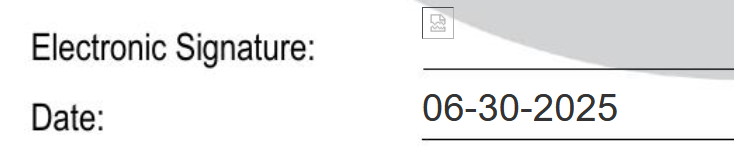
Signature image broken
We use a quickbase app for contracts and when someone signs by drawing their signature, the image appears as a broken link. Is there a setting to fix this?
We use a quickbase app for contracts and when someone signs by drawing their signature, the image appears as a broken link. Is there a setting to fix this?
Все ответы (1)

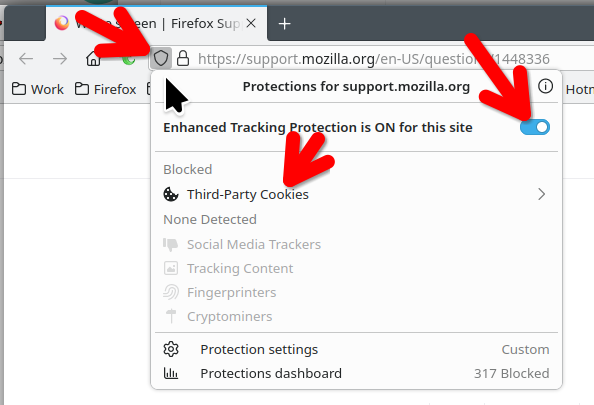
Replicate the steps in another browser and get to the same point. Then right click on the image and see where it's coming from. An add-on or ETP could be blocking something which is why a full browser screenshot would be more helpful. Try turning off ETP. see screenshot Did you try with Firefox in Troubleshoot Mode? https://support.mozilla.org/en-US/kb/diagnose-firefox-issues-using-troubleshoot-mode#search If you're running Windows Pro version, I would test in the Sandbox to confirm. https://www.howtogeek.com/399290/how-to-use-windows-10s-new-sandbox-to-safely-test-apps/