


Firefox 140 - Now have issues with background colors in Sideview bookmarks

Hello all:
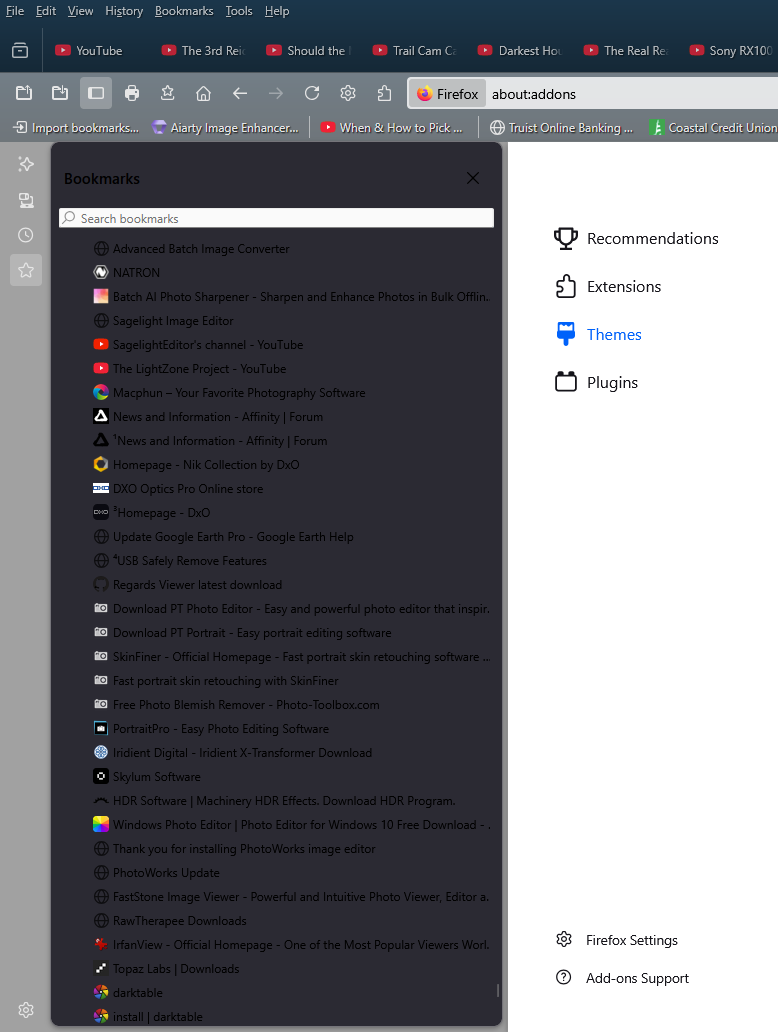
Just downloaded version 140 and ran into an immediate "visual/appearance" problem with regard to the background color(s) of the sidebar bookmarks view. Many themes now have totally dark sidebar colors and not readable (see screenshot image upload with this posting). I always have my bookmarks (almost 1200 of them) displayed in my sidebar, and this is the first time an issue like this has arisen with a Firefox update.
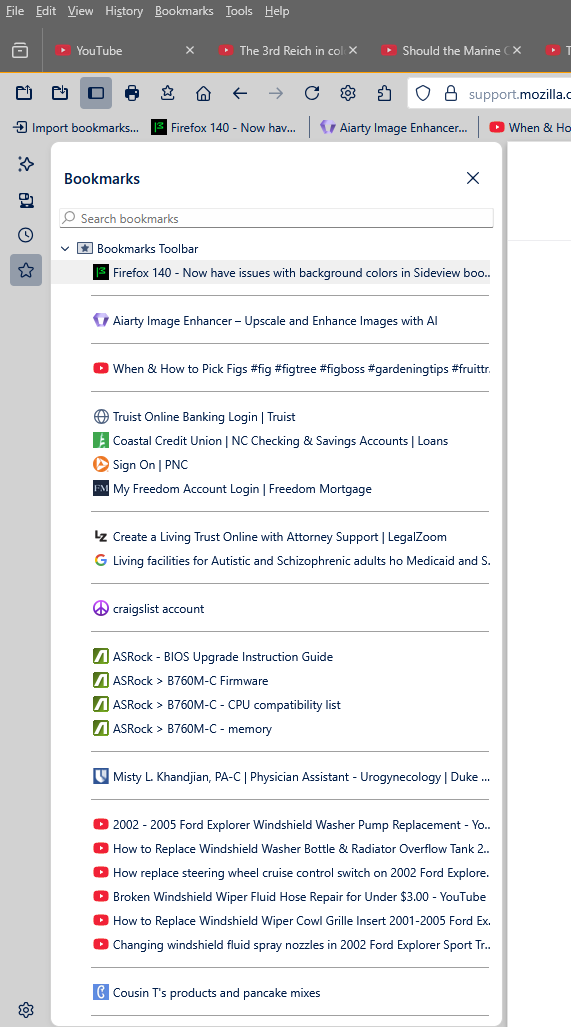
To remedy this scenario, I must use very light colored themes that have a white background when you bring up the sidebar bookmarks. If not, everything is totally dark and unreadable.
Any ideas or help on this one?
Выбранное решение
ISSUE IS NOW FIXED. Just downloaded the Release candidate of 140.01 and it fixed the issue promptly. Now all themes function perfectly. That's a quick response - thank you!!!
Все ответы (9)
Forgot to add this - here's a example of a light-colored theme with a white background, where the bookmarks can easily be seen.
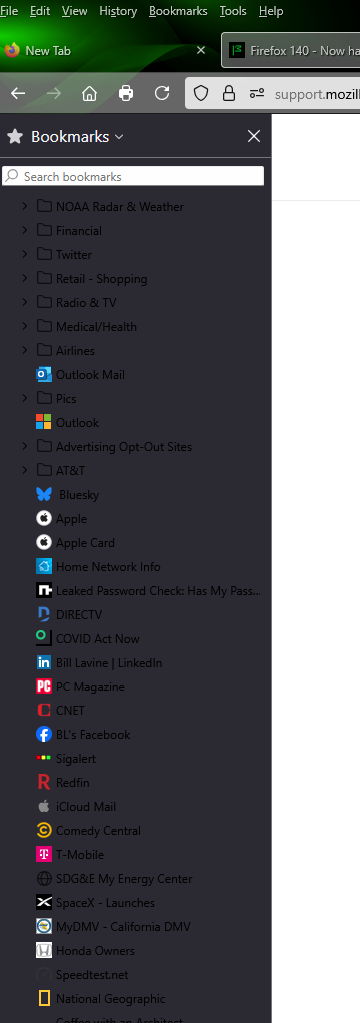
so the answer to this problem that was created by mozilla is to change to lighter themes? that is an unacceptable response by mozilla. my theme is already light as in white screen but the sidebar is unintelligible except for some icons that you can actually see.
Hi
I understand that if you are using certain dark themes you may experience issues with text contrast in the sidebar.
A workaround is to use the built-in dark theme or the system theme
This is tracked under Bug 1971487 and a fix will follow in a later release.

I have the same problem. But switching out of dark mode doesn't fix it.
rundesnettes said
I have the same problem. But switching out of dark mode doesn't fix it.
Are you using the built-in Dark theme, or an add-on theme? I thought the problem was only with add-on themes. Use themes to change the look of Firefox
Выбранное решение
ISSUE IS NOW FIXED. Just downloaded the Release candidate of 140.01 and it fixed the issue promptly. Now all themes function perfectly. That's a quick response - thank you!!!
just downloaded 140.01 and it appears to have fixed the "black-out" issue thanks BL

Thank you everyone, the issue is now fixed with the update.
Hello,
I am glad to hear that your problem has been resolved. If you haven't already, please select the answer that solves the problem. This will help other users with similar problems find the solution.
Thank you for contacting Mozilla Support.