


Windows 10 reached EOS (end of support) on October 14, 2025. If you are on Windows 10, see this article.

Поиск в поддержке

Избегайте мошенников, выдающих себя за службу поддержки. Мы никогда не попросим вас позвонить, отправить текстовое сообщение или поделиться личной информацией. Сообщайте о подозрительной активности, используя функцию «Пожаловаться».

Подробнее

Background color for the toolbar customization screen is awful

  • 1 ответ
  • 1 имеет эту проблему
  • 178 просмотров
  • Последний ответ от Wild Willy
  • Архивировано

I've looked at this page:

https://support.mozilla.org/en-US/kb/customize-firefox-controls-buttons-and-toolbars

It shows the toolbar customization page like in the attached image I've named Customize Toolbar.

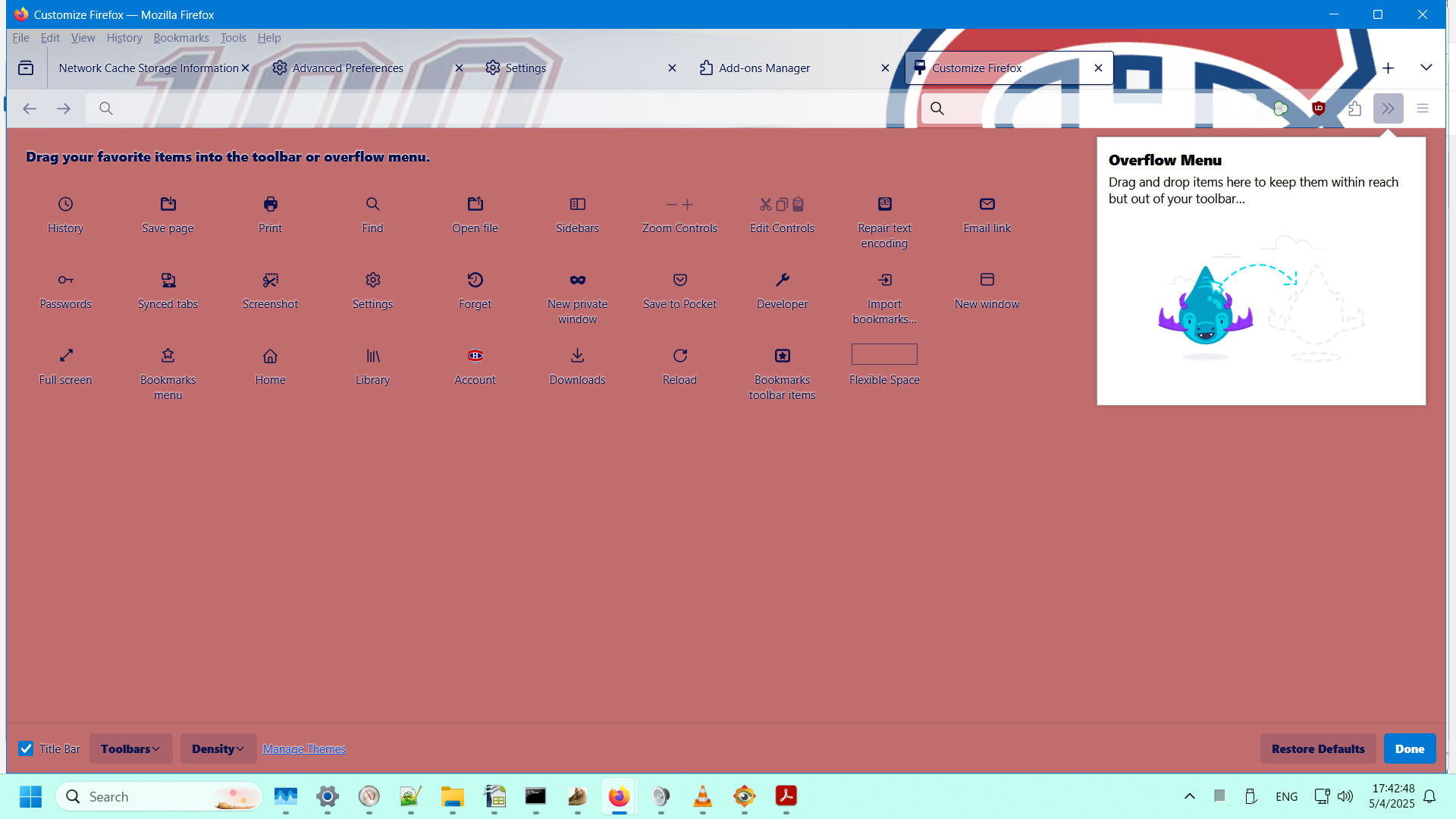
In my Firefox (138.0.1 64-bit on Windows 11), it looks like what I'm showing in the attached image I've named My Customize Toolbar.

I like the background shown in the Mozilla documentation. I hate the background I've got. I didn't choose that color. I have no idea where it's coming from. I sure would like to change that disgusting color to white.

How do I do that?
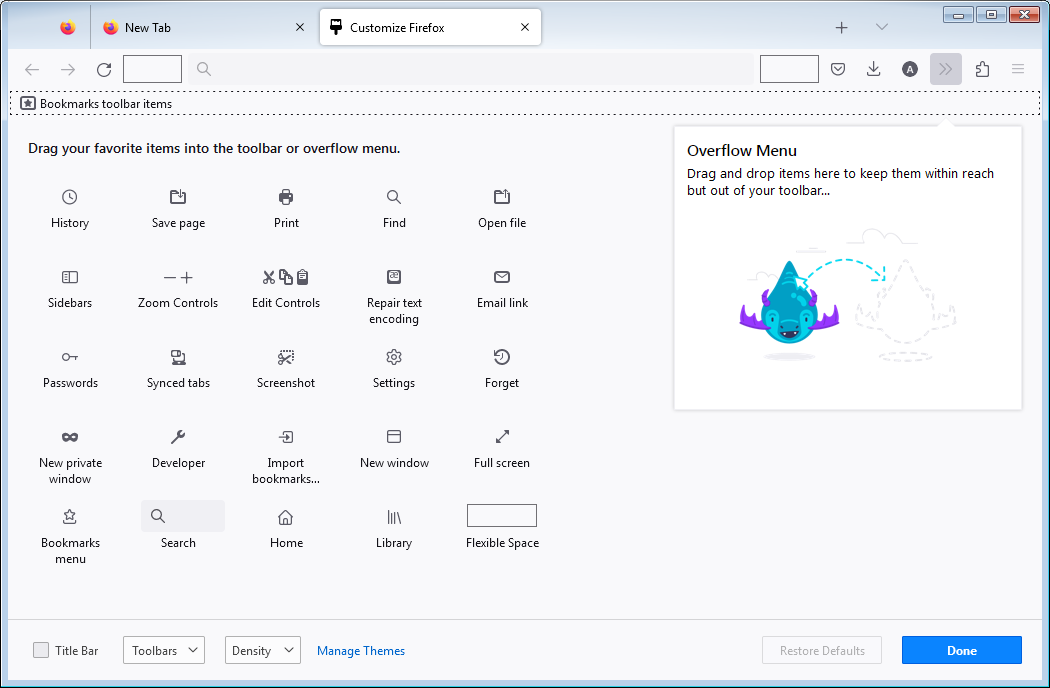
I've looked at this page: https://support.mozilla.org/en-US/kb/customize-firefox-controls-buttons-and-toolbars It shows the toolbar customization page like in the attached image I've named Customize Toolbar. In my Firefox (138.0.1 64-bit on Windows 11), it looks like what I'm showing in the attached image I've named My Customize Toolbar. I like the background shown in the Mozilla documentation. I hate the background I've got. I didn't choose that color. I have no idea where it's coming from. I sure would like to change that disgusting color to white. How do I do that?
Приложенные скриншоты

Изменено Wild Willy

Все ответы (1)

Hmmmm...... My names for the images have gotten lost. But you can figure out which is which. The one I called Customize Toolbar is the one with the light background. The one I called My Customize Toolbar is, obviously, the other one.