

Эта тема была архивирована.
Если вам нужна помощь, задайте новый вопрос.

Решён
Архивировано
Margin between icons too wide in newtab layout

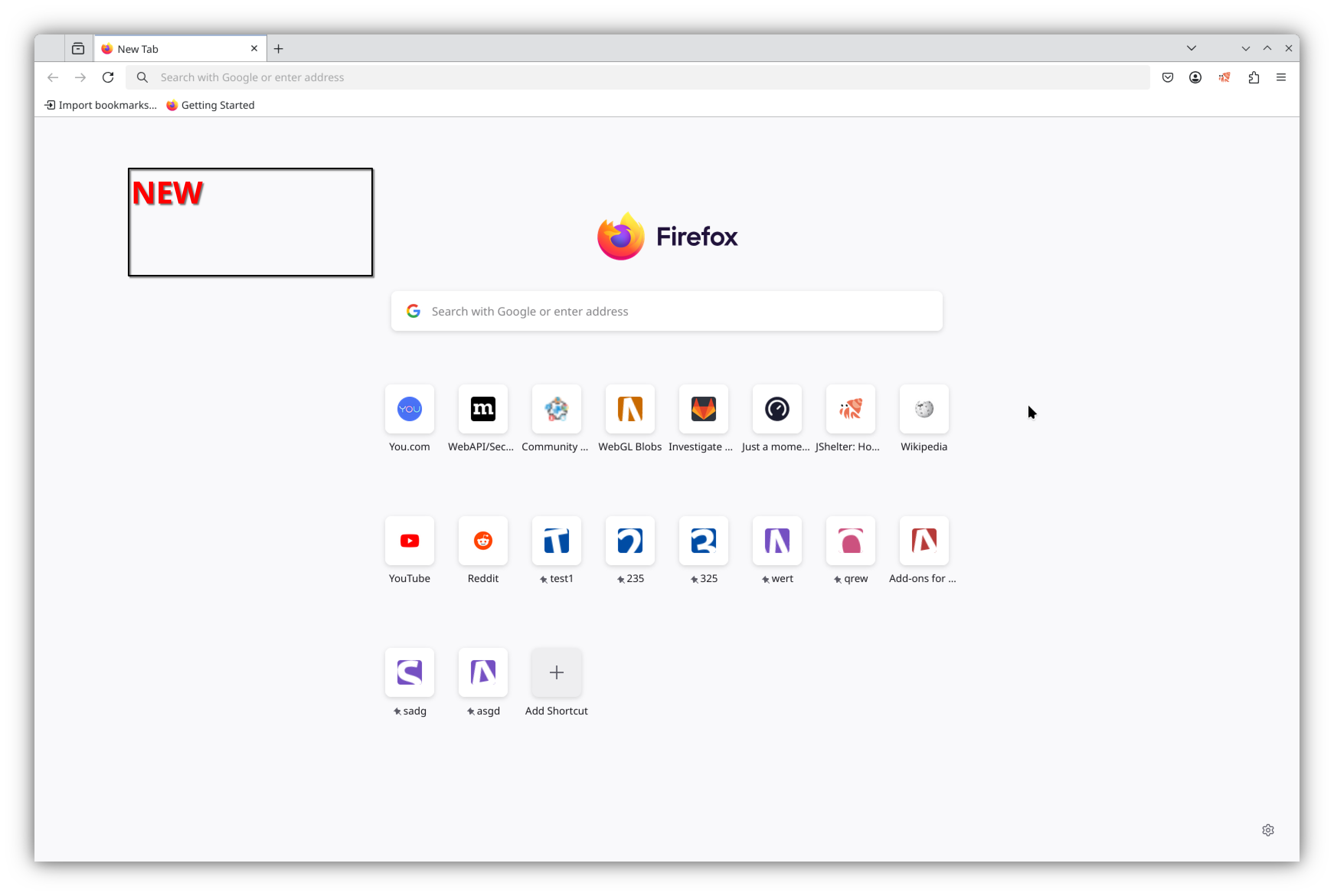
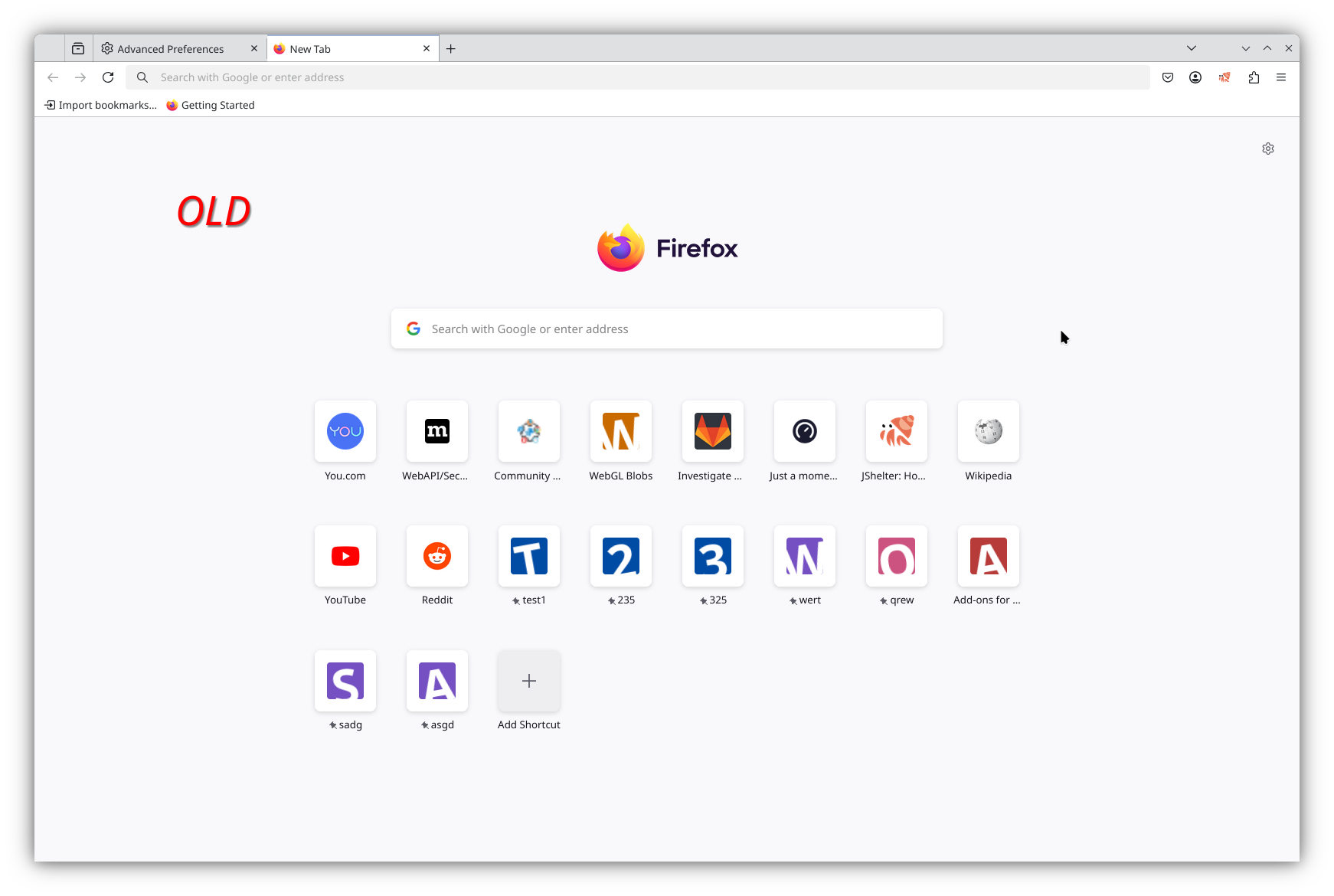
Since a few months ago the newtab page layout has been changed. The site icons are now smaller, leaving a wide margin on the page. In my opinion this margin is too wide and looks strange. Is there any way to change it back?
See the OLD and NEW layout in the uploaded images.
Since a few months ago the newtab page layout has been changed. The site icons are now smaller, leaving a wide margin on the page. In my opinion this margin is too wide and looks strange. Is there any way to change it back?
See the OLD and NEW layout in the uploaded images.
Все ответы (1)
Выбранное решение
I posted the question earlier mainly to share the answer I found with others.
TL;DR: change `browser.newtabpage.activity-stream.newtabLayouts.variant-b` to `false`.
I had to do some `git bisect` to find this setting that was changed in this change: https://phabricator.services.mozilla.com/D235716