


How can I stop these windows that pop up on browser startup?

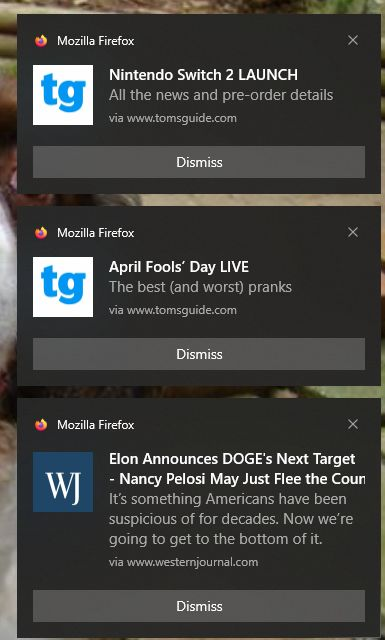
Several windows pop up everytime Mozilla starts up. How can I prevent them?
Все ответы (2)

You need to check your account notification options or whatever sites you saved to be sure they aren't sending the notifications. Also clear your history and cache should those be memory static that loads when you load the browser.
^ignore the reply above as it is not related.
rjohnso3a said
Several windows pop up everytime Mozilla starts up. How can I prevent them?
The screenshot shows these are web push notifications from sites you have allowed to send you notifications. Sometimes Instead of useful information the may send you junk, spam,fake virus and or trojan alerts and such. You can revoke these sites from sending you notifications.
https://support.mozilla.org/en-US/kb/push-notifications-firefox https://support.mozilla.org/en-US/kb/push-notifications-firefox#w_how-do-i-revoke-web-push-permissions-for-a-specific-site
Изменено James