


all add-ons disabled

Hi,
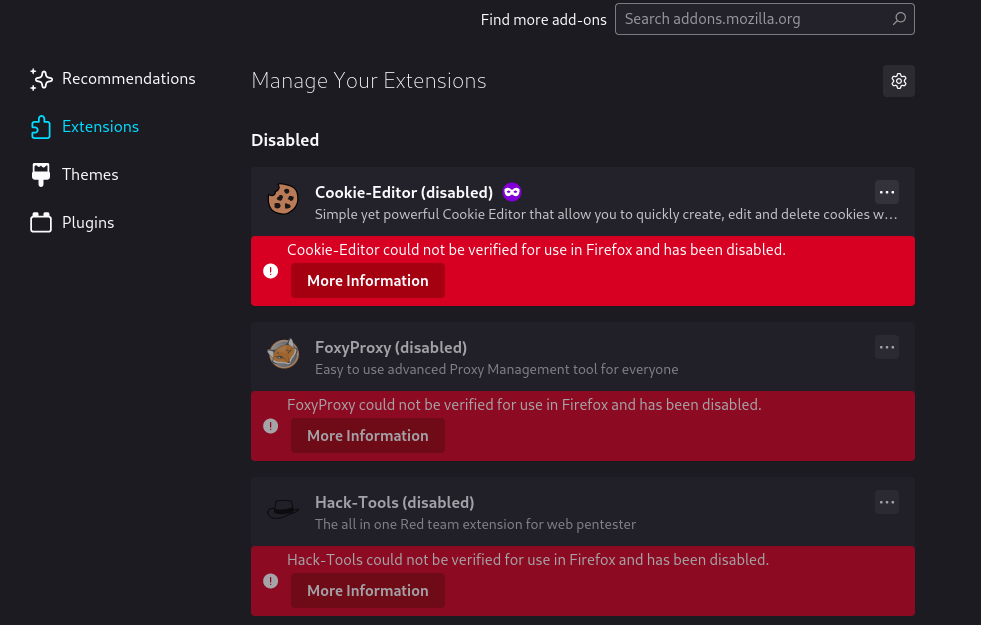
suddenly, all of add-ons have been disabled.
It is say that is an security problems,..., but all of them?? suddenly??
can you please provide some support/help?
I attach screenshoot with release and evidences disabled.
Tks

Выбранное решение
Hi, I have fixed.
It does not update automatically, ..., but using this link, I have done manually, and everything is ok ( I have lost all add-ons, but now allow me install them again): https://support.mozilla.org/en-US/kb/install-firefox-linux
Прочитайте этот ответ в контексте 👍 1Все ответы (4)
Your add-ons has been disabled due to root certificate expiration. Please update Firefox to the recent version.
Hi,
I tried to update firefox,..., but it say that it is the latest. I went to "help", "about mozilla",...., and it do not update anything,...always the same release ( I have attached screenshoot) , how can I force to Kali to install the last one? tks

The same problem i unpacked old browser with addons, Everything worked and after few minutes all addons disabled and also removed! Seriously dear developers your browser is not trusted anymore, you manipulate with browser without permission. I do not want new browser i want old browser with old addons. With new browser many addons will not work. Why do you try to force us to use new browser?
Изменено nafalemg
Выбранное решение
Hi, I have fixed.
It does not update automatically, ..., but using this link, I have done manually, and everything is ok ( I have lost all add-ons, but now allow me install them again): https://support.mozilla.org/en-US/kb/install-firefox-linux