Lost all tabs and history after a crash

We apparently lost power sometime during the night. When I turned on the monitor and opened FF, I got the error message that it had crashed. As my subject line says, I lost all my tabs, the pinned ones (probably about 10) as well as the open ones (probably between 10 and 15). I also lost all my history. I can't use the 'Restore Previous Session' because it doesn't give me that option.
I've restarted Firefox and also rebooted my computer...still nothing happens. It's up to date, version 133.0. But I have no history beyond this morning. Is there any way I can recover those tabs or history?
And in my FF Settings, there's a link at the top that says "Your browser is being managed by your organization". I don't have or belong to an organization. When I click on the link it takes me to another page that says it's "Active" and there's a huge list of "Documentation" that apparently involves a lot of code. Can you please explain what all that means? Thanks so much for any help!


Все ответы (10)

In the browser, go to about:support Then open your profile folder and then look inside the folder name sessionstore-backup. see screenshots The post a screenshot here.
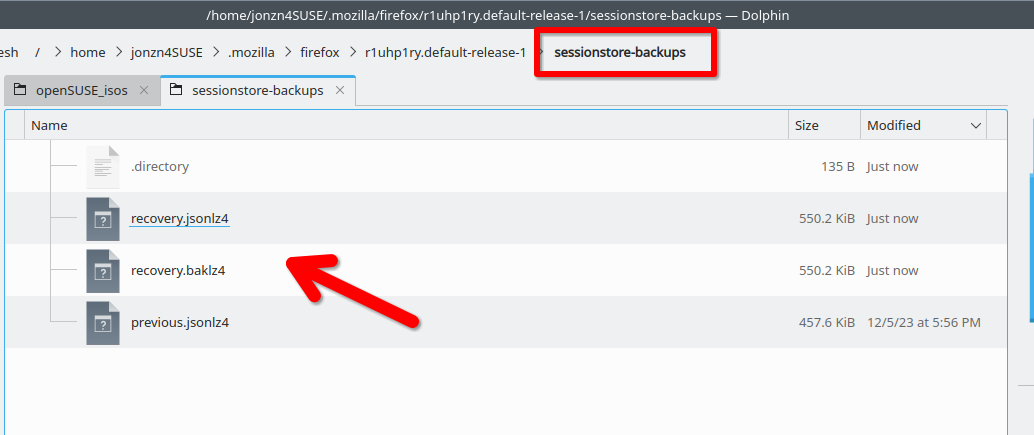
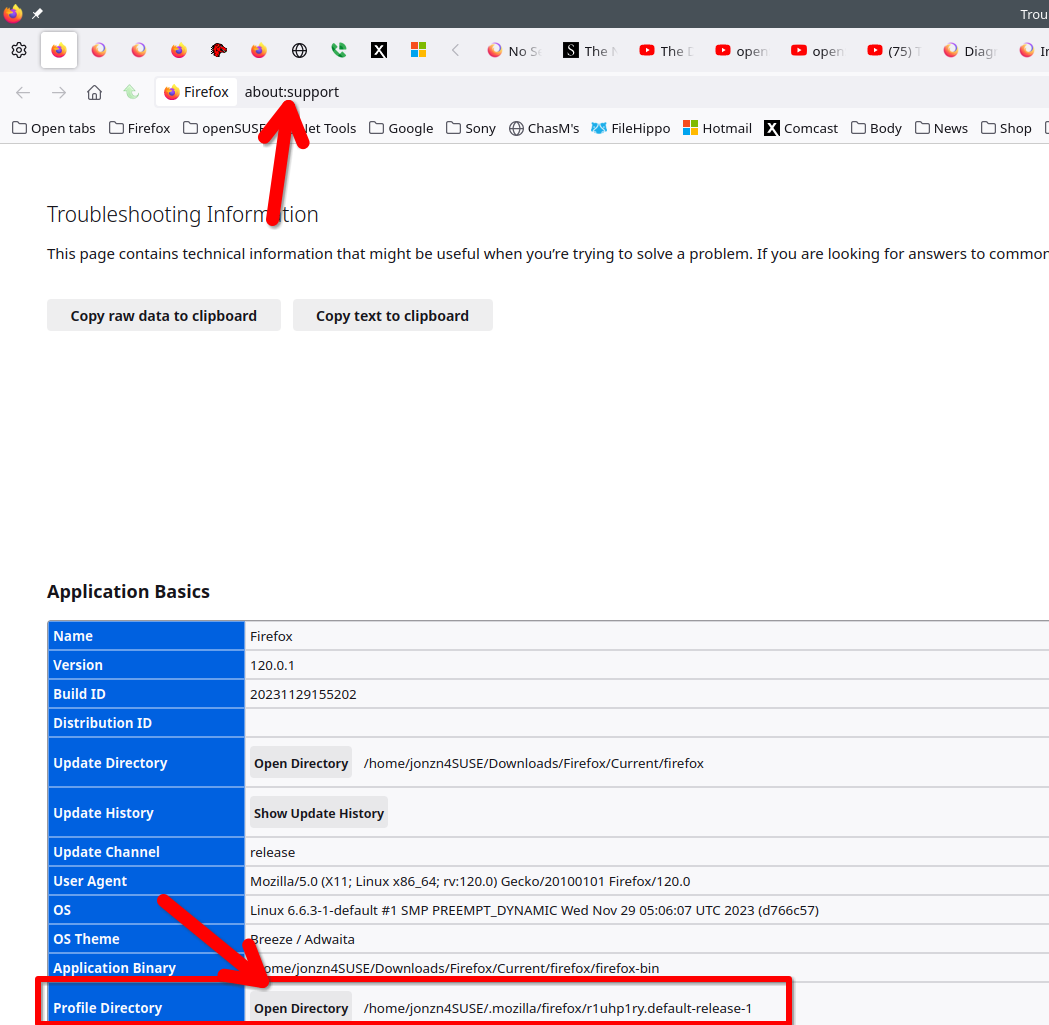
Thank you so much for responding to my question. I've attached what I hope is the screenshot that will allow you to tell me what, if anything, I can do to get my tabs and/or history restored.
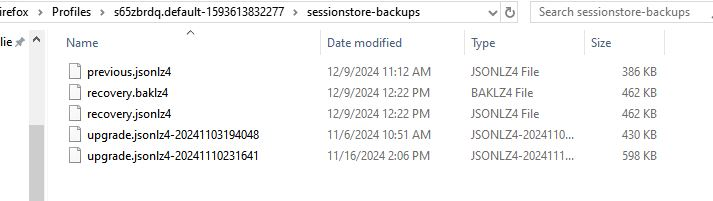
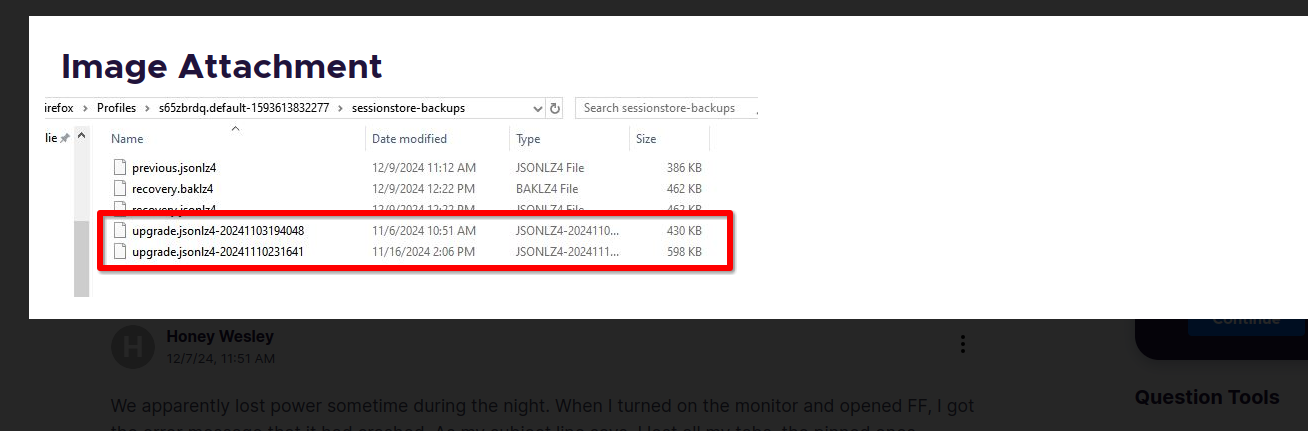
Close Firefox. It looks like you can use one of the upgrade files to go back in time to restore your session by duplicating the file first, then changing the name of the dup file to sessionstore.jsonlz4, and then moving it to your profile folder. Then open Firefox and you should see your old session. The file dated 11/16 is bigger and should have more data.
Изменено jonzn4SUSE
Your browser is being managed by your organization https://support.mozilla.org/en-US/questions/1434356 https://support.mozilla.org/en-US/questions/1401667?utm_campaign=questions-reply&utm_source=notification&utm_medium=email#answer-1559421
Изменено jonzn4SUSE
Hey there and happy Wednesday!
Thank you so much for your efforts to help me, but nothing seems to work for me. I'm at least still able to use my computer, and I've managed to remember a good number of the tabs I lost. The "browser is managed by your organization" message bothers me, but it doesn't seem to be doing any harm. I have a couple of sons in law that may be able to come over and I'll get one of them to go through your suggestions. At nearly 70, it's entirely possible I'm doing it wrong, LOL!
Thanks again for your help. Have a great rest of your week!

Hi!
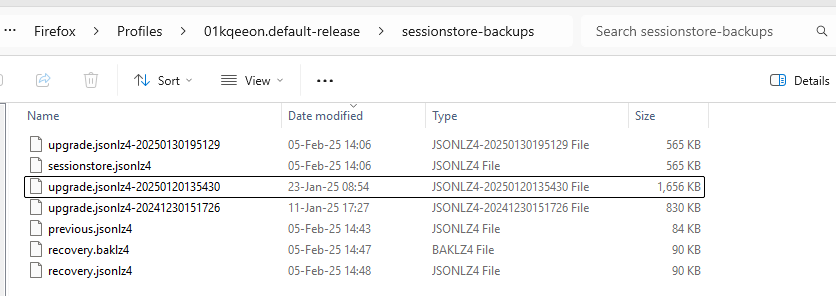
I have the same problem. All tabs and windows are gone after each Firefox Update. Tried to duplicate the largest file "upgrade.jsonlz4-20250120135430" as suggested but nothing works.
Here`s a screenshot on my folder. Any other ideas?
4dascalescu said
Hi! I have the same problem. All tabs and windows are gone after each Firefox Update. Tried to duplicate the largest file "upgrade.jsonlz4-20250120135430" as suggested but nothing works. Here`s a screenshot on my folder. Any other ideas?
Right. With Firefox closed, that upgrade file... rename that to sessionstore.jzonlz4 and move it 1 folder up into your profile and it should restore the session from that date.

jonzn4SUSE - You are fantastic!!! simple easy to follow solution allowed me to recover all of my lost tabs that I should have organized more thoughtfully and bookmarked. With your simple instructions I am now able to access them fully & recover my extensive browsing enabling me to organize them properly without any loss. Again thank you very much for your guidance.
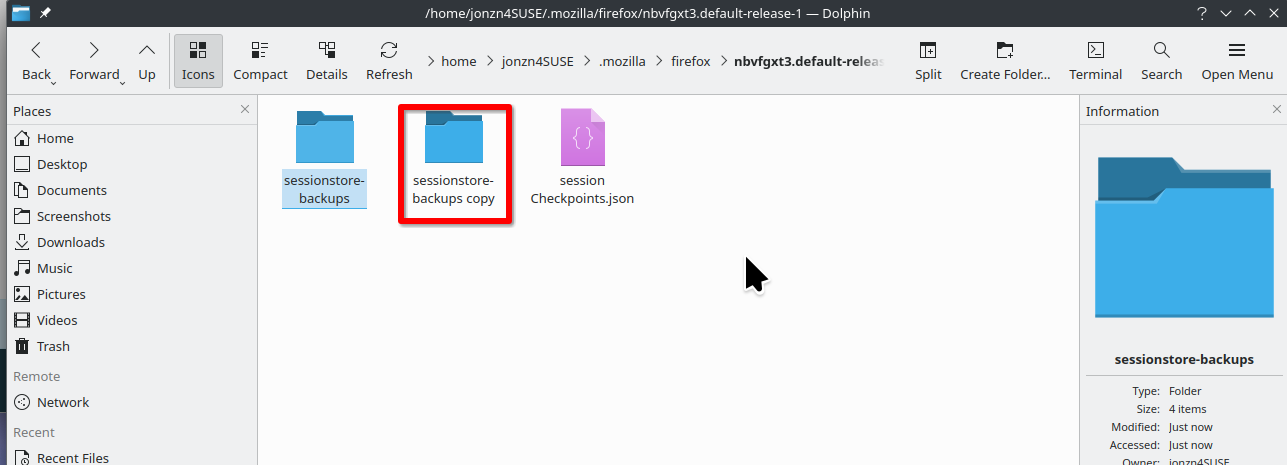
Great. Mark it as resolved and don't forget to sometimes make a back-up copy of your sessionstore-backups folder.
You didn't mark it resolved.