


Firefox won't open. It only hangs, requiring me to Force Quit

I'm using Firefox 130.00 on a MacBook Pro (15-inch, mid-2012) running Catalina (10.15.7). It has run flawlessly for years, but suddenly won't open, and only hangs, requiring me to Force Quit. It stopped working on Thursday, 9/12, which, I notice, was the day it was last modified with an automatic upgrade. I have quit and tried restarting multiple times, but am unable to get into it at all and, therefore, cannot access Troubleshooting Mode. I have NOT yet tried deleting it and downloading a fresh copy. I would like, if possible, to retain my open tabs, Bookmarks, and History.
Please advise—and many thanks!
Все ответы (8)
Here is what my macbook from 2012 is running. see screenshot
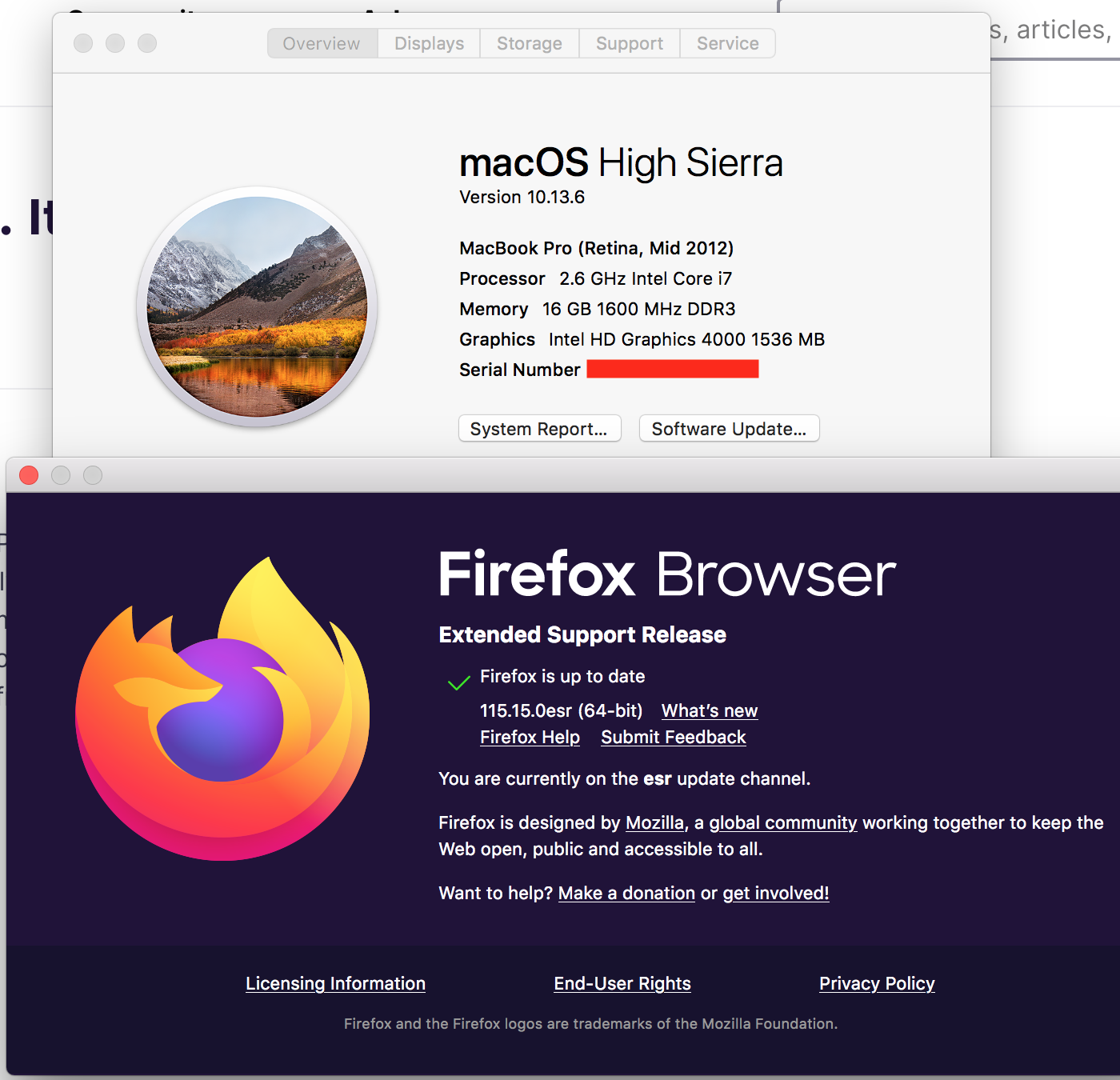
Изменено jonzn4SUSE
Post a similar screenshot showing what version you're running. Did you get Firefox from here? --> https://www.mozilla.org/en-US/firefox/all/#product-desktop-release Or did you just go through the update process?
https://www.mozilla.org/en-US/firefox/130.0.1/system-requirements/
https://support.mozilla.org/en-US/kb/firefox-users-macos-1012-1013-1014-moving-to-extended-support
Изменено jonzn4SUSE
/Users/josephtieger/Dropbox/Screenshots/Screen Shot 2024-09-18 at 2.10.33 PM.png/Users/josephtieger/Dropbox/Screenshots/Screen Shot 2024-09-18 at 2.11.11 PM.png
Firefox just automatically updates on my MacBook Pro; I don't go anywhere to get the recurring updates.
jt26 said
... /Screenshots/Screen Shot 2024-09-18 at 2.11.11 PM.png
I take it you drag and dropped over the Post a Reply Box.
Look below the Post a Reply Box for the Add images (optional): Browse... button to then upload the image.
Here are the screenshots, below.
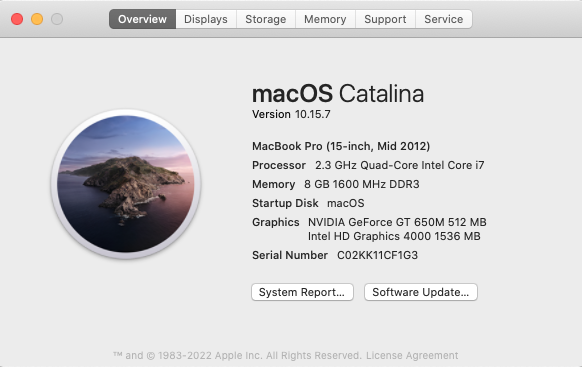
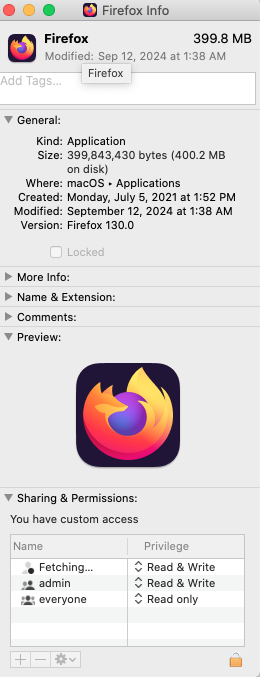
I guess my 2012 just missed some cut off. ;-))
Do you think that's what it was: that this newest update is incompatible with my Mac's OS? If so, I'm glad for you—and curious whether you have a suggestion as to what I might do next?