


Windows 10 reached EOS (end of support) on October 14, 2025. If you are on Windows 10, see this article.

Avatar for Username

Поиск в поддержке

Избегайте мошенников, выдающих себя за службу поддержки. Мы никогда не попросим вас позвонить, отправить текстовое сообщение или поделиться личной информацией. Сообщайте о подозрительной активности, используя функцию «Пожаловаться».

Подробнее
Архивировано

Cannot open my Thunderbird email account

david отвечено
KSI

Have removed all accounts, have removed all passwords. Have removed all Thunderbird information from laptop. Re downloaded Thunderbird (latest version). Select Thunderbird app. Page 'set up existing email account’ appears. enter my name enter email account no password entered settings found by probing given server. ( screen shot 1)

select done

Yellow message (screen shot 2)

I cannot see what is wrong here.

If it is because I have to renew password. I do not know how to do this.

Anyone help please. This has been going on for many many days now.
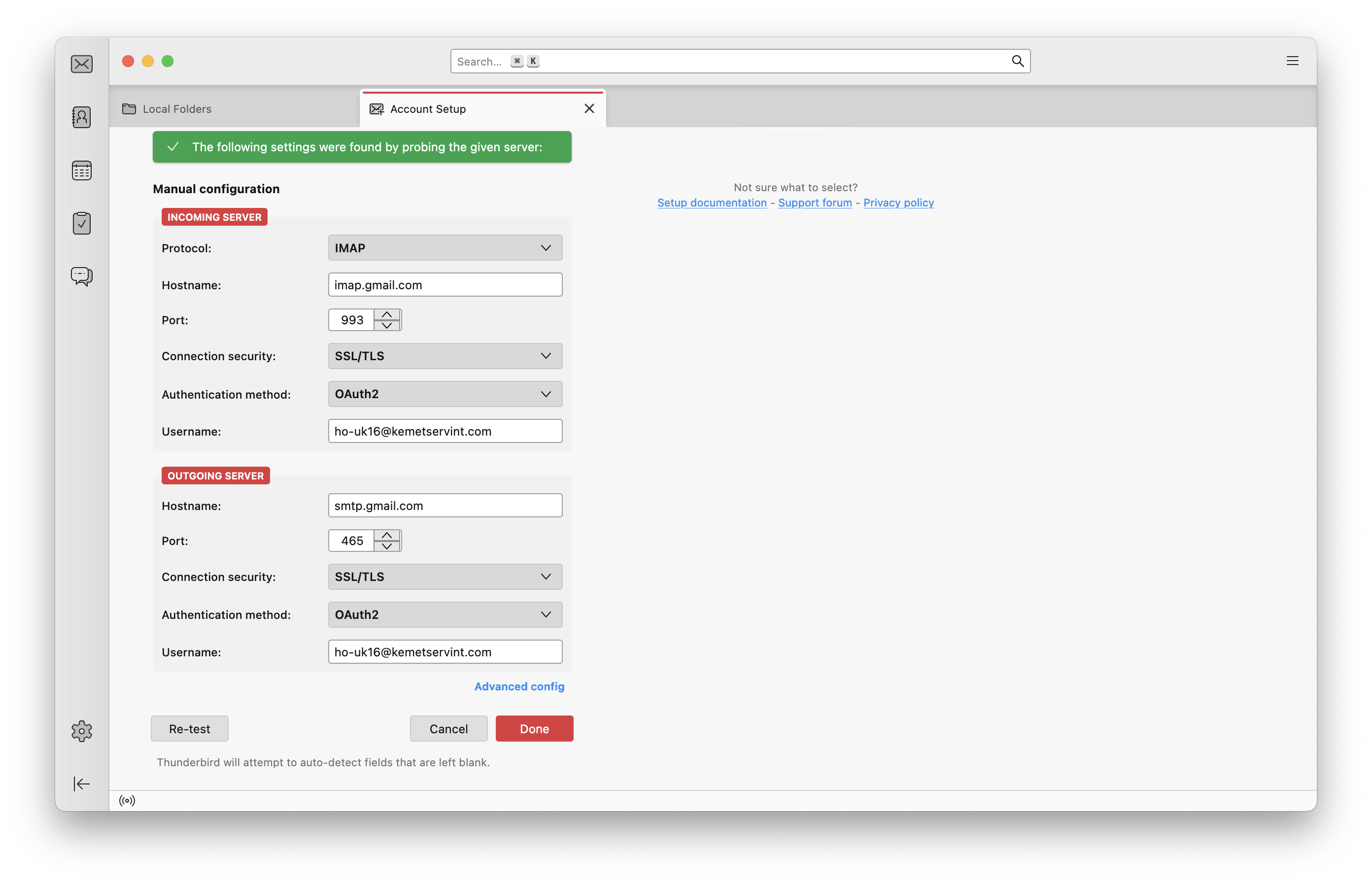
Have removed all accounts, have removed all passwords. Have removed all Thunderbird information from laptop. Re downloaded Thunderbird (latest version). Select Thunderbird app. Page 'set up existing email account’ appears. enter my name enter email account no password entered settings found by probing given server. ( screen shot 1) select done Yellow message (screen shot 2) I cannot see what is wrong here. If it is because I have to renew password. I do not know how to do this. Anyone help please. This has been going on for many many days now.
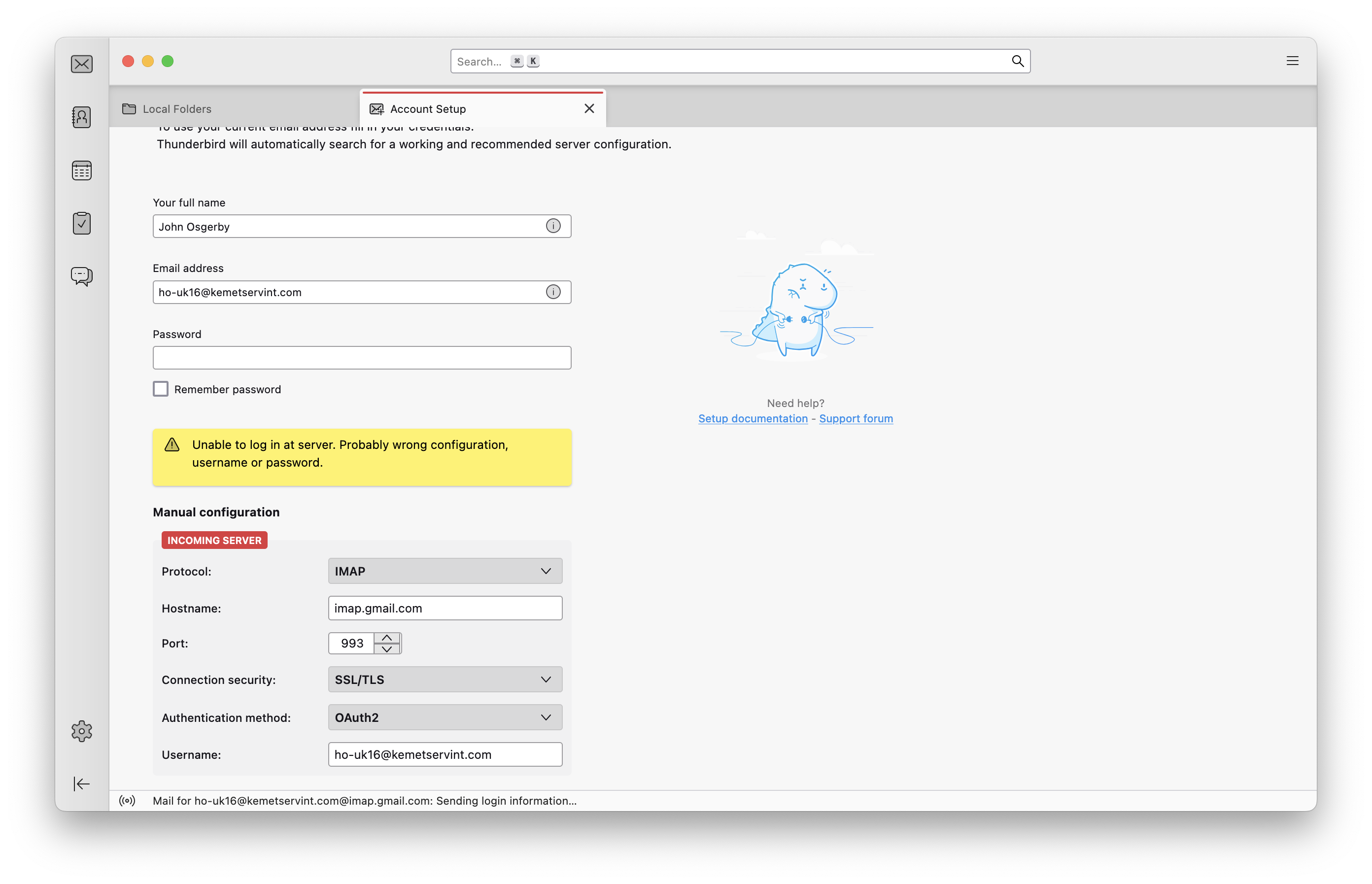
Приложенные скриншоты

Все ответы (1)

Your screenshots are okay. In fact, I duplicated them exactly and a popup appeared for password. Are you not receiving that? Could it be that you do not have settings>privacy&security set to accept cookies? I have no other ideas. I responded to confirm that your screenshots are fine. Something is preventing the Google popup.