


Windows 10 reached EOS (end of support) on October 14, 2025. If you are on Windows 10, see this article.

Avatar for Username

Поиск в поддержке

Избегайте мошенников, выдающих себя за службу поддержки. Мы никогда не попросим вас позвонить, отправить текстовое сообщение или поделиться личной информацией. Сообщайте о подозрительной активности, используя функцию «Пожаловаться».

Подробнее
Эта тема была закрыта и архивирована. Если вам нужна помощь, задайте новый вопрос.
Заблокирован Архивировано

Hotmail (Outlook365) Credentials pop-up

Hondo

Right then, about a week ago Thunderbird updated from 115.2.2 to 115.2.3.

I use TB to manage my Gmail, Hotmail and business emails. Has worked well, until this new update.

I began immediately receiving a pop-up regarding my Hotmail account. Sometimes the pop-up flashes for a few seconds, other times it stays on the screen.

https://login.microsoftonline.com/common/oauth2/v2.0/authorize?response_type=code&client_id=9e5f94bc-e8a4-4e73-b8be-63364c29d753&redirect_uri=https%3A%2F%2Flocalhost&scope=https%3A%2F%2Foutlook.office365.com%2FIMAP.AccessAsUser.All+https%3A%2F%2Foutlook.office365.com%2FPOP.AccessAsUser.All+https%3A%2F%2Foutlook.office365.com%2FSMTP.Send+offline_access&login_hint=XXXX%40hotmail.com

  • The XXXX is my email name removed.

The pop-up is mostly blank except for a text box at the very top with a long string of characters. Above that it states, 'Enter credentials for XXXX@hotmail.com at Outlook.Office365.com'. I can't figure out if it wants me to enter the string of characters somewhere on Outlook or if I am supposed to copy something from Outlook and paste it into the text box. Moreover, I cannot seem to find anything online to assist.

The problem is emails from Outlook are not downloading to TB. My last downloaded email was on 11.09.23 and there are new messages in my Outlook.

Ideas?

Right then, about a week ago Thunderbird updated from 115.2.2 to 115.2.3. I use TB to manage my Gmail, Hotmail and business emails. Has worked well, until this new update. I began immediately receiving a pop-up regarding my Hotmail account. Sometimes the pop-up flashes for a few seconds, other times it stays on the screen. https://login.microsoftonline.com/common/oauth2/v2.0/authorize?response_type=code&client_id=9e5f94bc-e8a4-4e73-b8be-63364c29d753&redirect_uri=https%3A%2F%2Flocalhost&scope=https%3A%2F%2Foutlook.office365.com%2FIMAP.AccessAsUser.All+https%3A%2F%2Foutlook.office365.com%2FPOP.AccessAsUser.All+https%3A%2F%2Foutlook.office365.com%2FSMTP.Send+offline_access&login_hint=XXXX%40hotmail.com * The XXXX is my email name removed. The pop-up is mostly blank except for a text box at the very top with a long string of characters. Above that it states, 'Enter credentials for XXXX@hotmail.com at Outlook.Office365.com'. I can't figure out if it wants me to enter the string of characters somewhere on Outlook or if I am supposed to copy something from Outlook and paste it into the text box. Moreover, I cannot seem to find anything online to assist. The problem is emails from Outlook are not downloading to TB. My last downloaded email was on 11.09.23 and there are new messages in my Outlook. Ideas?

Все ответы (4)

Try this: https://support.mozilla.org/en-US/questions/1424172

You should see an OAuth window similar to the one for gmail.

sfhowes said

Try this: https://support.mozilla.org/en-US/questions/1424172 You should see an OAuth window similar to the one for gmail.

I followed your link and was able to fix / repair based on the instructions. Cheers!

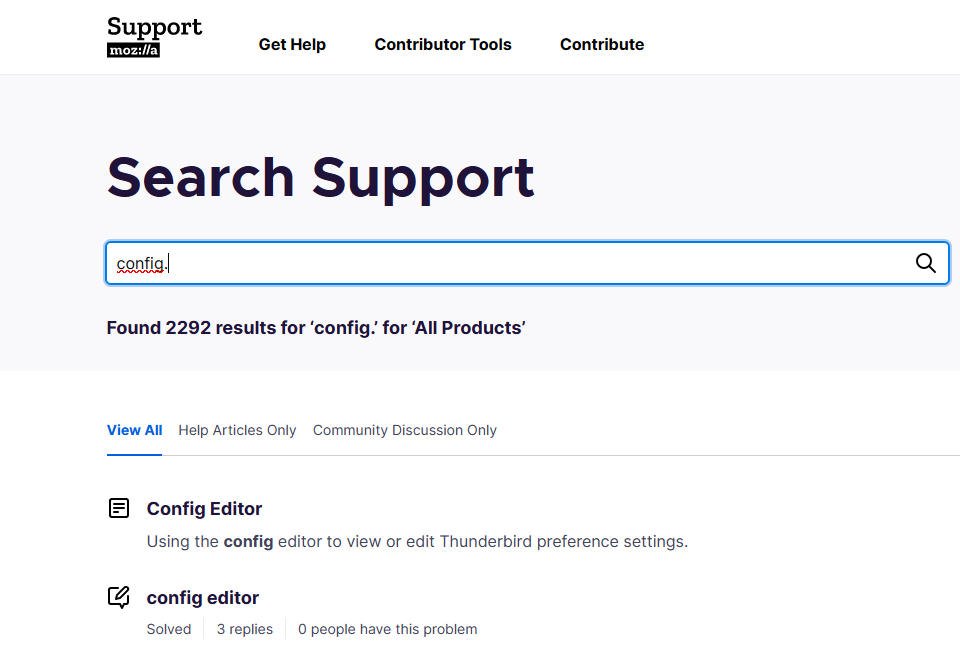
Might I suggest for the future, a bit more information. I'm no IT expert so was quite unsure where to find this config. editor.

Regardless, thank you.

See the attached picture.
Hi Hondo and sfhowes:

The config editor for Thunderbird is documented here: https://support.mozilla.org/en-US/kb/config-editor Since Hondo's issue is solved I am closing, i.e. locking this thread. Thanks to sfhowees for helping Hondo find the answer quickly!

Cheers! ...Roland

Изменено Roland Tanglao