


Nothing synced

I signed up/logged in to firefox before I reset my PC, to save all my bookmarks and passwords, only for me to finally get my PC back up and running with NOTHING synced. How do I fix this there is 0 chance I get back my old install as I have formatted.
Все ответы (2)

Sorry, but that is not how Sync works.
Important: Sync is not a data backup service. Users should continue to perform regular backups of their Firefox profiles to prevent loss of data.
It allows users to partially synchronize bookmarks, browsing history, preferences, passwords, filled forms, add-ons, and tabs across multiple computers and devices.
Изменено jonzn4SUSE
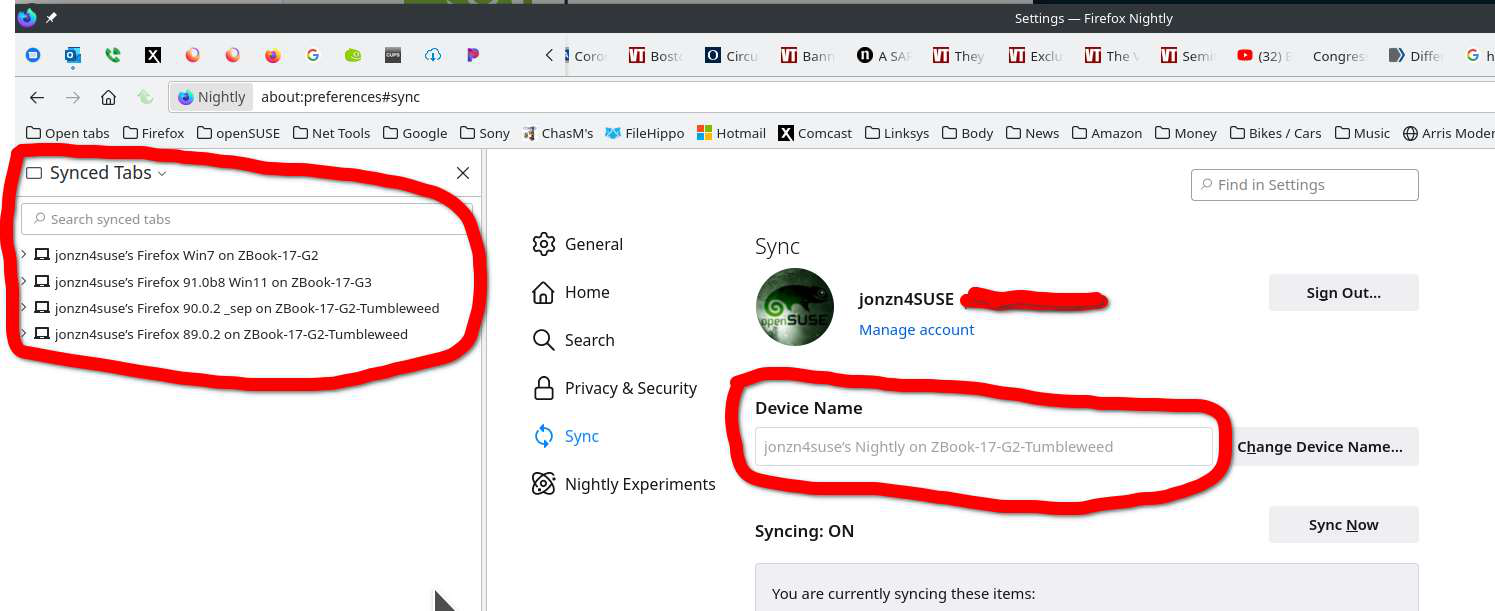
This is why I run multiple versions of Firefox. Sync will see the versions as different devices and you can backup or "Sync" between them. About 2 weeks ago there was a Nightly(on openSUSE)update and when it came back up, all my 40+ tabs in 2 windows were gone. Because I run 3 other versions of Firefox, they all had the tabs from Nightly, so I was able to just send all the tabs to Nightly. I also bookmark my open tabs.
Изменено jonzn4SUSE