


how to require that links open in same tab?

There is a lot of advice on the web about how to do it, and NONE work for me.
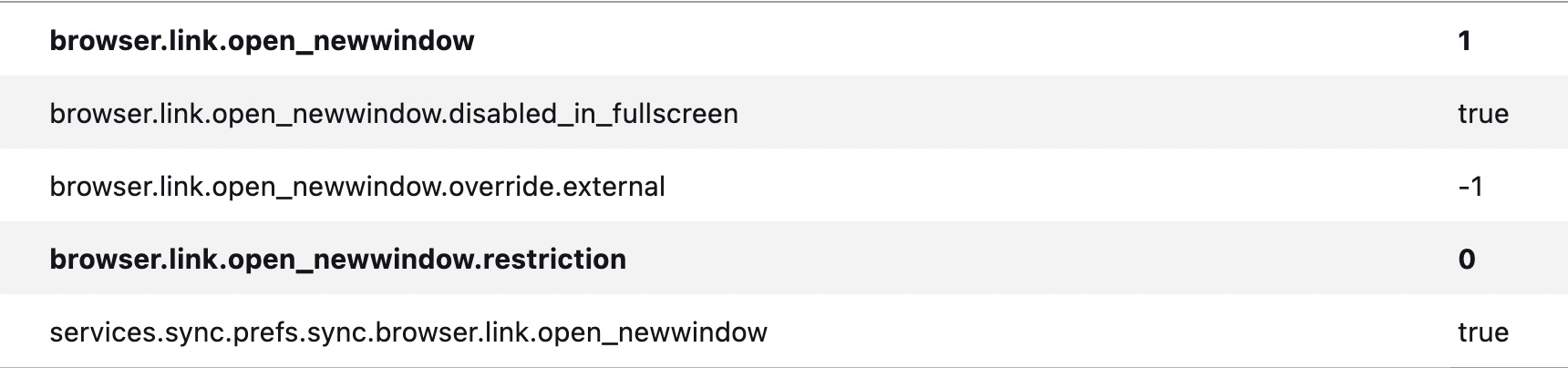
I am using FF 92.0 under BigSur. My current FF params are shown in the attached image. What needs to be changed to make this work???
Все ответы (3)
I think that these browser.link.open_newwindow prefs should still work like before.
Start Firefox in Troubleshoot Mode to check if one of the extensions ("3-bar" menu button or Tools -> Add-ons -> Extensions) or if hardware acceleration or userChrome.css is causing the problem.
- switch to the DEFAULT theme: "3-bar" menu button or Tools -> Add-ons -> Themes
- do NOT click the "Refresh Firefox" button on the Troubleshoot Mode start window
Well, good heavens. It works now. Not sure what the problem was before, but it seems to have fixed itself. But thank you for the ideas. That's a useful strategy for any such issue with Firefox.
It is helpful to know that the parameters are set the way they should be.
Изменено danflester