


Bing Help!
I've changed my default Firefox search option to DuckDuckGo, and even removed Bing from the list of options... but every time I start Firefox, I see DuckDuckGo in the address bar, then Bing removes it and replaces it! What the heck?? I don't want MICROSOFT anything, that's why I changed! Help... :-(
Все ответы (3)

Type about:addons<enter> in the address bar to open your Add-ons Manager. Hot key; (<Control> [Mac=<Command>] <Shift> A)
In the Add-ons Manager, on the left, select Extensions. Remove “ Bing “ Anything.
Also remove SafeSearch, SearchAssist Incognito, FileConverter Addon, SearchLock, DiscreteSearch, WebSearch, Findwide Search Engine, securedsearch
Now do the same in the computer’s Programs Folder.
Windows: Start > Control Panel > Uninstall Programs. Mac: Open the Applications folder. Linux: Check your user manual.
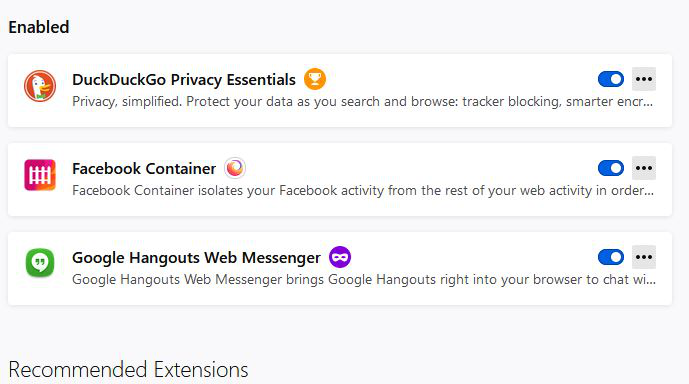
Thank you Fred... but I'm afraid I only have 3 add-ons:
https://support.mozilla.org/en-US/kb/how-to-fix-preferences-wont-save
Note: Some software, like Advanced SystemCare with Surfing Protection, can protect files in the Firefox profile folder against changes. If you have such software then check the settings or uninstall this software.