


Computer stolen
My computer was stolen. If they were able to determine my pin, they would have access to my Firefox account and all my saved bookmarks. I changed my password, but my Firefox/mozilla account was very old so not sure if it was ‘migrated’. How can I ensure that my Firefox account is ‘logged out’ or inaccessible on that computer?
My computer was stolen. If they were able to determine my pin, they would have access to my Firefox account and all my saved bookmarks. I changed my password, but my Firefox/mozilla account was very old so not sure if it was ‘migrated’. How can I ensure that my Firefox account is ‘logged out’ or inaccessible on that computer?
Все ответы (2)
Log into your Firefox account. Click on the account icon, then click account settings, then manage account, and then Devices & apps to see all connected devices.
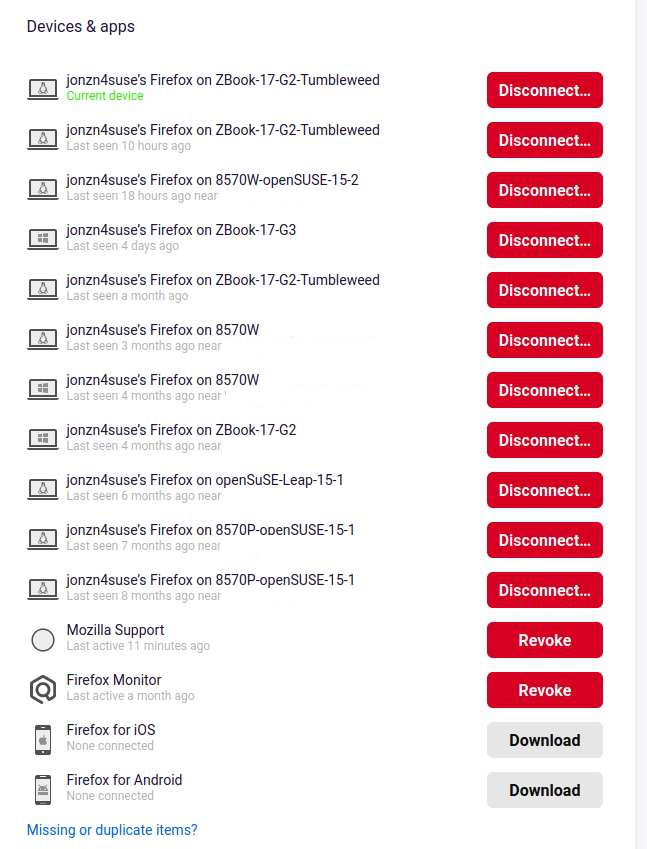
Изменено jonzn4SUSE
You can change or reset the password of the Sync account.