


Windows 10 reached EOS (end of support) on October 14, 2025. If you are on Windows 10, see this article.

Avatar for Username

Поиск в поддержке

Избегайте мошенников, выдающих себя за службу поддержки. Мы никогда не попросим вас позвонить, отправить текстовое сообщение или поделиться личной информацией. Сообщайте о подозрительной активности, используя функцию «Пожаловаться».

Подробнее
Архивировано

Email spell check automatic language in responses

florvitale

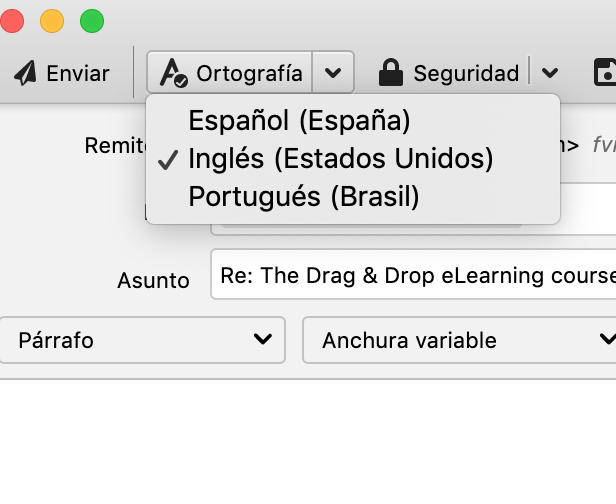
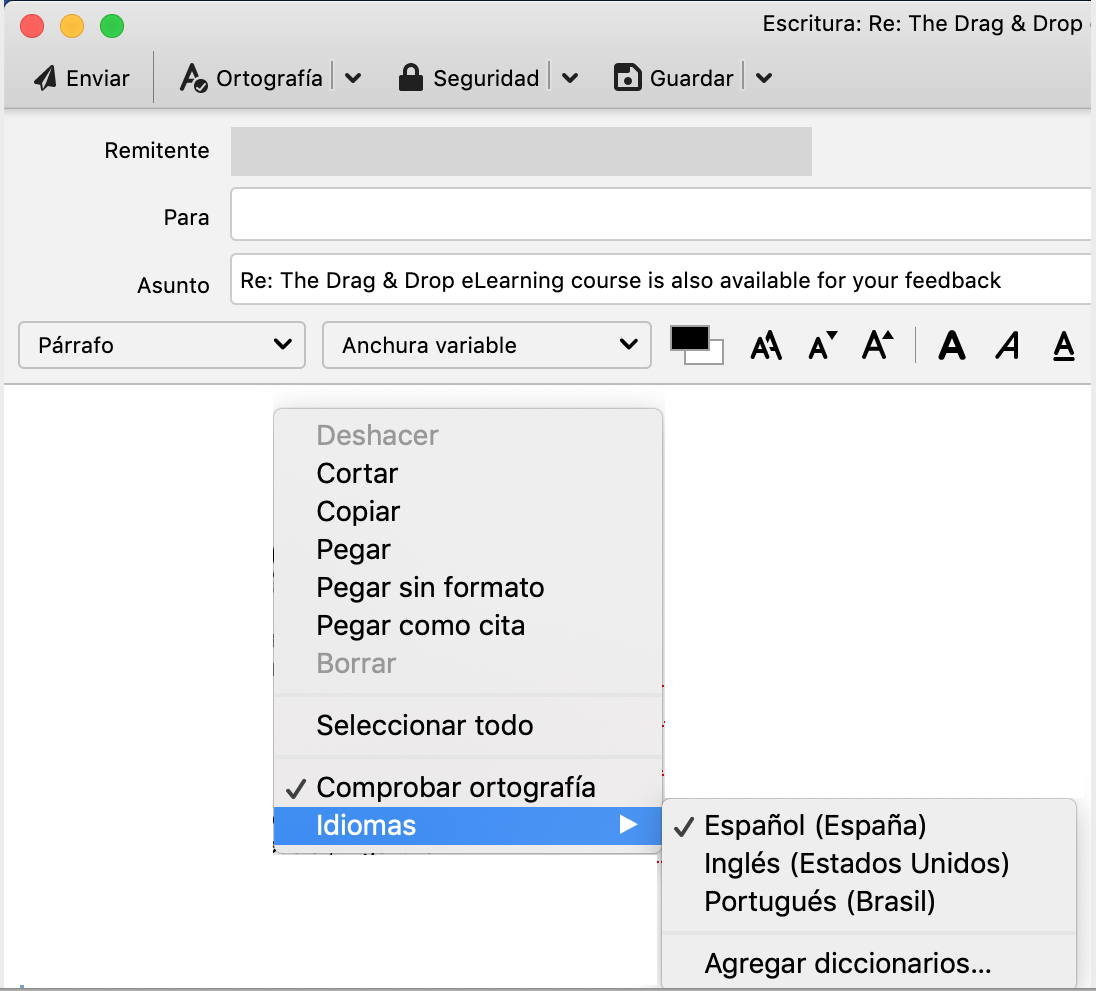
Since Thunderbird version 78, I have a problem with spell check when answering emails. My default language is Spanish, so when answering emails written in Spanish I have no problem. But when I answer an email in English, the Spelling tab has the correct language selected, see image response_spelling_dropdown.png But when I start writing everything is highlighted like it was wrong. After many tests I've discovered that if I right click on the text and check the spelling options, actually Spanish is selected, see image response_spelling_rightclick.png So, if I manually change the pull-down of the first image, first to any other language and then back to English it then works fine (and now the right-click in the text, second image, also shows English selected). As said before, this problem started with version 78. Best regards, Florencia
Since Thunderbird version 78, I have a problem with spell check when answering emails. My default language is Spanish, so when answering emails written in Spanish I have no problem. But when I answer an email in English, the Spelling tab has the correct language selected, see image response_spelling_dropdown.png But when I start writing everything is highlighted like it was wrong. After many tests I've discovered that if I right click on the text and check the spelling options, actually Spanish is selected, see image response_spelling_rightclick.png So, if I manually change the pull-down of the first image, first to any other language and then back to English it then works fine (and now the right-click in the text, second image, also shows English selected). As said before, this problem started with version 78. Best regards, Florencia
Приложенные скриншоты

Все ответы (1)

Hi again, In my previous post I forgot to say that I use MacOs. Before I was using Mojave. But since I've upgraded MacOS to Big Sur, now spell check stopped working inside the text of the email. It works in the Subject field. Best regards, Florencia