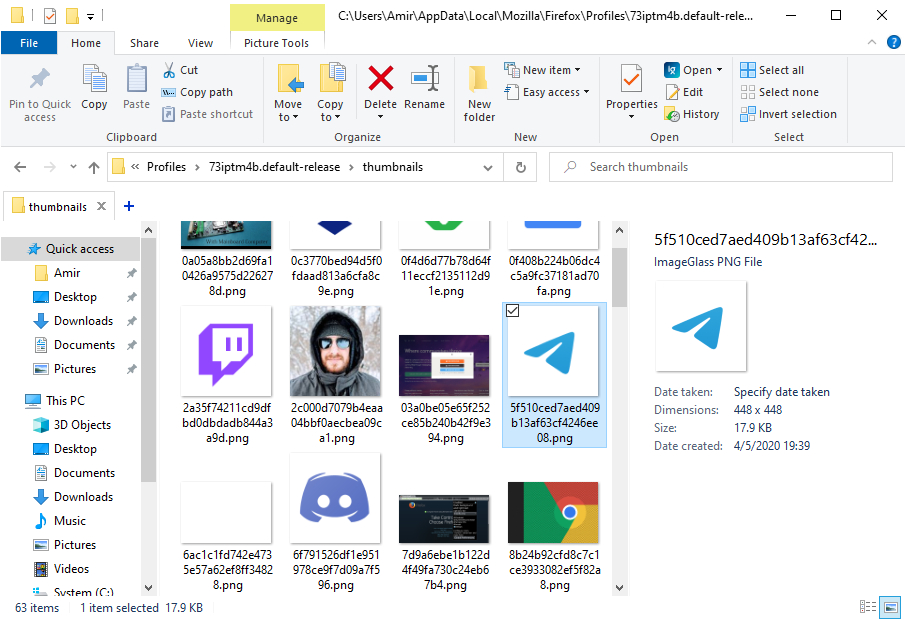
Update cached pinned sites icon
Hello, Icon of a pinned site changed but the new icon is not displayed. (because Firefox cached old icon.) I clear all cached data but the new icon is not displayed. How I can clear the new tab page cache?
Выбранное решение
I find pinned sites icons on this path: %LocalAppData%\Mozilla\Firefox\Profiles\73iptm4b.default-release\thumbnails Now I deleted all files and everything working fine.
Прочитайте этот ответ в контексте 👍 0Все ответы (3)
You can see that icon changed. https://raw.githubusercontent.com/xmha97/site-thumbnails/master/web.telegram.org.png


That might be the thumbnail cache that you can find in the secondary (local) location that is also used for the disk cache, see the about:profiles and about:cache page.
This might also be problem with the favicons.sqlite file.
You can check for problems with the places.sqlite and favicons.sqlite files in the Firefox profile folder.
- use "Verify Integrity" button on the "Help -> Troubleshooting Information" (about:support) page
If errors are reported with "Verify Integrity", close and restart Firefox and retry.
Выбранное решение
I find pinned sites icons on this path: %LocalAppData%\Mozilla\Firefox\Profiles\73iptm4b.default-release\thumbnails Now I deleted all files and everything working fine.