


how can I find my address book deleted by reinstalling Windows 10

Following re-installation of Windows 10 and reinstalling Thunderbird I find that my extensive address book is gone both on my desktop computer and laptop. How can I get it back?
Все ответы (7)
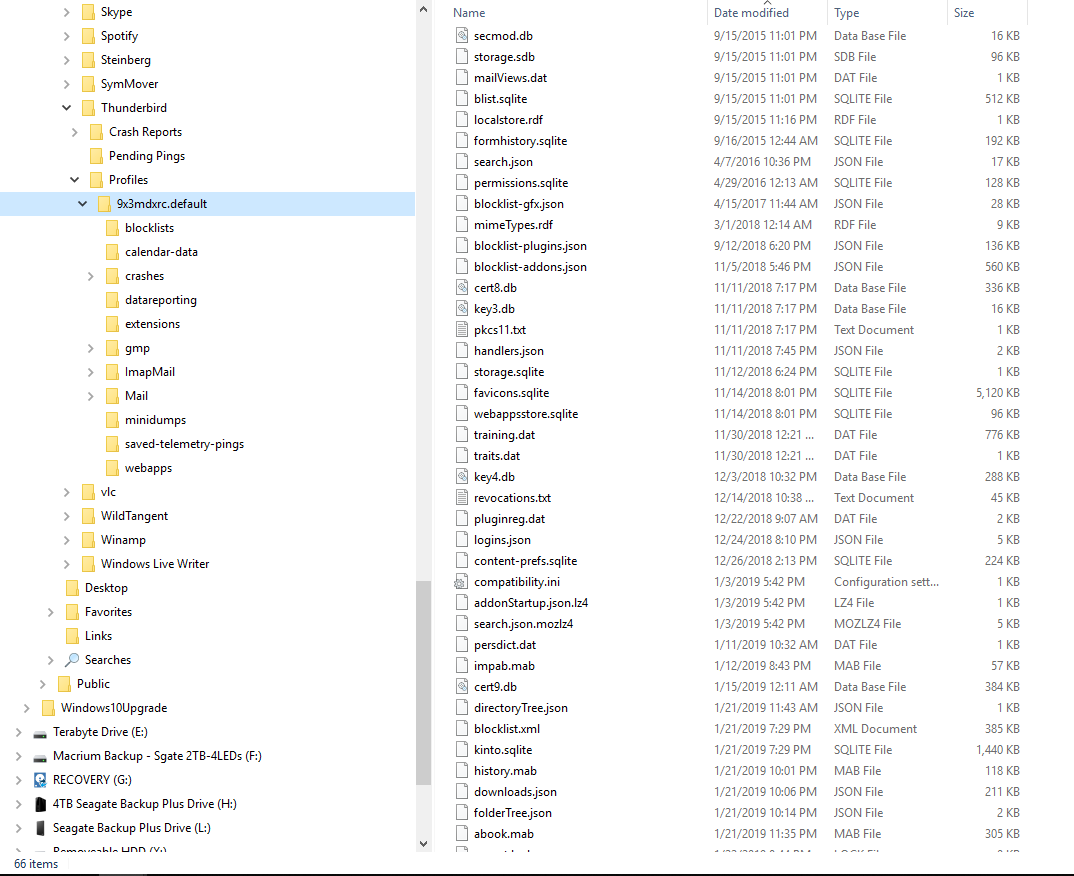
Address book are .mab files I see one listed in your image.
Yes. And I should have added more information. My W10 reinstall was on or about January 21. So I'm thinking that .mab file was for the new addresses that I put there - not the hundred or so from my old address book (prior to the widows reinstall).
I do have some Macrium backups. Is it possible that some older .mab files might be there? I'm not really proficient with Macrium retrieval of files, but I'll try.
If I find an older .mab file, do I simply copy/paste it into the new Thunderbird folder?
This article explains moving address books and the file names for the 2 default books. The Personal and the Collected books. http://kb.mozillazine.org/Moving_address_books_between_profiles
I have never heard of your backup routine and would have no idea what you had it setup to backup. I guess just search for .mab files.
Other people that messed with their operating system without doing the recommend backup have found a folder named windows.old. Some of their old info was there.
Still working on this. My logic is confused by searches finding older mab files smaller than newer ones. I've attached a couple more screenshots.
My main concern at this point is copying over my current larger address.mab file with an older, smaller one. Will a copy/paste produce an irretrieval delete?? I've already messed up my address book and I don't want to bull ahead and delete my only salvation.
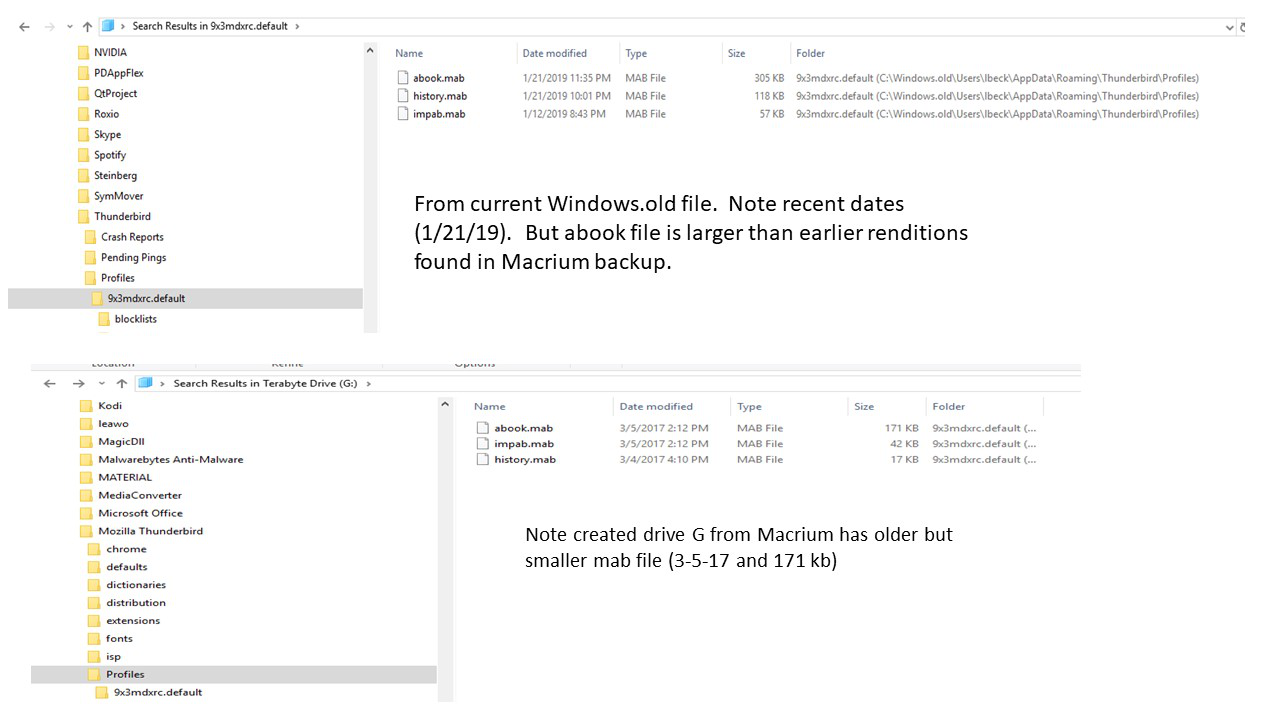
I'm encouraged. Though I couldn't get my address book back by copying it to my Thunderbird profiles directory, I am able to open the larger 305 kb MAB file with a text editor and see that my contacts are indeed there.
Is there a utility to convert the MAB file to CSV? If I can get that then I can import my address book to Thunderbird.
Thanks - I finally got it. But somehow it wasn't quite as simple as instructed. Maybe it was me. But I thought I had copied my 305 kb mab file to my profiles folder but it continued to show the smaller addresses - maybe a dozen that I recently put in.
The way that I finally got it to stick was to enter %APPDATA%\Thunderbird\Profiles\ in the windows/run box as described here and it found the needed 305kb file in my windows.old directory. once I copied the file that way it brought my address books back.
Thanks for hanging with me on this. It really is appreciated.
Изменено lbeck
Sorry I don't seem to understand any thing at all I am sure the times I reinstalled my Mozilla emails again it was back with all my email addresses this time I lost the lot I am not good with my computer that is why I am trown in a dark corner hope there is a simple way to get it back would it help to reinstall it?