


Change from white print on black background to black print on white background as is normal

I just downloaded Firefox for OS for the first time. It has a black background with white print instead of the typical black on white. How do I change this? It is irritating that there is no guidance for this on the support page.
Выбранное решение
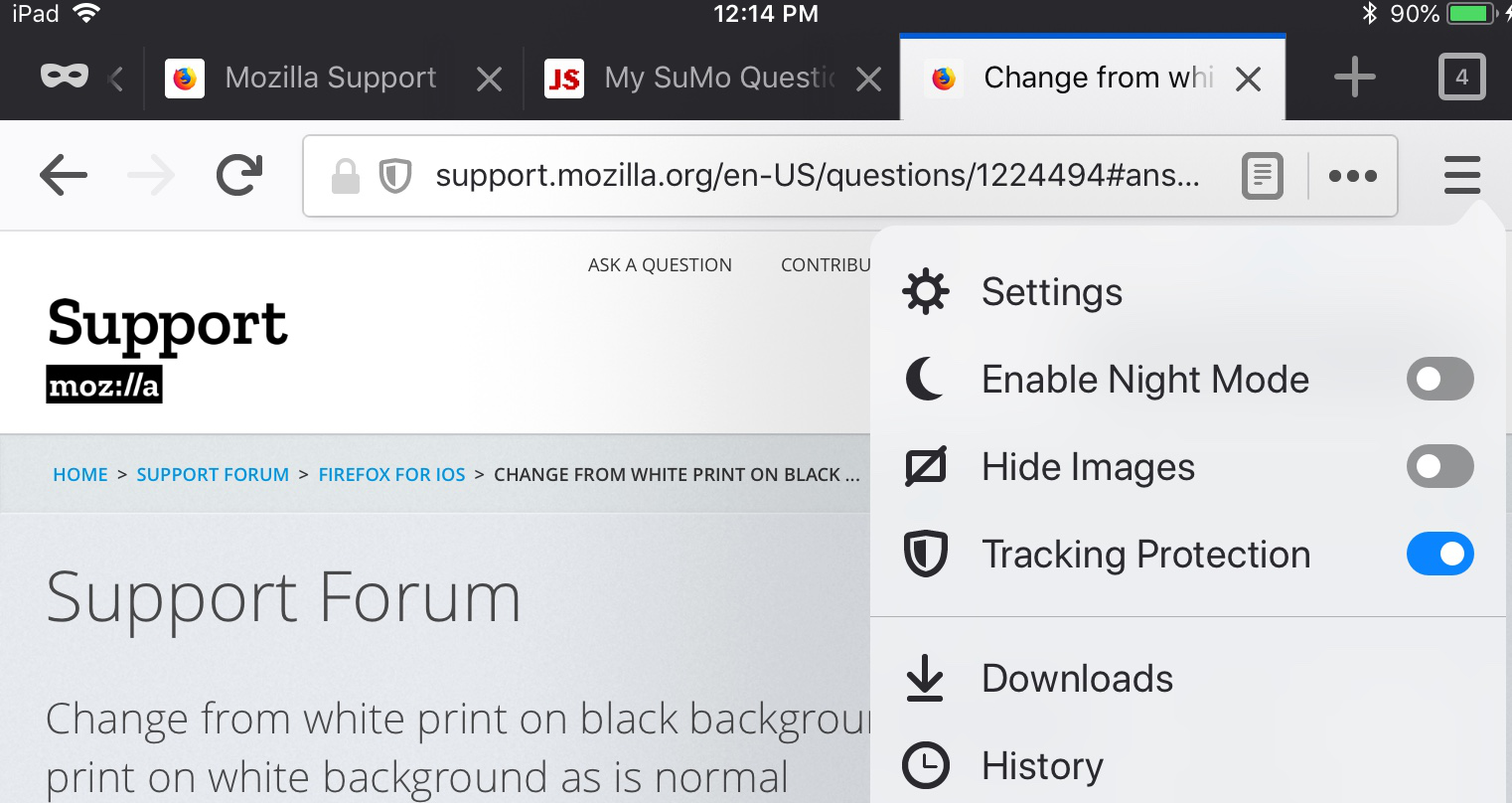
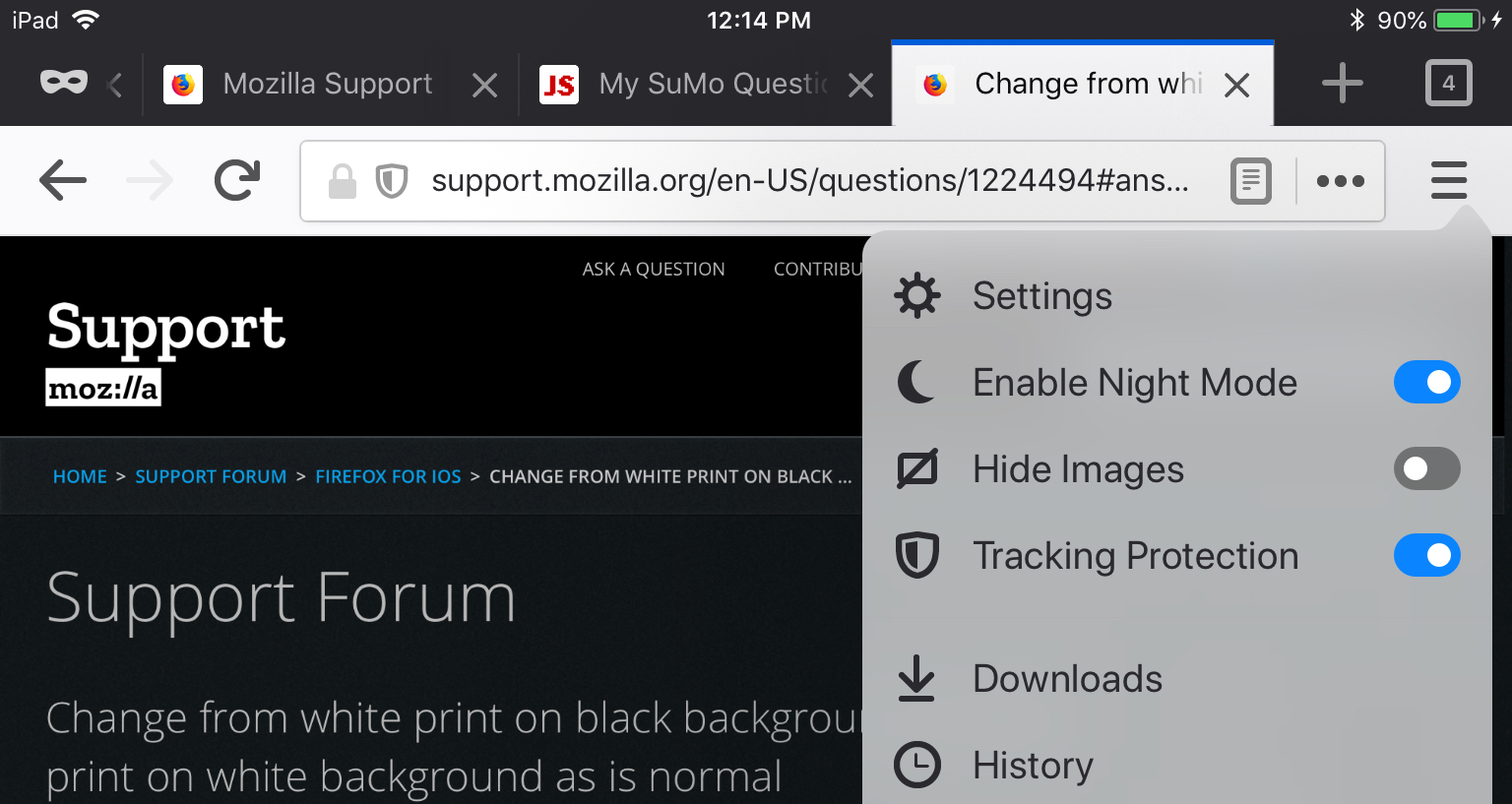
Let’s see if I can attach screenshots...
Прочитайте этот ответ в контексте 👍 0Все ответы (5)
Hi lscheindlin, I'm going to flag your question for a moderator to move from Firefox OS (an obsolete phone operating system product) to Firefox for iOS (Apple devices).
Is this a problem with the Night Mode feature? This is one of the options on the menu (icon with 3 horizontal bars) that switches the appearance of the page to a dark background (although, if it already had a dark background, it could have the opposite effect). You should be able to switch that on and off as you prefer.
Выбранное решение
Let’s see if I can attach screenshots...
Yes, this worked--thank you.
I'd seen the option yesterday but was unsure whether to press it.
My phone is the smallest one and the three bars are all the way on the right edge and my finger is too big to open it most of the time. It did not work regularly until I used a toothpick to tap it.
Thanks again.
smike1 said
My phone is the smallest one and the three bars are all the way on the right edge and my finger is too big to open it most of the time. It did not work regularly until I used a toothpick to tap it.
I'm surprised a toothpick worked! They sell "pens" with a rubbery tip that people sometimes use to simulate a finger press, but those are still pretty big...