How do I archive older bookmarks for retrieval later?

I have a lot of bookmarks! There is a subset of bookmarks that I don't want to delete but retrieve later, as needed. Is their an archival feature? Currently, I just created a separate archive folder that I manually manage.
Thanks, Charles G.
Все ответы (3)
There is no such feature in Firefox. You can only backup all the bookmarks (HTML or JSON). You can move these bookmarks to a special folder like you are already doing.

To open the Bookmarks Manager, press the Alt or F10 key bring up the tool bar, and select Bookmarks. Hot key is <Control>(Mac=<Command>) <Shift> B.
Once the window is open, at the top of the page, press the button labeled Import and Backup. Select Export Bookmarks To HTML, and follow the prompts and save it to a HTML file.
Now open that file in a Word type program. Remove what you don't want. Once you finish and save the file, it can then be used to open the links using the Word program.
Once you are satisfied, you can remove those from Firefox.
Just a suggestion to get those bookmarks out of Firefox to 'really' archive them. Years ago I used to do this to have a copy of my bookmarks online at my personal website that was provided by my ISP, so that I could access my bookmarks from "public computers" that I might be using or from a "borrowed computer".
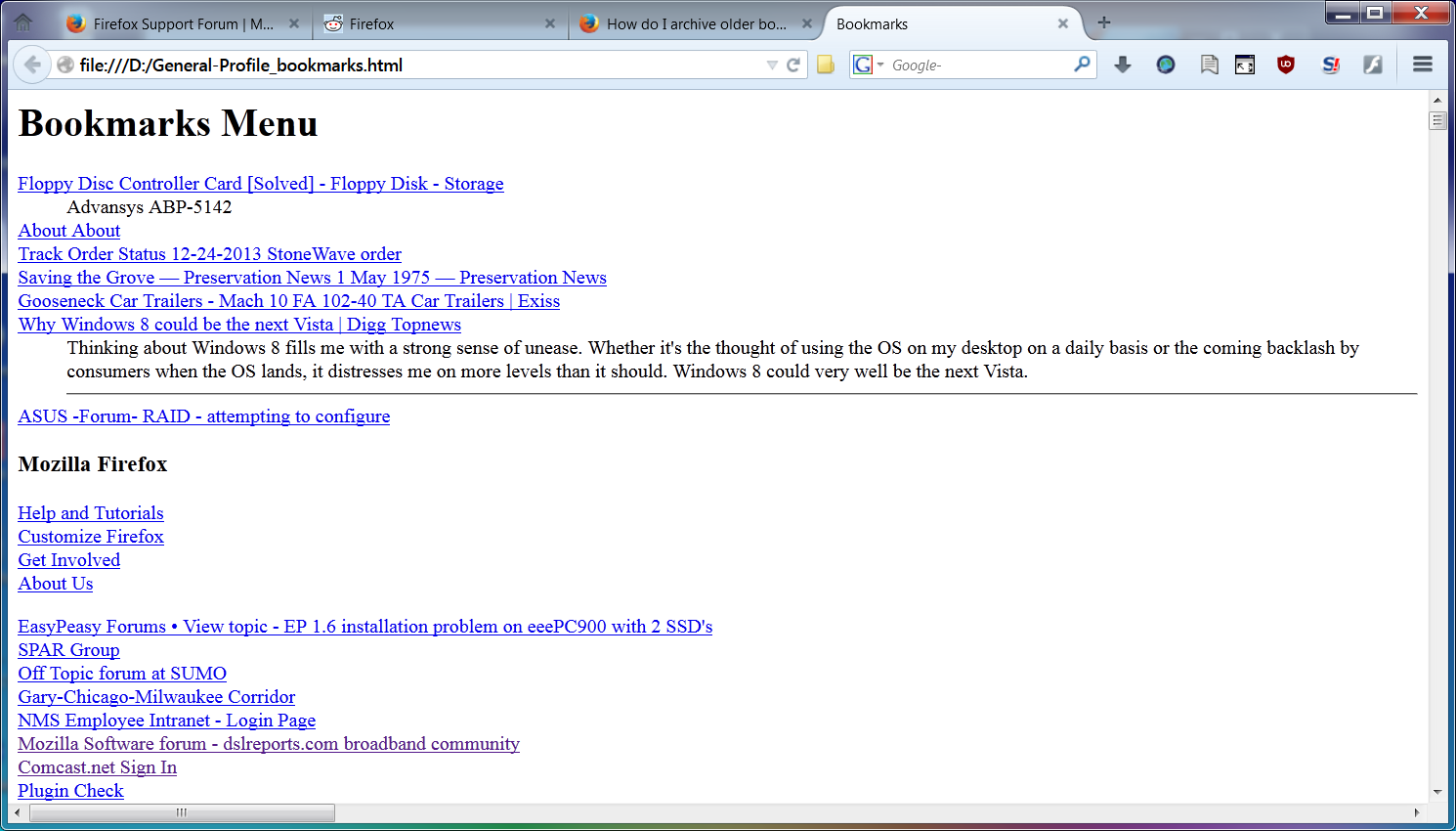
You can export bookmarks in HTML format and view that HTML file right in any web browser, just like a web page that was saved to your hard drive. Not "pretty" (see the screenshot) but with a little CSS code is can be made to look better.
That file can be edited in a text program or an HTML program, to add bookmarks, remove them, or even rearrange them. Like what FredMcD mentioned, except that IMO a simple text program would be better that a word processing program that might insert unrecognizable characters that might not work in HTML. Like on a Windows PC using WordPad or NotePad rather than Word.