


Website text is not displayed. can't open in safe mode because I can't see text.

All web pages only show images no text. Display is normal in Chrome. I'm unable to open in safe mode because the dropdowns also do not have text. I prefer not to delete and reload firefox as I don't want to lose favorites and saved passwords. Would love some help. Thanks.
Все ответы (2)
Hello,
That is a very strange problem. If Firefox is not running, you can start Firefox in Safe Mode as follows:
- On Windows: Hold the Shift key when you open the Firefox desktop or Start menu shortcut.
- On Mac: Hold the option key while starting Firefox.
- On Linux: Quit Firefox, go to your Terminal and run firefox -safe-mode
(you may need to specify the Firefox installation path e.g. /usr/lib/firefox)
When the Firefox Safe Mode window appears, select "Start in Safe Mode".
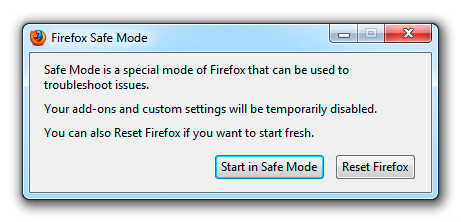
If the issue is not present in Firefox Safe Mode, your problem is probably caused by an extension, and you need to figure out which one. Please follow the Troubleshoot extensions, themes and hardware acceleration issues to solve common Firefox problems article to find the cause.
To exit Firefox Safe Mode, just close Firefox and wait a few seconds before opening Firefox for normal use again.
You can backup your profile and restore information by following the guides in these articles:
- Manually back up and restore Firefox profile data
- Restore bookmarks, passwords and data from an old Firefox profile
Profiles are stored separately from the FIrefox installation, so you can uninstall Firefox and download a fresh copy here:
- https://www.mozilla.org/en-US/firefox/new/
- (or if you need a different localization) https://www.mozilla.org/en-US/firefox/all/
If you figure out what's causing your issues, please let us know. It might help others with the same problem.
Выбранное решение
opened in safe mode and ran fine. Unchecked graphics accelerator box and back to normal. THanks so much for the excellent help. Chris