


Content doesnt load in iframe which loads otherwise from the browser, same content opens in iFrame in IE and Chrome

I have links of Charts which I want to integrate in iFrames but they doesnt work while in iFrame. This used to work in older mozilla FF browser but started recently. I am using the latest which is 20.X. To test this I have opened the Chart link in Firefox Browser, it loads fine but while placed in a sample html file with just an iFrame, it fails. Same File loads the chart properly in iFrame in latest IE and Chrome browsers.
Toate răspunsurile (10)
Can you post a link to a page with this code, so we can check it?
Note that some web pages can't be loaded in an (i)frame because of an x-frame-option header.
You can also check the Net log in the Web Console (Firefox/Tools > Web Developer;Ctrl+Shift+K) to see if Firefox is retrieving the source file of the iframes.
Modificat la de cor-el
the link that we are using is available only in our internal enterprise network not on internet, so I may not be able to share but I am sure that this web page can be placed in an iFrame as it used to work in Firefox and it still works in other browsers like Chrome and IE. so its latest version of Firefox is failing in some way, I have some data gathered from Firebug plugin, and yes it retrieves some of the content as shown in Net panel but just halts in between.
Did you check for Net errors in the Web Console or Error Console?
Does any code show if you right-click in the frame and select "This Frame > View Frame Source"?
The Frame Source is Blank, I have captured the Errors in Web Console, if that helps.
=================================================
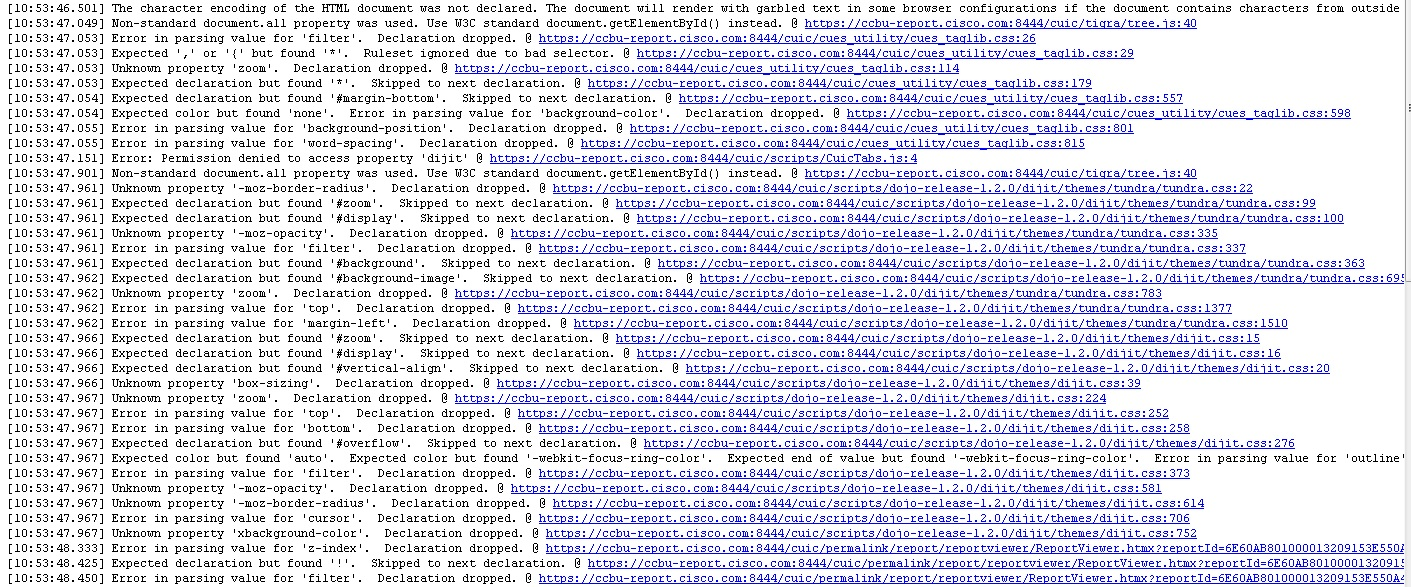
Might be helpful if all those coding errors were fixed.
Most CSS errors are caused by CSS rules for other browser like IE and can be ignored.
Only parsing errors like property names that start with a hash (#background, #display, etc.) are important and should be fixed.
Are there any errors present if you hide the CSS errors and only check for Net errors?
Can you open the iframes in a (new) tab?
The URL works otherwise in firefox browser but not within iframe, Error console shows following
1)Timestamp: 5/9/2013 2:08:55 PM Error: The character encoding of the HTML document was not declared. The document will render with garbled text in some browser configurations if the document contains characters from outside the US-ASCII range. The character encoding of the page must be declared in the document or in the transfer protocol. Source File: file:///C:/Users/suadak/Desktop/Iframe_1.html Line: 0
2) Timestamp: 5/9/2013 2:08:55 PM Error: Error: Permission denied to access property 'dijit' Source File: http://ccbu-report.cisco.com:8081/cuic/scripts/CuicTabs.js Line: 4
Start Firefox in Safe Mode to check if one of the extensions (Firefox/Tools > Add-ons > Extensions) or if hardware acceleration is causing the problem (switch to the DEFAULT theme: Firefox/Tools > Add-ons > Appearance).
- Do NOT click the Reset button on the Safe Mode start window or otherwise make changes.
I am having the same exact issue in the same exact environment. We use an iframe to display template changes in our client envirnment. I opened up Error Console and am getting a blocked mixed loading of active content error. (this was not happening until FF update 23.0.1)
Timestamp: 8/19/2013 10:02:35 AM Error: Blocked loading mixed active content "http://web12.******.com/?domain=******.net&preview=on" Source File: https://secure.******.com/js/jquery-1.7.2.min.js Line: 3
I was having the same problem with iframes not loading and figured out how to make them load. 1. Navigate to page the page that is not loading the iframe. 2. On the left side of the Address Bar you should see a shield icon. Click on it and a box will open that says "Firefox has blocked content that isn't secure." 3. Click the drop down box that says "keep blocking" and click to change it to "Disable Protection On This Page"
It should automatically refresh with the iframe now loading properly. Hope this helps.