


How do I update my preferences, specifically regarding newsletter subscriptions?

I recently changed my email address. I periodically receive emails from Mozilla and followed the link at the bottom of the latest one to "Modify My Preferences". It takes me to a screen that says "Manage your Newsletter Subscriptions". I updated my email address on that screen and clicked on "Save Preferences" at the bottom of the screen. Every time I do this, I receive a message that says "Something is amiss with our system, sorry! Please try again later." I have tried updating my email address at least 6 times between yesterday and today and continue to get the same message. How do I change my email address so that I continue to get newsletters at my new address?
Soluție aleasă
The subscription page is working for me. There is no method to change the e-mail address under which you have subscribed. You must unsubscribe under the old e-mail address and enter a new subscription under your new e-mail address.
To unsubscribe on your old e-mail address, do 1 or 2 below:
- click Unsubscribe at the bottom of an e-mail newsletter sent to your old e-mail address
- click the "Modify your preferences" link in an e-mail from your old e-mail address, then choose (at the bottom) to "{x} Remove me from all Mozilla emails" and click "Save Preferences".
To subscribe for your new e-mail address go to https://www.mozilla.org/en-US/newsletter/ , enter your new e-mail address, and choose your subscriptions.
Citește răspunsul în context 👍 1Toate răspunsurile (7)
Soluție aleasă
The subscription page is working for me. There is no method to change the e-mail address under which you have subscribed. You must unsubscribe under the old e-mail address and enter a new subscription under your new e-mail address.
To unsubscribe on your old e-mail address, do 1 or 2 below:
- click Unsubscribe at the bottom of an e-mail newsletter sent to your old e-mail address
- click the "Modify your preferences" link in an e-mail from your old e-mail address, then choose (at the bottom) to "{x} Remove me from all Mozilla emails" and click "Save Preferences".
To subscribe for your new e-mail address go to https://www.mozilla.org/en-US/newsletter/ , enter your new e-mail address, and choose your subscriptions.
That worked beautifully! Thank you very much for your detailed instructions!
That doesn't work, because every time I click on the "Unsubscribe" or "Modify your preferences" link at the bottom of the newsletter, it takes me to a page that says "The supplied link has expired. You will receive a new one in the next newsletter."
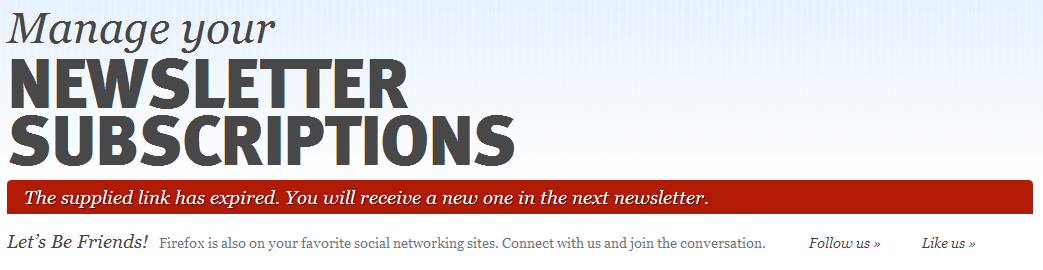
The links in each newsletter change with each newsletter and the codes included in the links are unique to your e-mail subscription for that newsletter issue. I have tested and verified that the links from the last 3 newsletters in my inbox work for the "Change my preferences" link. I will not test the "Unsubscribe" links as I do not wish to do that. The last newsletter that I received arrived in my inbox on 09/19/2012.
When you receive your next newsletter, try then to see if the links work. I know of no other method to unsubscribe.
I received the last newsletter on 9/26/12 at 6:17 am (about 6 hours ago). The screenshot on my last post was from clicking the "modify your preferences" link at the bottom of that newsletter.
I am trying to contact an Administrator to help you unsubscribe. Please be patient.
Have you tried the following?
- right-click on the link at the bottom of the e-mail newsletter and choose "Copy link location"
- go to Firefox, open a new tab, right-click in the URL/Location box and choose Paste or Paste & Go
Modificat la de TheOldFox
Yep. Still got the same error.