


Pop ups on my website at www.tourofkeith.co.uk using Java in Firefox 5 are not workoing as they did in Firefox 3.6.18

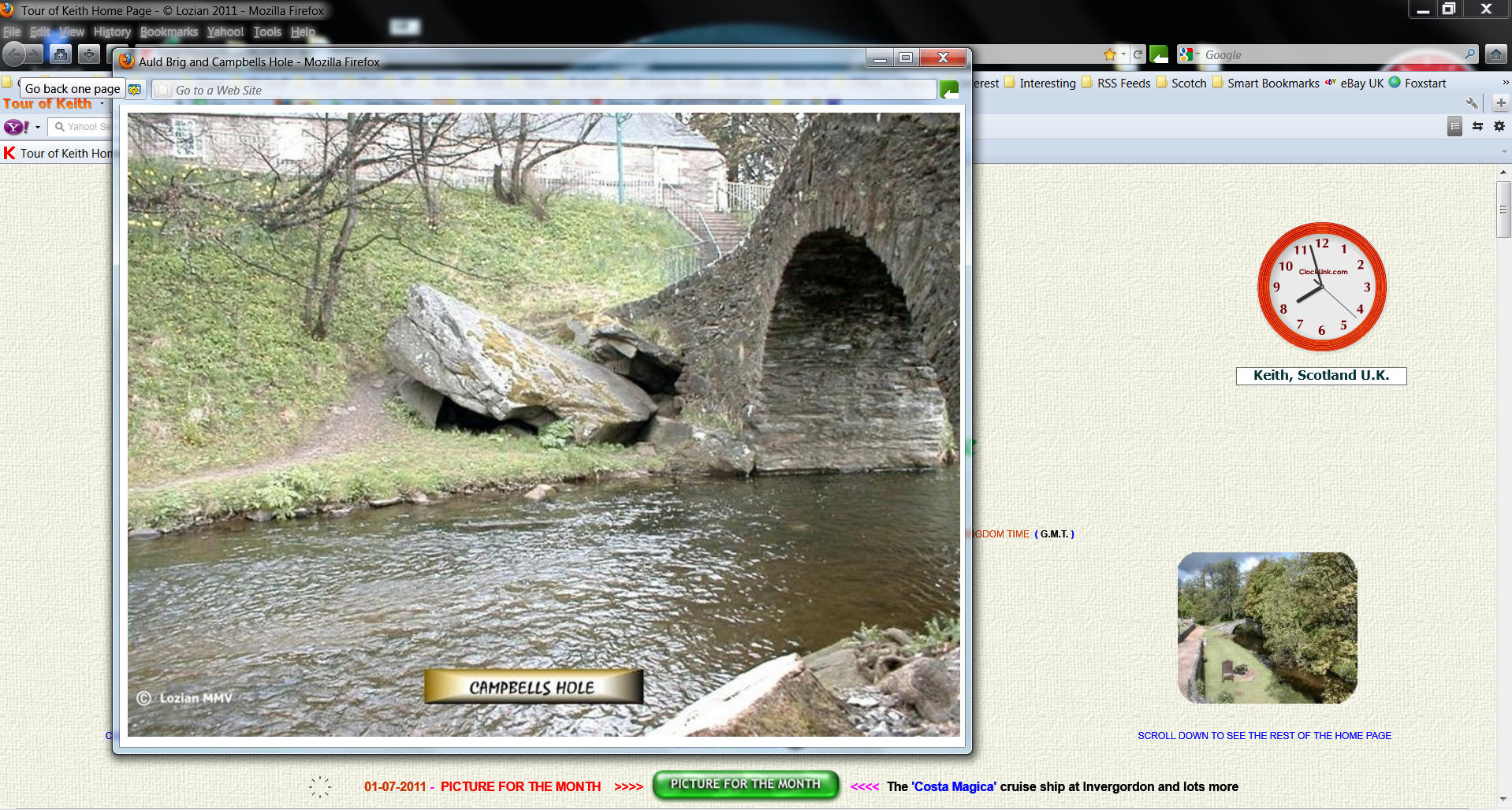
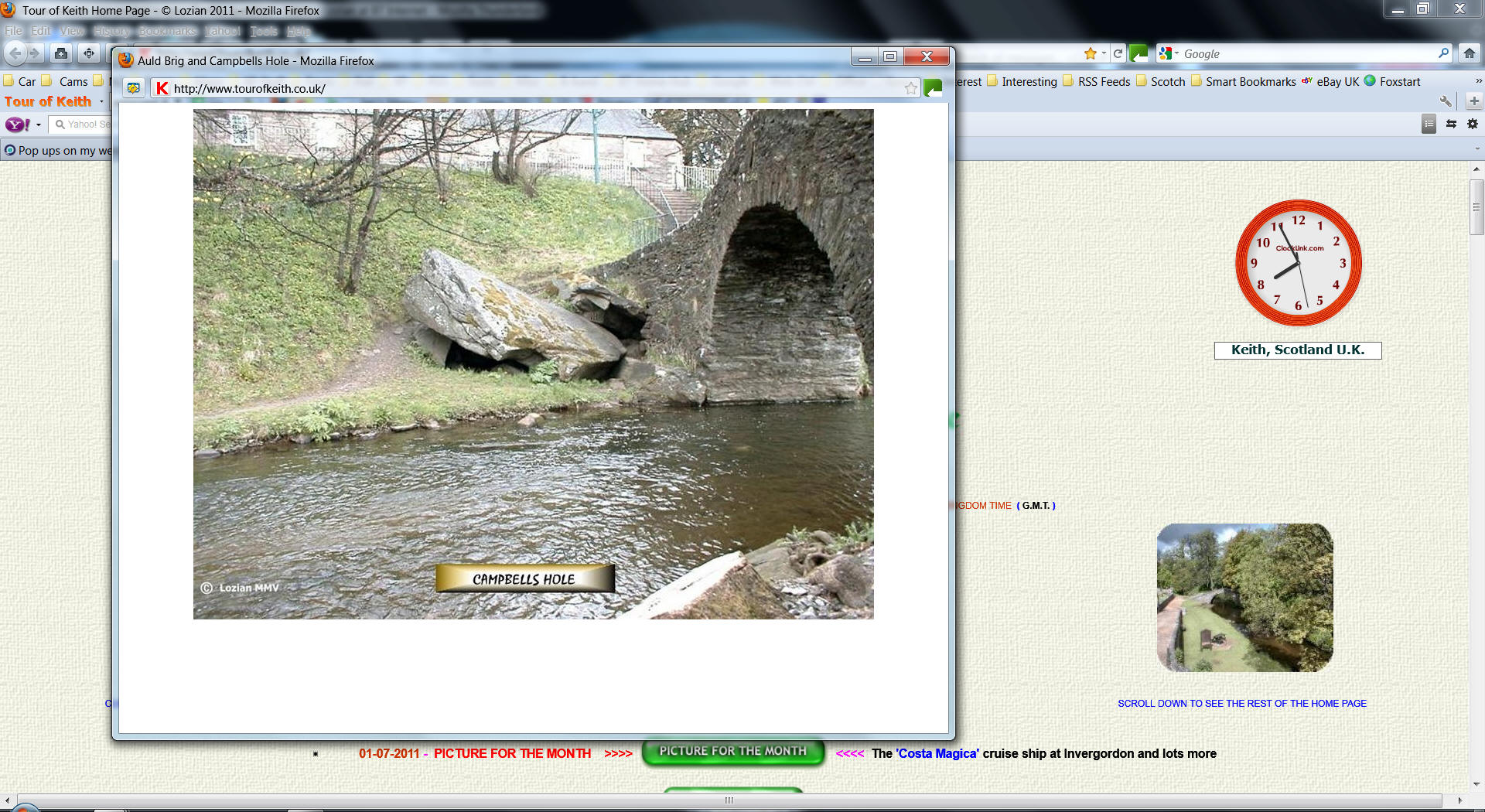
I use Java pop ups to display pictures from individual pages. By clicking on the thumbnail a larger picture is displayed within a frame. Up until Firefox 3.6.18 this worked perfect and the picture was displayed within a frame which if you zoomed in, the frame and picture expanded together. In Firefox 5 the picture fills the frame at no zoom level. If you zoom in the frame enlarges but the picture remains the same size which looks odd and is not what I had before.
Toate răspunsurile (11)
go to Tools Menu -> Options -> Content -> You have 2 choices now:
1) Remove Checkmark from "Block Pop-up Windows". This option will allow all the pop-ups that will open on any webpage.
2) Place Checkmark on "Block Pop-up Windows" -> click "Exceptions..." button infront of this option -> type address of the website from which you want to allow Pop-up Windows (in your case www.tourofkeith.co.uk) -> click Allow & Close "Allowed Sites - Pop-ups" -> click OK on Options window....... This option will block pop-up windows from all other websites except from the websites which you have written and allowed pop-up windows to appear.
Check and tell if its working.
Clear the cache and the cookies from sites that cause problems.
"Clear the Cache":
- Tools > Options > Advanced > Network > Offline Storage (Cache): "Clear Now"
"Remove Cookies" from sites causing problems:
- Tools > Options > Privacy > Cookies: "Show Cookies"
Start Firefox in Use Troubleshoot Mode in Firefox to check if one of the extensions is causing the problem (switch to the DEFAULT theme: Firefox (Tools) > Add-ons > Appearance/Themes).
- Don't make any changes on the Safe mode start window.
- https://support.mozilla.com/kb/Safe+Mode
Thanks for your reply. Unfortunately you may have misunderstood the problem. The pop ups are working with a command in javascript. This is not the problem. The problem lies with the size of the created frame when the pop up appears. If the screen size is at the default for the resolution you are working in, the picture requested will fill the frame when the pop up appears. If the screen is zoomed in with Ctrl and + before the pop up is called, the frame created is larger but the picture stays the same size and does not fill the frame. In previous versions of Firefox this same procedure enlarged the screen, without the pop up visible, and when the pop up was called the frame was not zoomed therefore the picture filled the frame. Attached 2 pictures which might clarify the situation.
-> Update ALL your Firefox Plug-ins https://www.mozilla.com/en-US/plugincheck/
-> go to View Menu -> Zoom -> click "Reset"
-> go to View Menu -> Page Style -> select "Basic Page Style"
-> go to View Menu -> Toolbars -> unselect All Unwanted toolbars
-> go Tools Menu -> Clear Recent History -> Time range to clear: select EVERYTHING -> click Details (small arrow) button -> place Checkmarks on Cookies & Cache -> click "Clear Now"
-> go to Tools Menu -> Options -> Content -> place Checkmarks on:
1) Load images automatically
2) Enable JavaScript
-> go to Tools Menu -> Add-ons -> Extensions section -> REMOVE All Unwanted/Suspicious Extensions (Add-ons) -> Restart Firefox
Check and tell if its working.
Modificat la de Hasan
No difference. Problem still exists. Going back to Firefox 3.6.18
Corrupt localstore.rdf
http://kb.mozillazine.org/Corrupt_localstore.rdf
Check and tell if its working.
Check the zoom setting:
- View > Zoom > [] Zoom Text Only
I just tried your site. The pictures work for me, and they do get larger when I zoom. I am using Firefox 5.0.1. Incidentally, your first post states that the site uses java. I found no java applets listed in the source code. I think you are mistaking javascript for java. They are entirely different.
Yes. I agree I did say java when it should have been quoted as javascript.
Thanks to cor-el. View/Zoom/Zoom Text Ony was unticked. Now ticked and working as I require. This is the answer. Fixed now and javascript working in 5.01 as it was in 3.6.18. Brilliant ... Thanks to all ...
Modificat la de pcvman
You're welcome