I no longer get a darker screen when opening a private window. I don't know if I'm in privte or not.

About 3 weeks or a month ago I no longer can identify if I am in a private window or not. I used to get a screen with dark borders and it identified itself as a private window. I've tried everything in settings to try to get this private screen back but have not been successful. I have not tried falling back an update or 2. I would appreciate some help with this issue.
Toate răspunsurile (3)
Bonsoir
Private Browsing - Use Firefox without saving history https://support.mozilla.org/en-US/kb/private-browsing-use-firefox-without-history
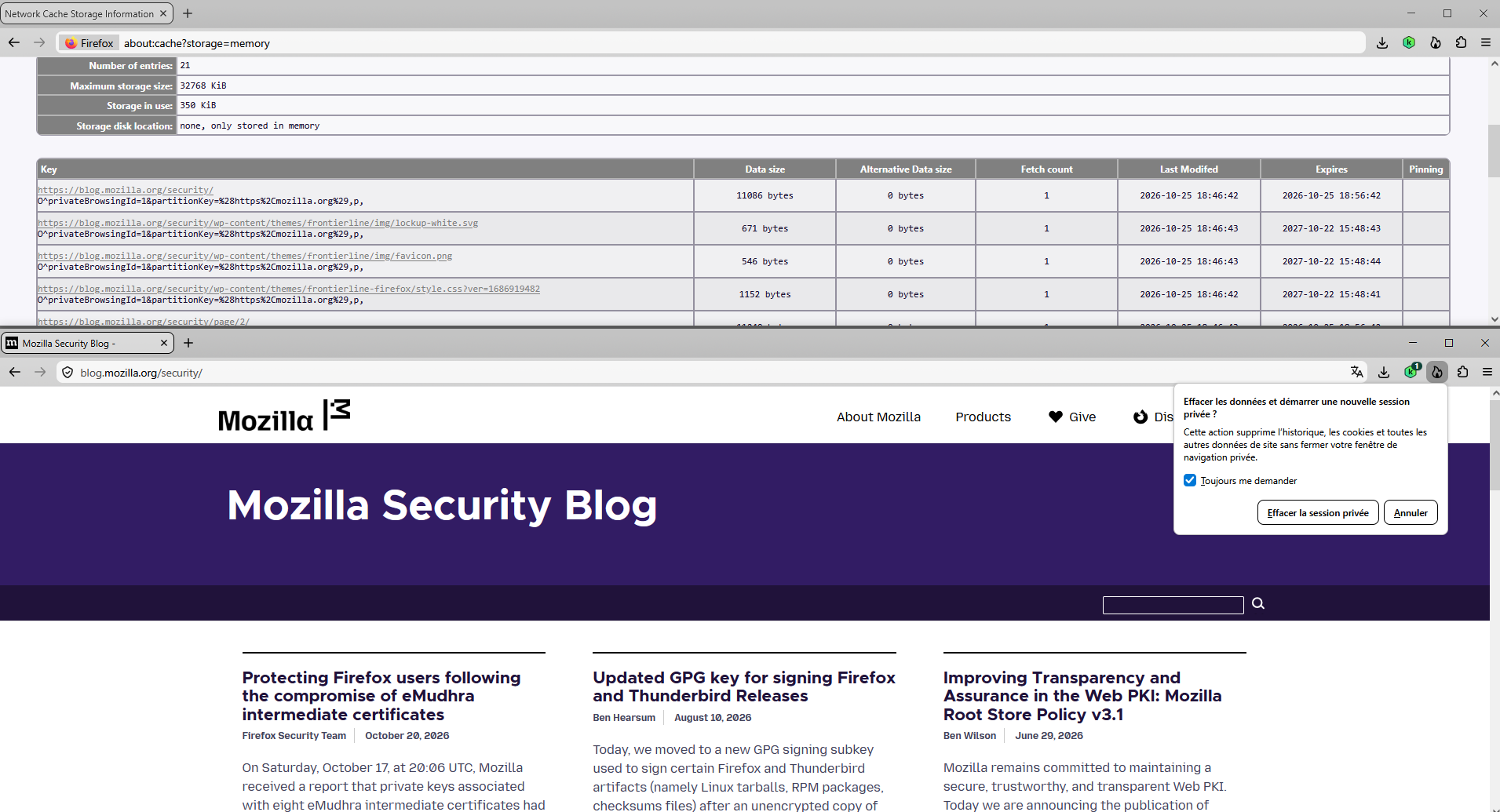
To see, if Private Browsing used. Type, about:cache, into your address bar. Take a look at, about:cache?storage=memory, you'll find information privateBrowsingId.
As for me, i use, Always use private browsing mode.
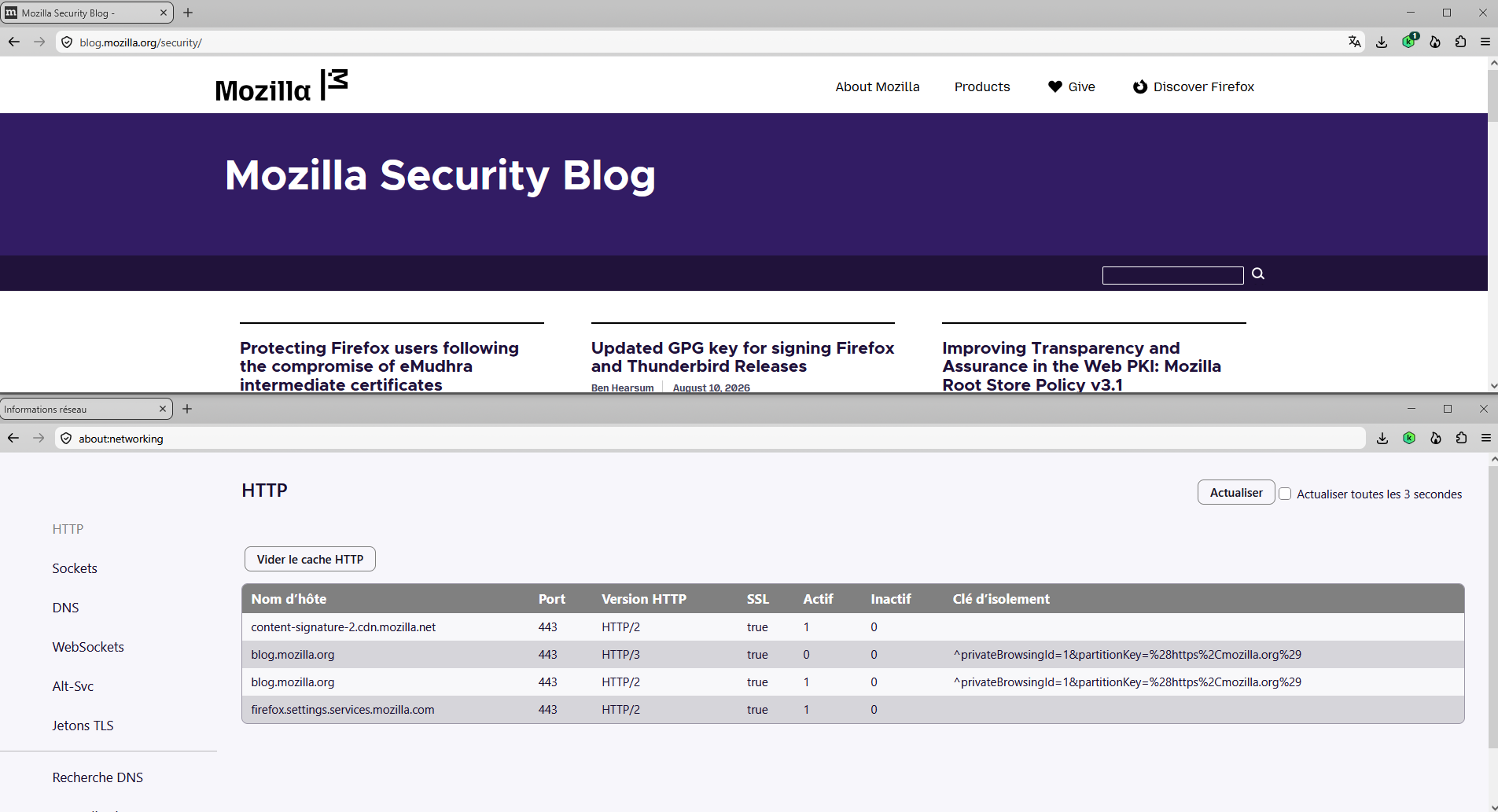
Other source of information, if Private Browsing used. Type, about:networking, into your address bar.
Customize keyboard shortcuts in Firefox https://support.mozilla.org/en-US/kb/customize-keyboard-shortcuts-firefox
As for me, i use, Always use private browsing mode.
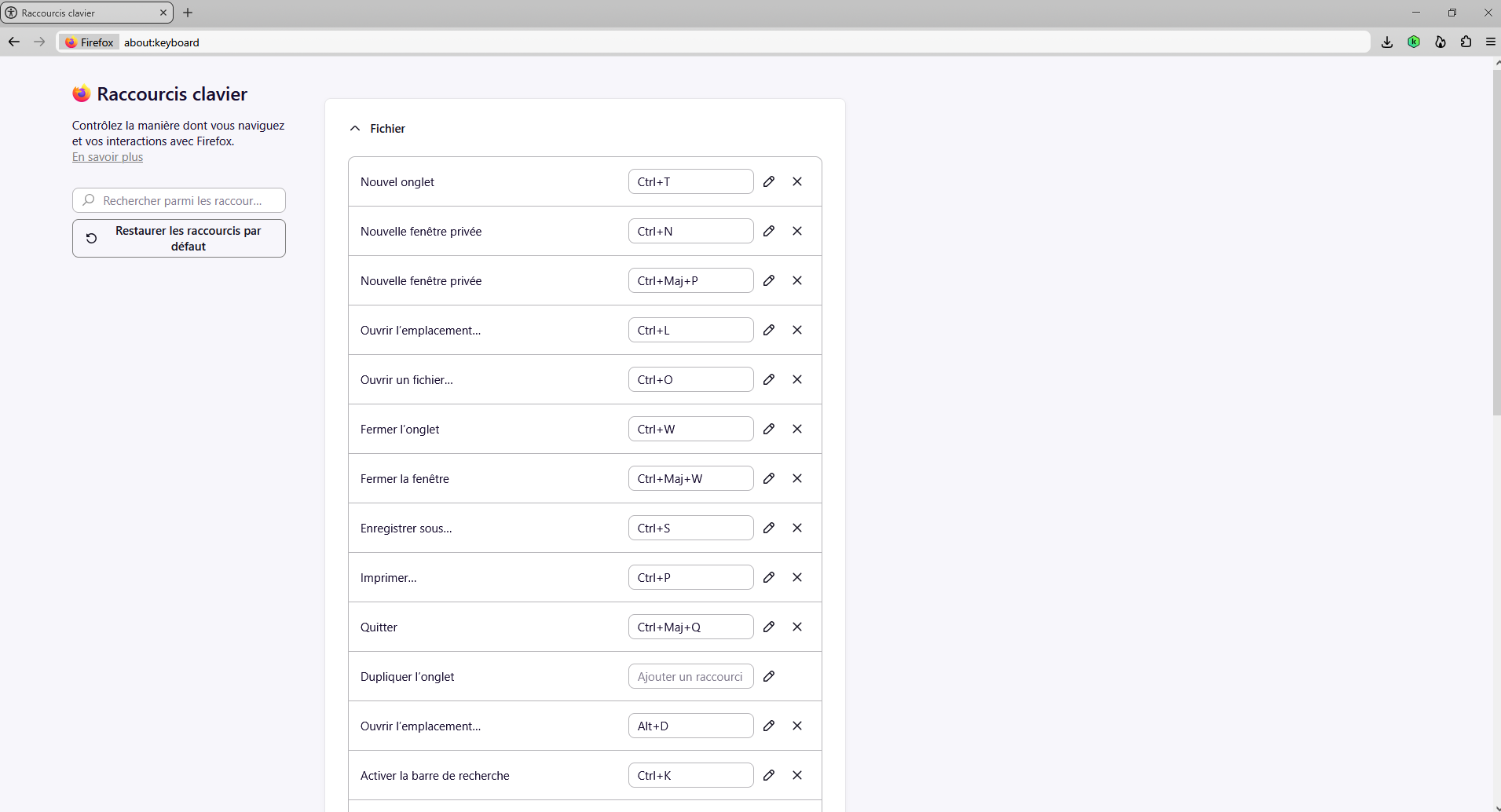
about:keyboard
There are two entries. Nouvelle fenêtre privée Ctrl+N Nouvelle fenêtre privée Ctrl+Maj+P