


Stop asking to save passwords

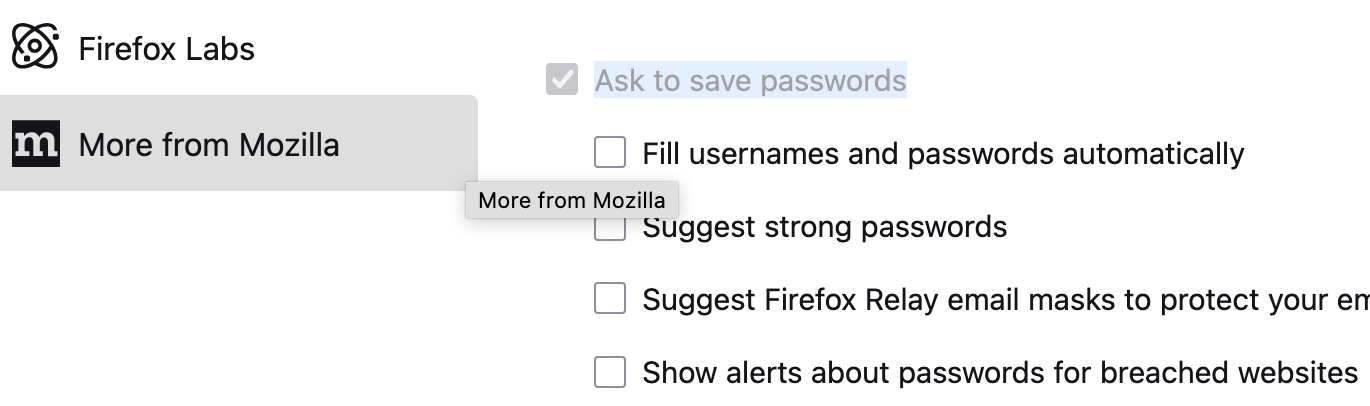
I want to stop Firefox from asking to save passwords. In settings/passwords the checkbox is checked but greyed out, so I cannot uncheck it. Why is it greyed out and how can I stop Firefox from asking to save every password?
I want to stop Firefox from asking to save passwords. In settings/passwords the checkbox is checked but greyed out, so I cannot uncheck it. Why is it greyed out and how can I stop Firefox from asking to save every password?
Toate răspunsurile (1)
Hi,
That looks odd. Please try the following:
- Run Firefox in Troubleshoot Mode. Is the setting still grayed out there? If not, see this article for further troubleshooting steps.
- (If the above doesn't help) Go to about:policies (just enter this in your address bar and press Enter). What do you see there?
- (If the above doesn't help) Create a new Firefox profile. Is the setting grayed out there as well?