


Firefox is unable to save files or images on other drives

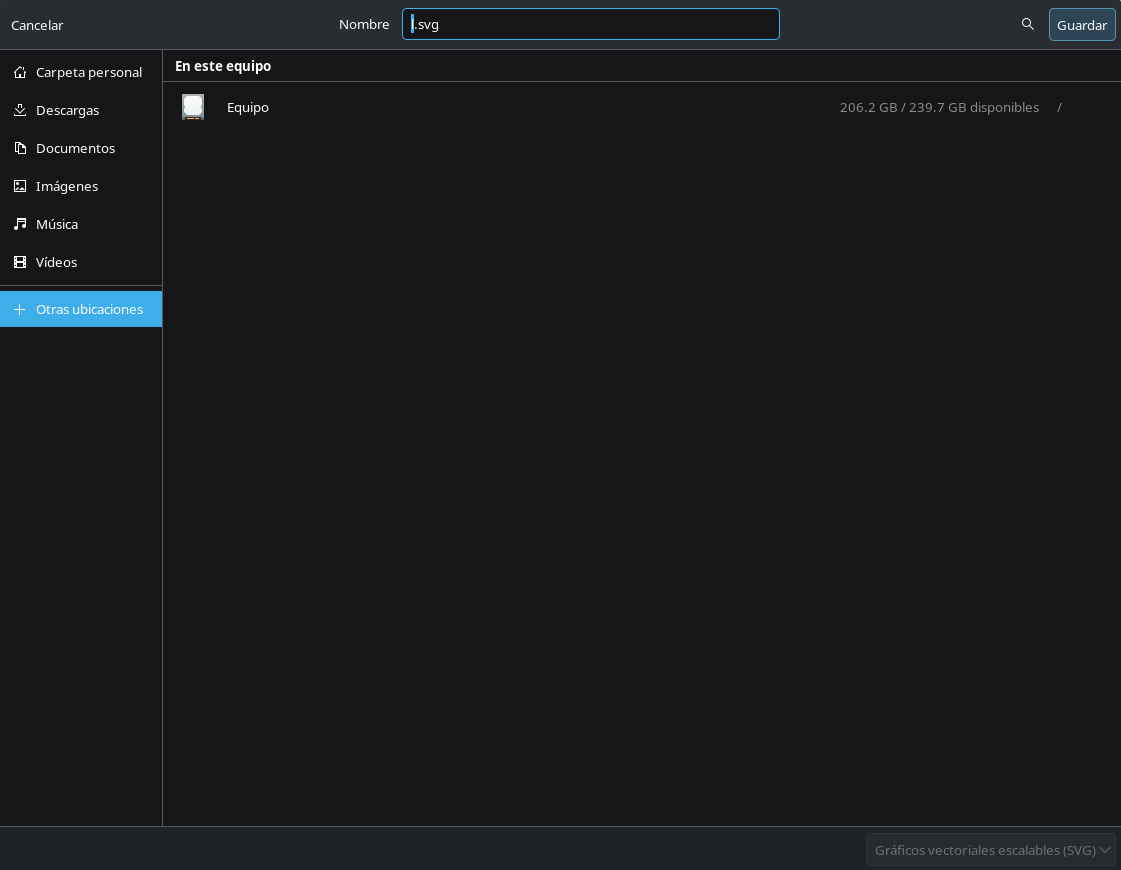
Hi there I have the problem that my firefox can save any file or download on my other drives since they arent event show as an option. I did a little research and read that by default in linux for security reason was unable to, but asking in the official forum of my distro (cachyos), they can save thing in other drives with no problems.
So i wanted to know why i dont?, my firefox installation is native at installing the dristro and having all perimission but it cant see my drives except the one is installed to (and where my OS is).
The only thing different i actually do is the folder where my current user info is saved, i moved the files from my user but with the files i had from my old windows session to impor my saved sites, favorites, etc.
Can you help me to be able to save files or images on my other drives?, thank you for time.
Toate răspunsurile (5)
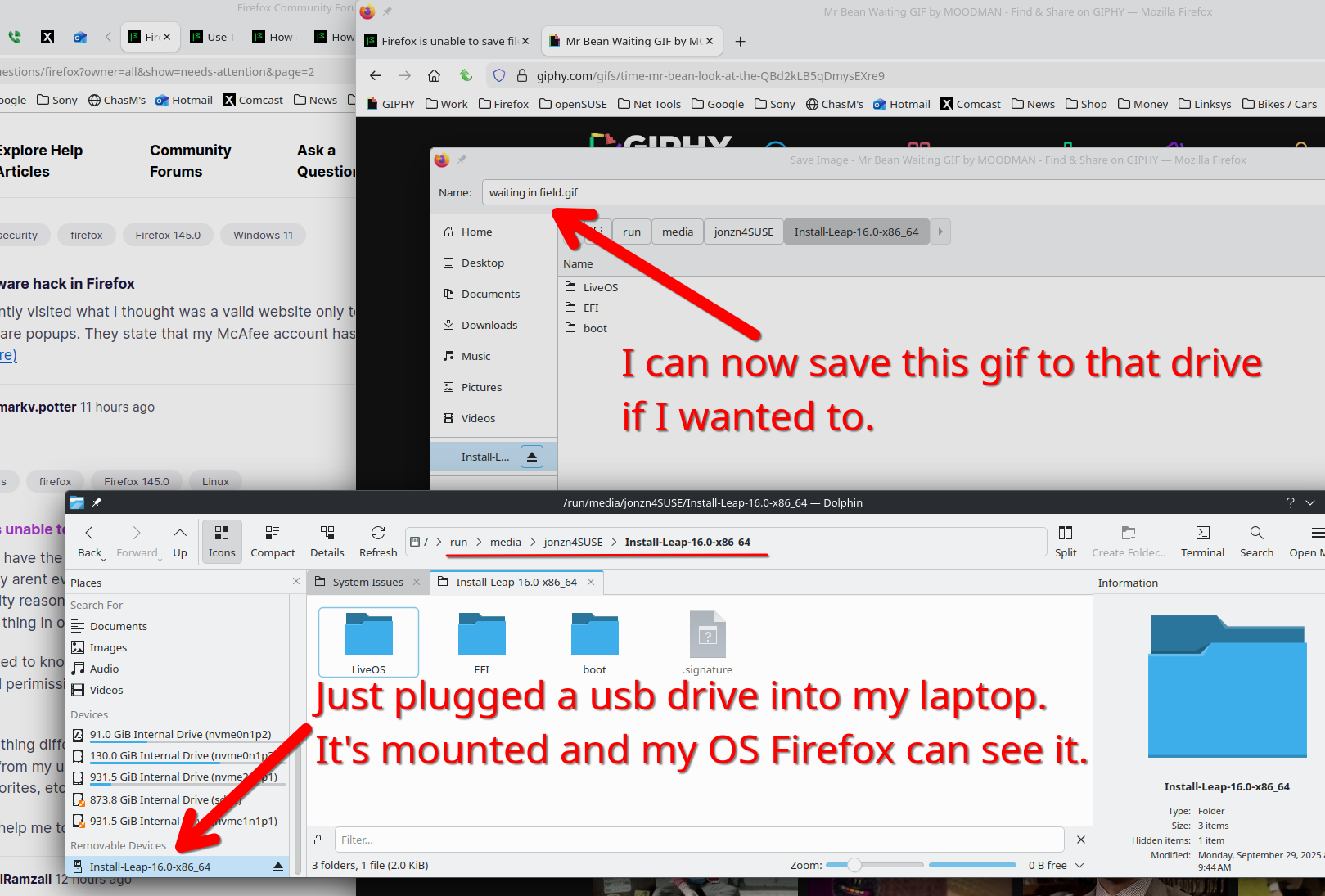
You need to show if your OS is seeing the drive first before pointing the finger at Firefox. My screenshot shows my file manager(Dolphin in KDE) is showing the drive and Firefox can see the drive in the file picker and I can save it. see screenshot
Modificat la de jonzn4SUSE
Sure As you can see, Dolphin can see and use the other drives no problems as they are show on the left, only firefox couldnt do it. Recently i uninstaled firefox from the cachyos hello terminal and re-instal it, before doing this in the root folder, firefox even couldnt see the mnt folder to gain access. But after the reinstall suddenly it can, so i created a quick access to a folder inside one of the other drives and it saved an image just fine.
Dunno what caused the problem, and if you see some of the problem still there but now it recognize the quick access, so i think this should do part of the job.
It should be researched why it cant still see the drives directly but be able to use a quick access just fine now.
Thanks fo the response and hope this help other people with a similar problem
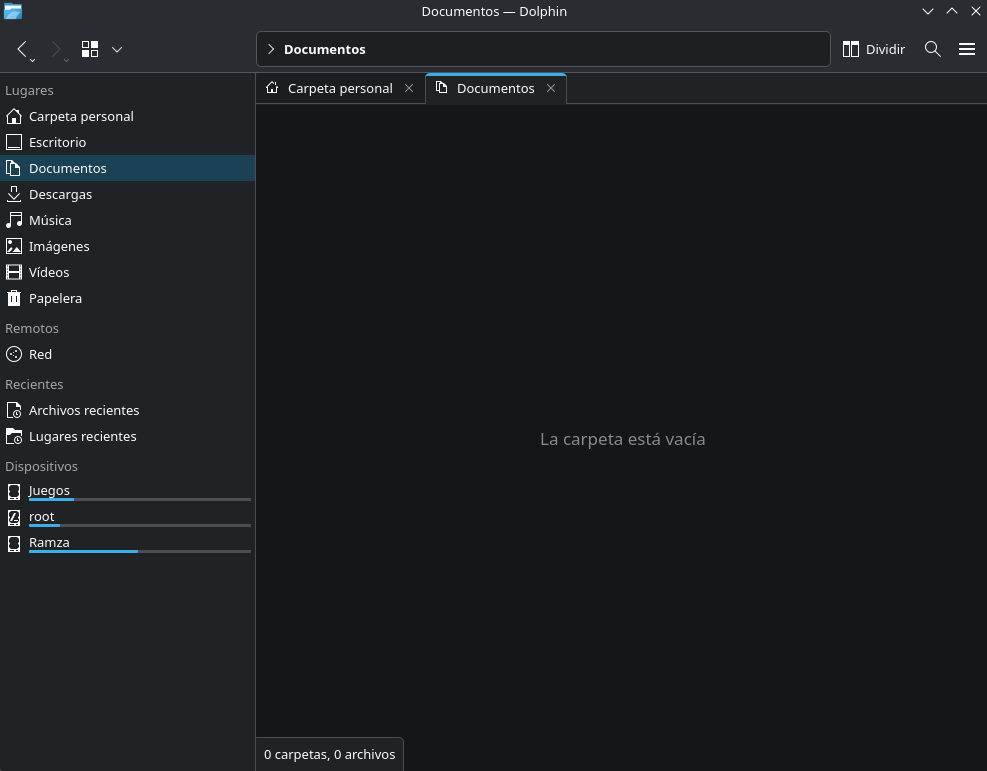
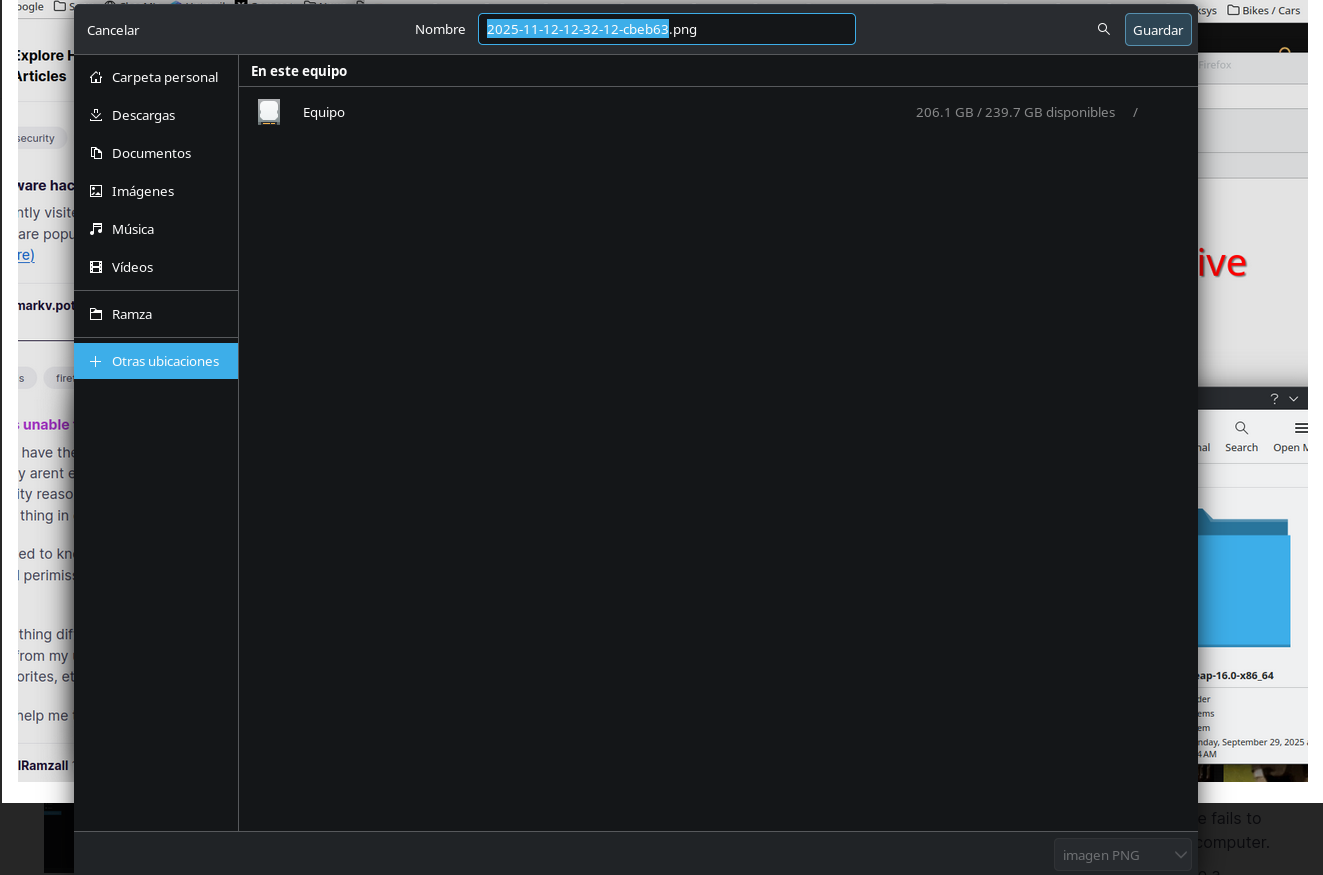
There should be some kind of message when try to save. You can also see what the logs say when you try. In the screenshot, which drive is the c drive for windows? Let boot my win11 / openSUSE and get some screenshots.
The equivalent will be root, and there is no message if firefox can event see the other drives by its own as showed on the screenshoot. Before the reinstall, firefox couldnt event see the folder called mnt in the root drive, this is where the drives are mounted to cachyos is able to work with them.
Now after the reinstall, it can see the mnt folder, open it and by doing that gain acces to the other drives to work with but if i try to see more directly the drives from the "other locations" option, only the root drives is showed.
Here's another thread with the same non-browser issue. https://support.mozilla.org/en-US/questions/1545492#answer-1779007