


Problems with GBoard

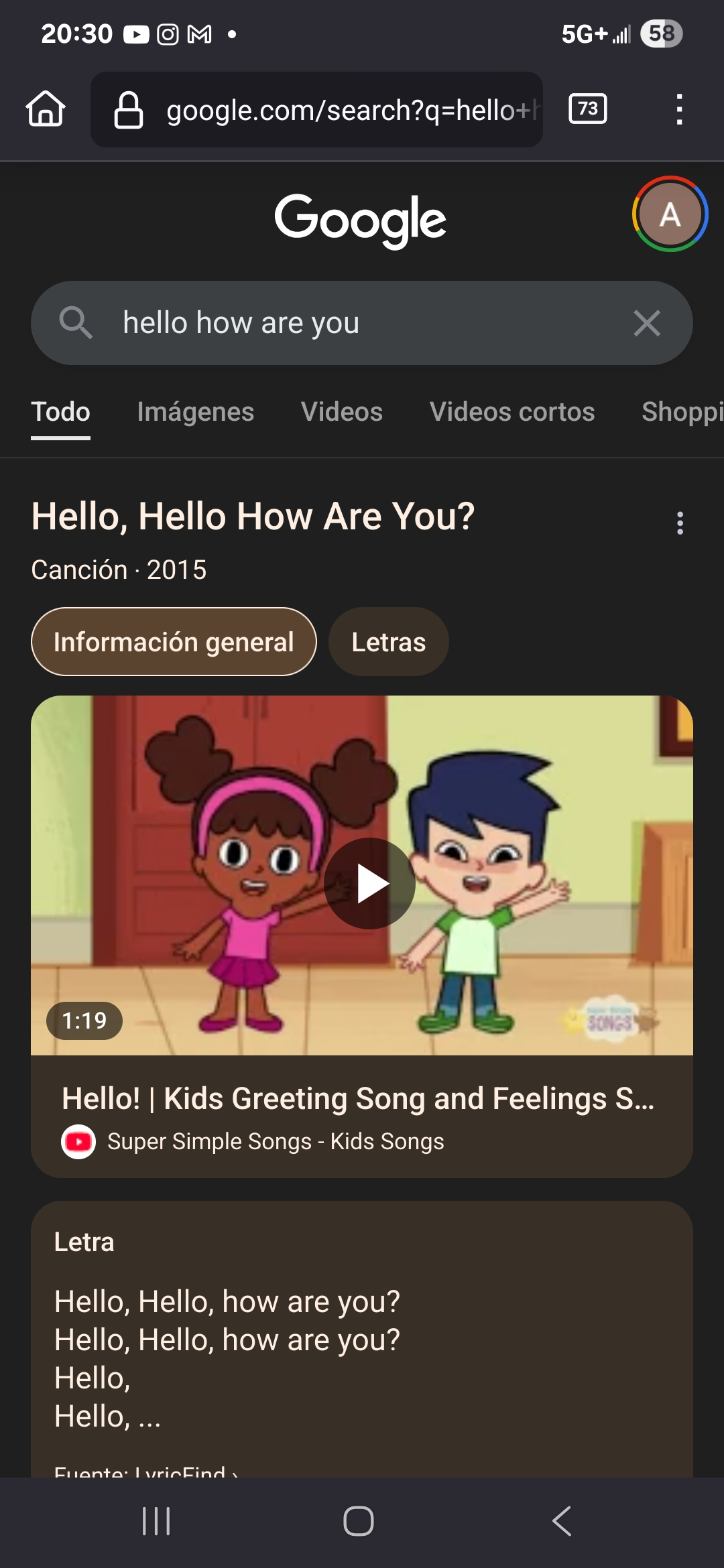
Hi, I have problems when using Firefox Android with my Samsung 24 Pro. This doesn't happen with my other phone, that is a One Plus, nor in Chrome browser.
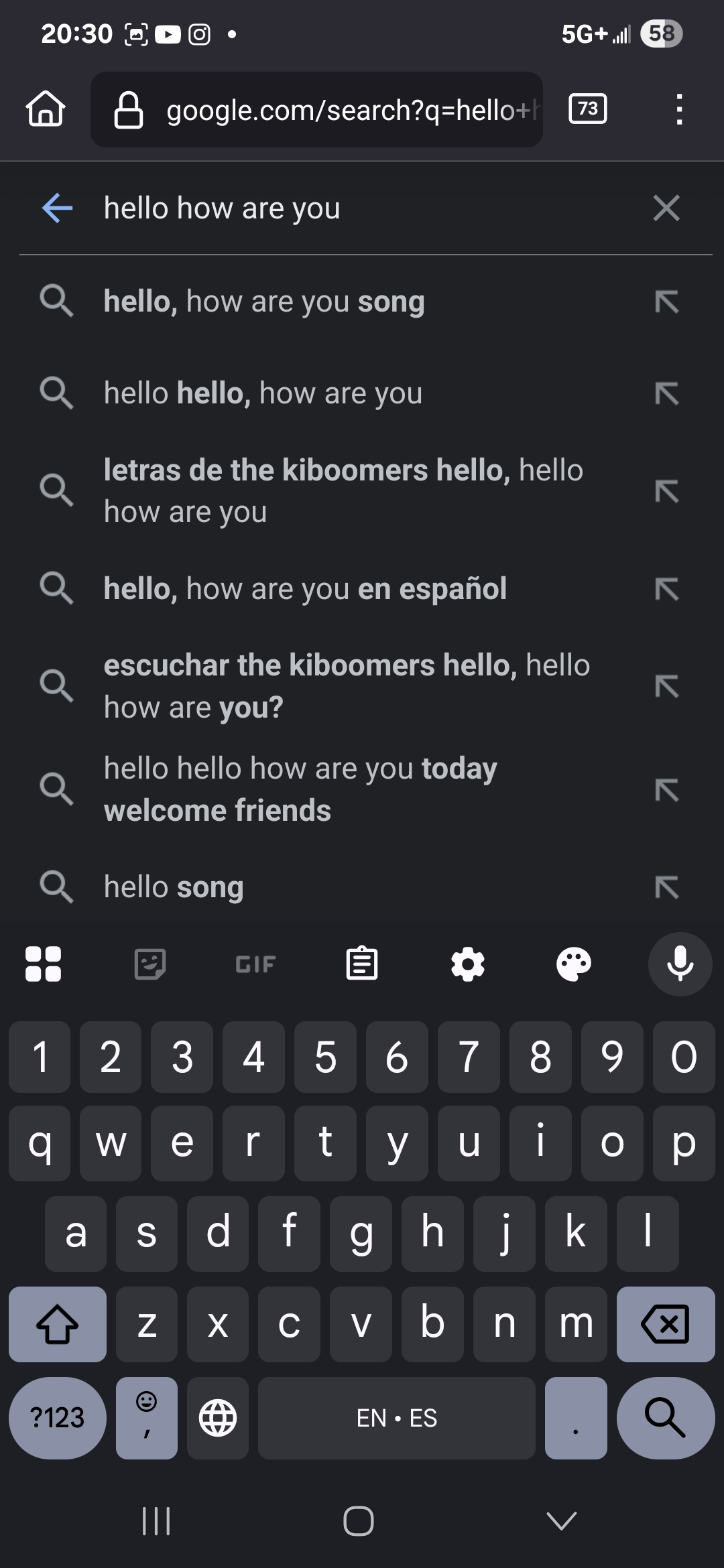
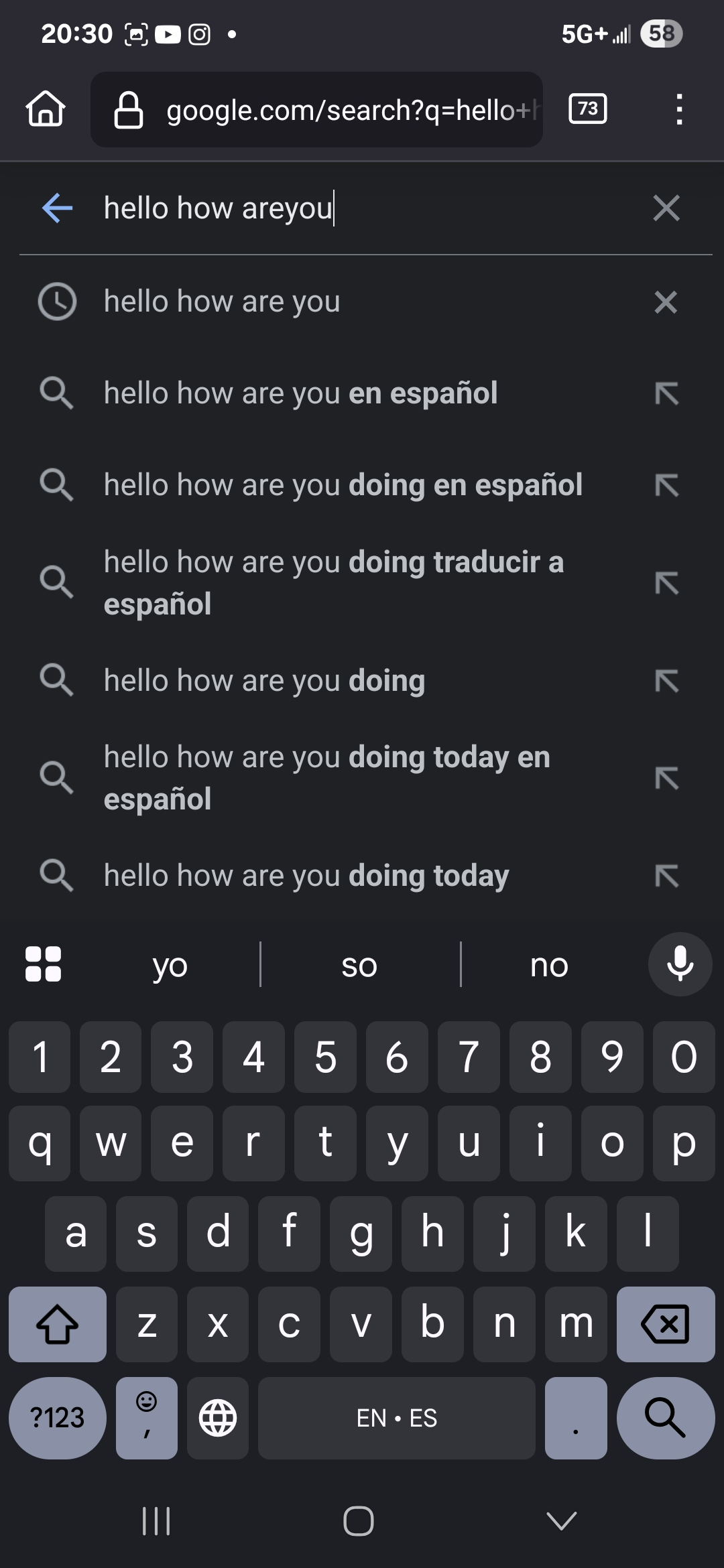
1) I start using Firefox 2) I search something with the bar (google engine) 3) I press the bar to change my search 4) Press to remove a character with the delete
If I searched with more than one word word, it deletes the space in between, eg. "hello how are you" transforms into "hello how areyou". Spected behaviour "hello how are yo". If its only one word a random letter is deleted. Sometimes it deletes a complete word.
If, for example, instead of pressing delete, I touch again the bar in step 4) no bug ocurrs.
Hope someone can help me Best Regards Andrés
Toate răspunsurile (4)

That sounds really frustrating! Since it only happens with Firefox on your Samsung, it might be a glitch between the browser and your keyboard app. You could try updating both or switching keyboards to test. Sometimes, taking a short break and reading something calming like سورة الانفطار مكتوبة helps ease the stress while you troubleshoot. Hope it gets sorted soon!
Thank you for your reply. Unluckily I already tried that. I even reinstalled Firefox and Gboard. This is happening since I bought the phone, end of January.

Try clearing Firefox's cache or reinstalling it. Also, check if ‘Remove Space’ is enabled in Samsung Keyboard settings. This might fix the deletion issue. Hope it helps!

It sounds like a keyboard-input bug between Firefox for Android and Samsung’s keyboard on the S24 series — a few people have reported similar issues with spaces or whole words being removed unexpectedly.
A couple things you can try:
Switch keyboards temporarily (e.g., Gboard or SwiftKey) and see if the issue disappears. If it does, it’s likely a Samsung Keyboard + Firefox glitch.
Disable “Suggest text corrections” / “Smart typing” in Samsung Keyboard settings — those features sometimes cause weird delete behavior in search bars.
Clear Firefox’s cache or reinstall the app, just in case something broke after an update.
Make sure Firefox and your phone’s software are fully updated — Samsung pushed some keyboard fixes recently.
If the bug only happens on Firefox + Samsung Keyboard, it’s worth reporting it to Mozilla as well so they can patch it.