


Windows 10 reached EOS (end of support) on October 14, 2025. For more information, see this article.

Caută ajutor

Atenție la excrocheriile de asistență. Noi nu îți vom cere niciodată să suni sau să trimiți vreun SMS la vreun număr de telefon sau să dai informații personale. Te rugăm să raportezi activitățile suspecte folosind opțiunea „Raportează un abuz”.

Află mai multe

viewing sent emails

  • 1 răspuns
  • 0 au această problemă
  • 22 de vizualizări
  • Ultimul răspuns dat de david

mai multe opțiuni

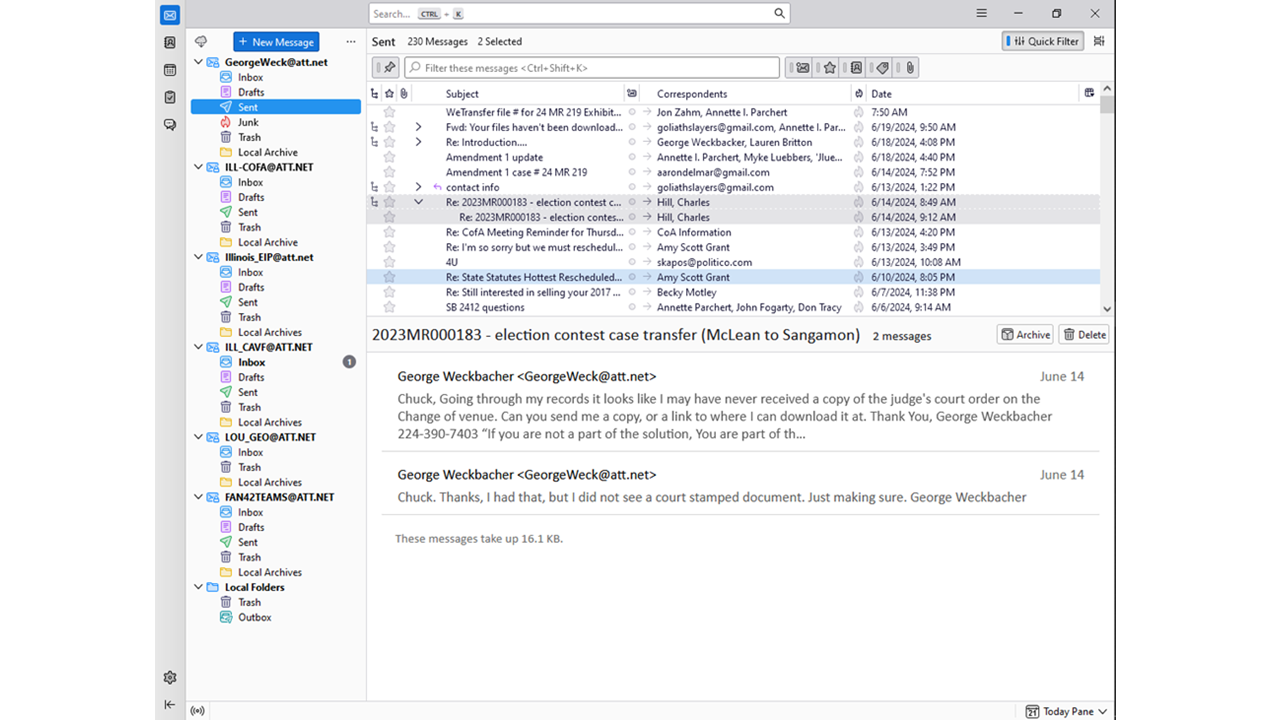
When I select "Sent" emails to review to see what I have sent. I find that Thunderbird will not show emails with attached files. (see image) To see what I have sent with attachments I have to select attachments. (see image)

I would think that I should see ALL the emails sent when first selecting "Sent".

I then should be able to view only sent emails with attachments when I select attachments.

Are my settings off or is this a bug in the software?

Let me know. TY
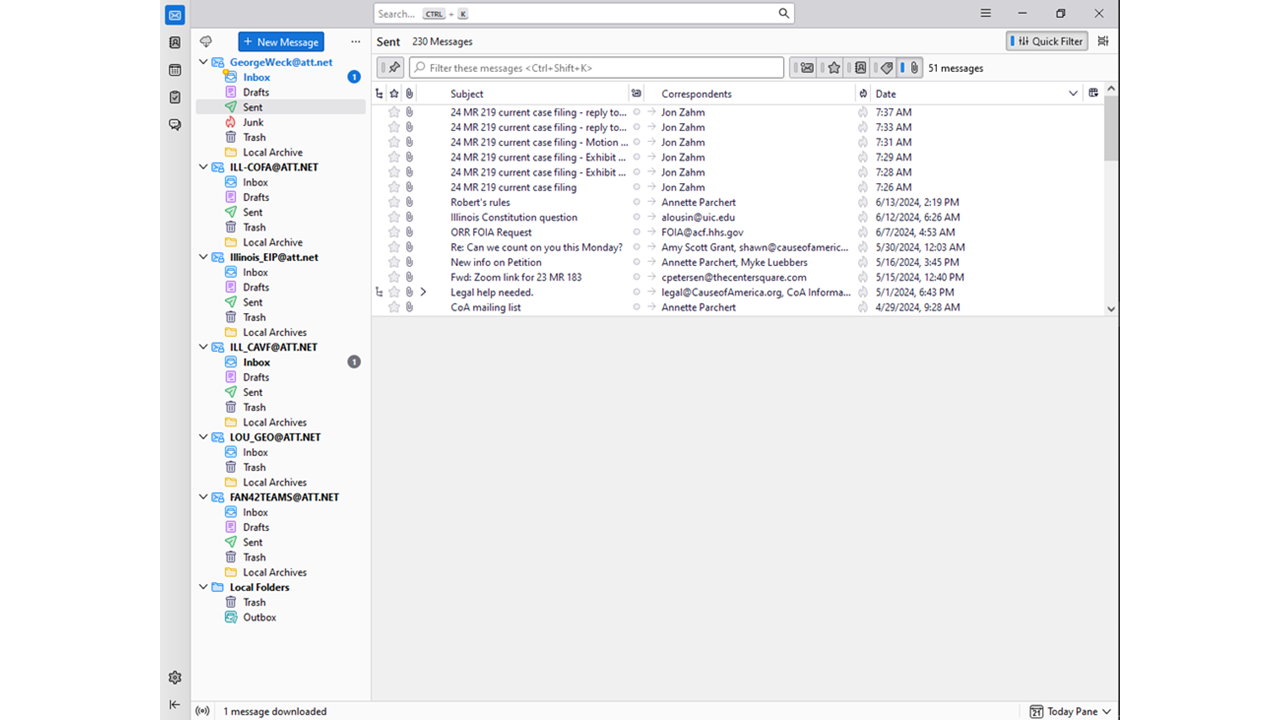
When I select "Sent" emails to review to see what I have sent. I find that Thunderbird will not show emails with attached files. (see image) To see what I have sent with attachments I have to select attachments. (see image) I would think that I should see ALL the emails sent when first selecting "Sent". I then should be able to view only sent emails with attachments when I select attachments. Are my settings off or is this a bug in the software? Let me know. TY
Capturi de ecran atașate

Toate răspunsurile (1)

mai multe opțiuni

I am not grasping the issue. By defining a column for attachments, you can readily see which messages had attachments, and by clicking that column, you can group them together, if desired. Could it be that you have threaded view and that is causing that situation? If you have threaded view, disable for that folder to see if you then see what you were hoping for.