

Firul de discuție a fost închis și arhivat.
Adresează o întrebare nouă dacă ai nevoie de ajutor.

Blocat
Arhivate
unchecking the 'delete cookies & site data when Firefox is closed'

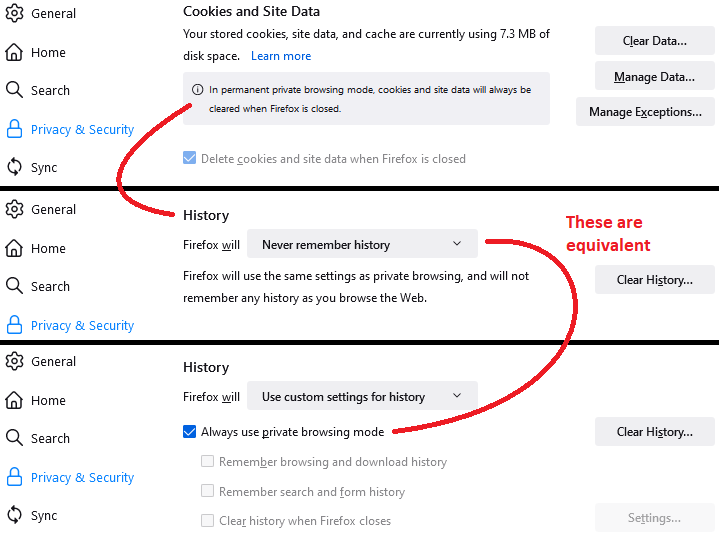
In Preference - Security I cannot uncheck the 'delete cookies & site data when Firefox is closed' - it is grayed out.
In Preference - Security
I cannot uncheck the 'delete cookies & site data when Firefox is closed' - it is grayed out.
Toate răspunsurile (1)
Hi, is this on a Mac or an iPad/iPhone?
The box may be grayed out in the Mac/Windows/Linux version if Firefox is set to use automatic private browsing mode, also known as "Never remember history." There should be a note about that above the the checkbox in that case. You can check/adjust your setting further down the Privacy & Security panel in the History section.

This question has been locked because the original author has deleted their account. While you can no longer post new replies, the existing content remains available for reference.